Yasan answers your customers’ questions with an AI shopping assistant that knows your products, orders and policies, and replaces your store’s search box with AI-powered product search.
This plugin connects your WooCommerce store to your Yasan account in one click:
- It creates the WooCommerce API key Yasan needs, so there is nothing to copy or paste.
- It adds the Yasan widgets to your storefront once you switch them on in Yasan. There is no theme file to edit and no snippet to paste.
- Every setting — switching the chatbot and AI Search on and off, their look, their texts — lives in your Yasan account. Changes there show up on your store straight away.
A Yasan account is required. You can create one while connecting. Yasan is a paid service with monthly plans: the first 14 days are free, with no card required. See the plans and prices at https://yasan.ai/pricing.
Requirements
- WooCommerce, active.
- Your store served over HTTPS at a public address, so Yasan can reach it.
- Pretty permalinks (Settings Permalinks set to anything but “Plain”), which the WordPress REST API routes the plugin uses need.
External services
This plugin connects your store to Yasan (https://yasan.ai/), an AI customer support service operated by Yasan. The plugin talks to the Yasan API at https://app.yasan.ai/api, and your visitors’ browsers load the Yasan widgets from https://app.yasan.ai. Nothing is sent before you click Connect to Yasan.
- When you click Connect to Yasan, the plugin sends your store’s address, the WordPress admin email, the WooCommerce store country, and a WooCommerce REST API key (read/write) it creates for Yasan. Yasan uses the key to read your products and orders and to answer your customers.
- While connected, the plugin asks Yasan for the connection status when you open its screen and twice a day in the background, sending only your store’s address and a signature.
- On your storefront, visitors’ browsers load the Yasan widget script from Yasan’s servers. What visitors type into the chatbot or AI Search is sent to Yasan to answer them.
- When Yasan’s bot protection is on, the widget runs Cloudflare Turnstile (https://challenges.cloudflare.com), Cloudflare’s check that the visitor is a person and not a bot, as a visitor starts a chatbot or AI Search conversation. Turnstile collects technical data about the visitor’s browser and device for that check. Cloudflare’s Turnstile privacy addendum: https://www.cloudflare.com/turnstile-privacy-policy/, Cloudflare’s terms: https://www.cloudflare.com/website-terms/
-
When you delete the plugin, it tells Yasan to stop using your store.
-
Terms of Service: https://yasan.ai/terms
- Privacy Policy: https://yasan.ai/privacy
- Data Processing Agreement: https://yasan.ai/dpa
- Privacy notice for your store’s visitors: https://yasan.ai/ai-assistant-privacy
Screenshots
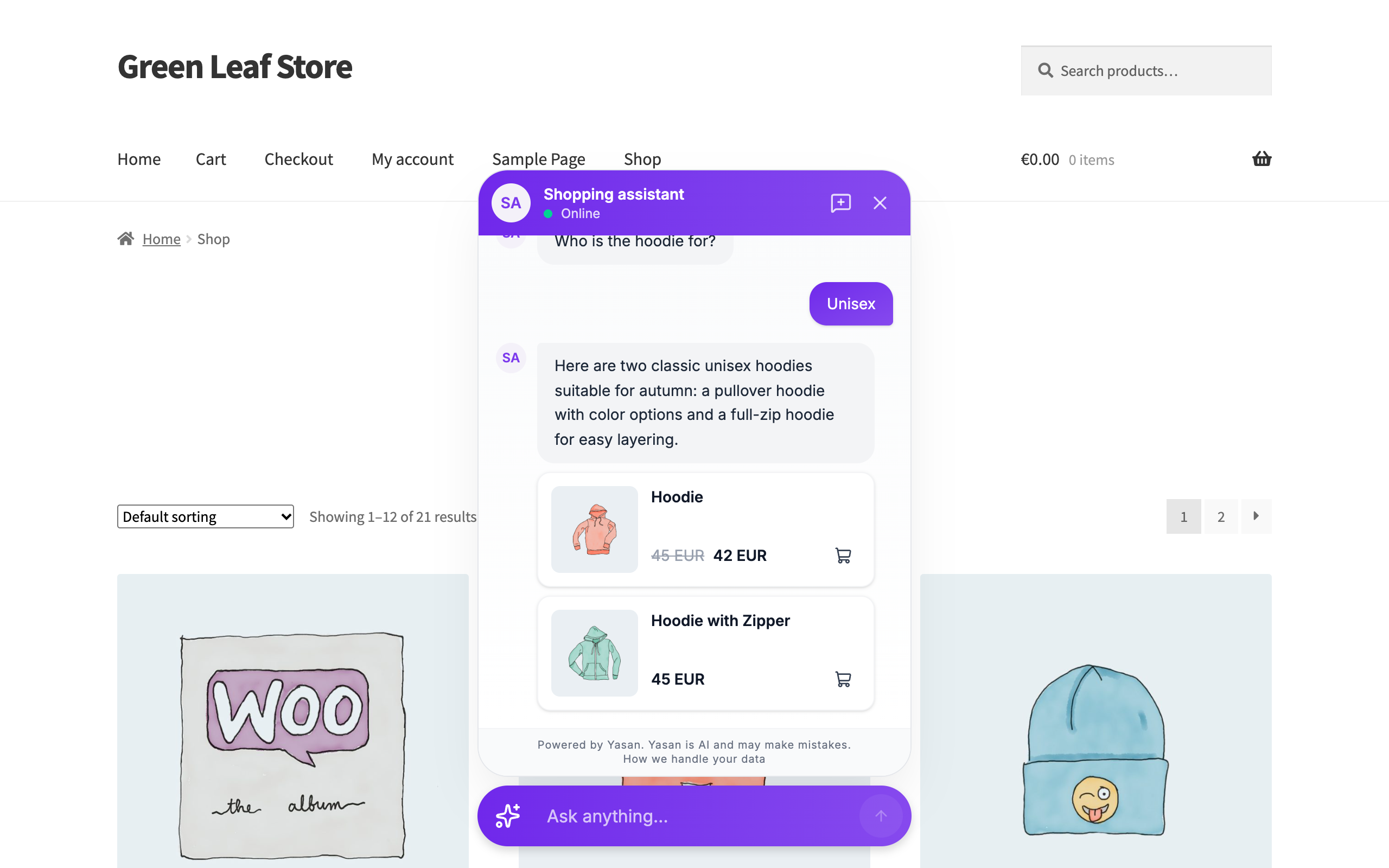
The Yasan AI shopping assistant answering a customer's question with matching products.
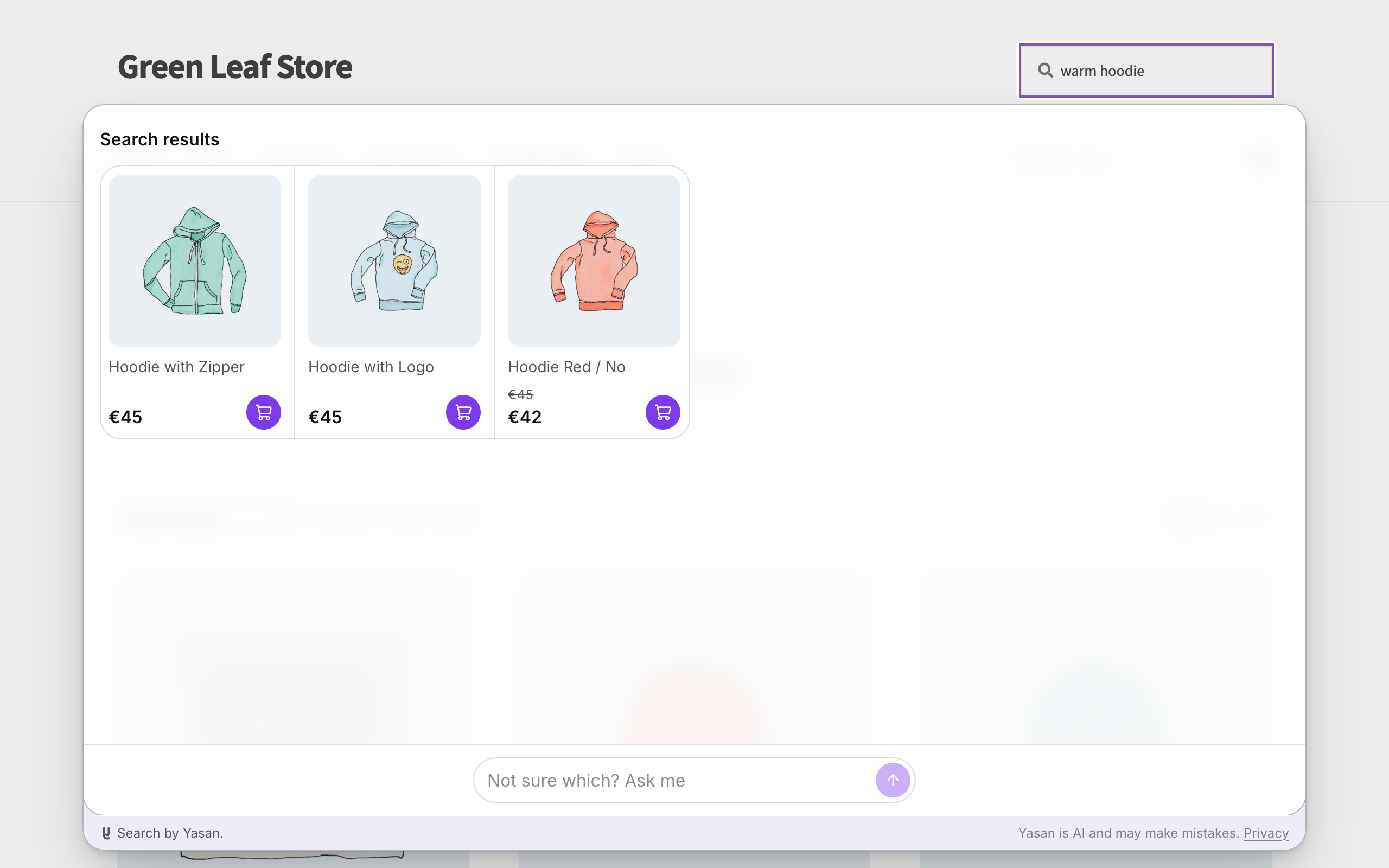
AI Search showing matching products as the shopper types.
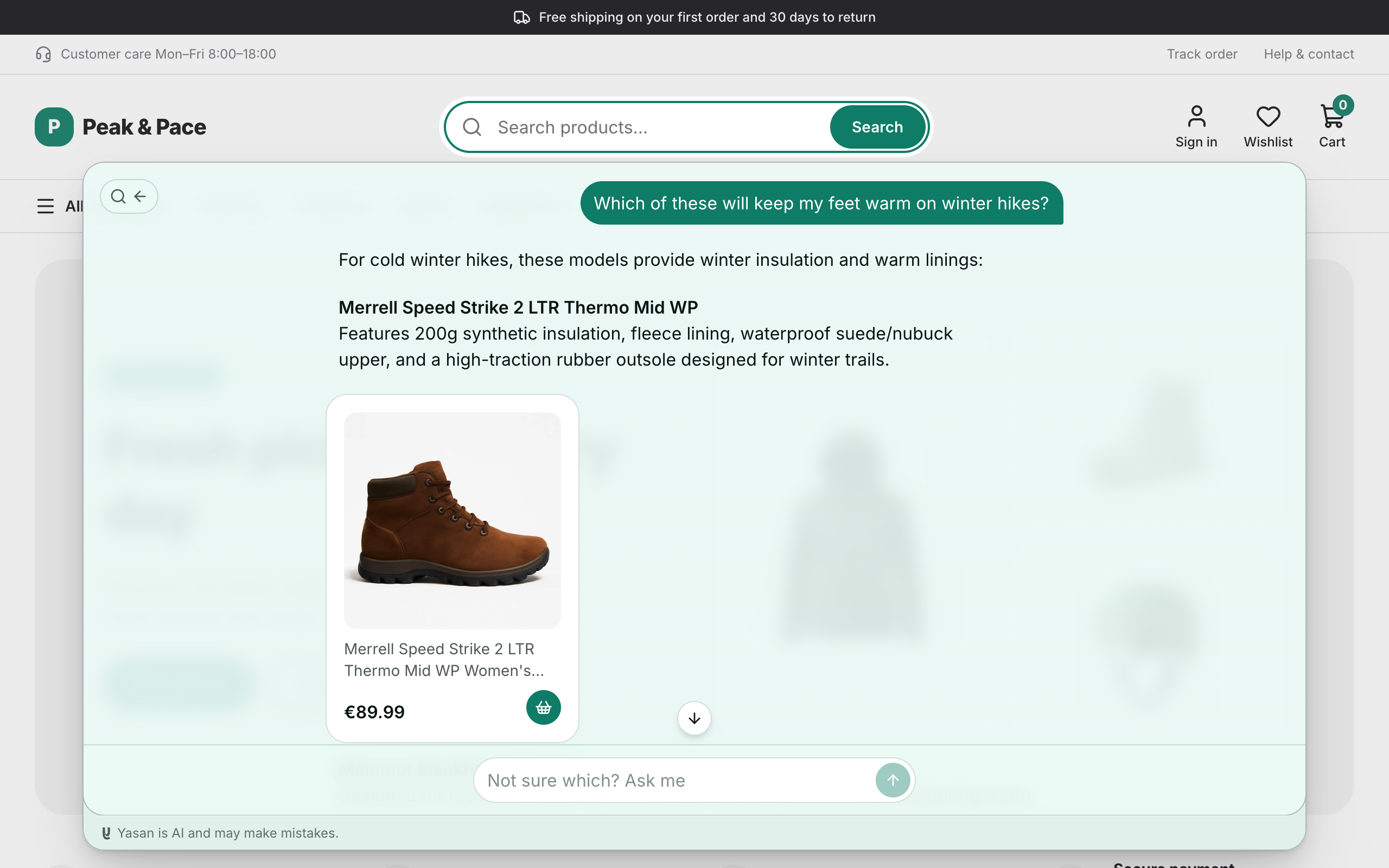
The Yasan screen under WooCommerce, ready to connect.
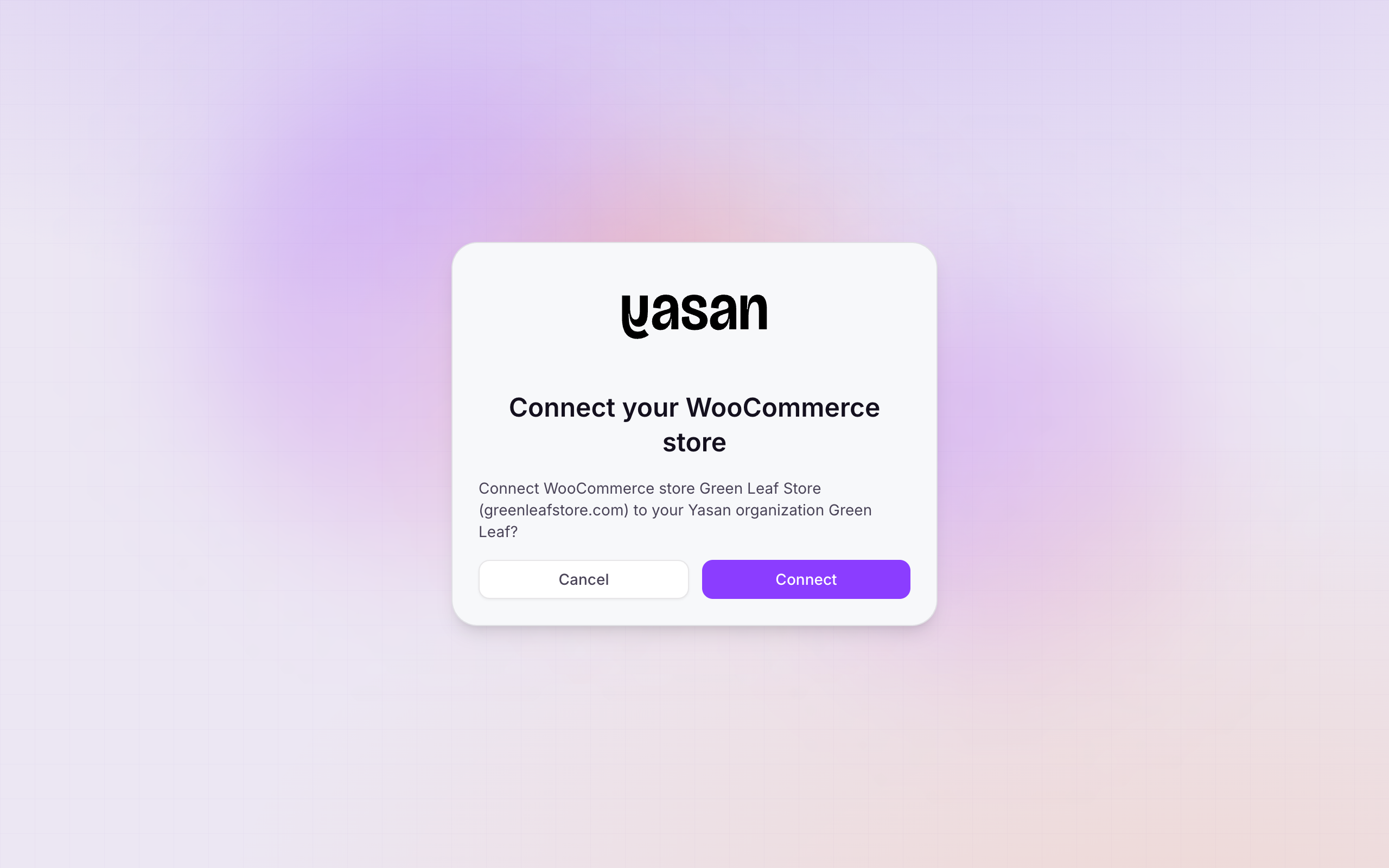
Confirming the connection in your Yasan account.
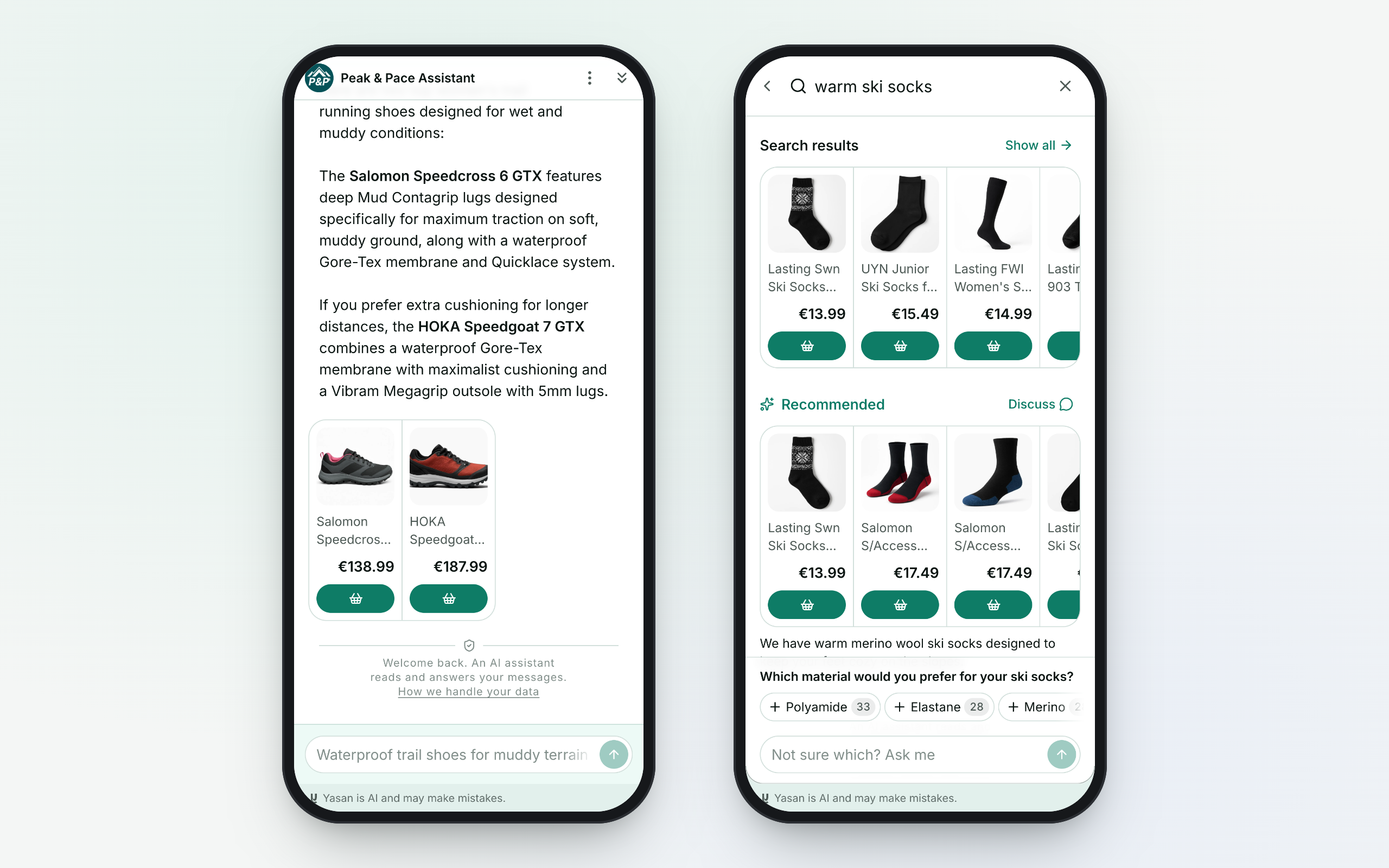
A connected store with the chatbot and AI Search live.