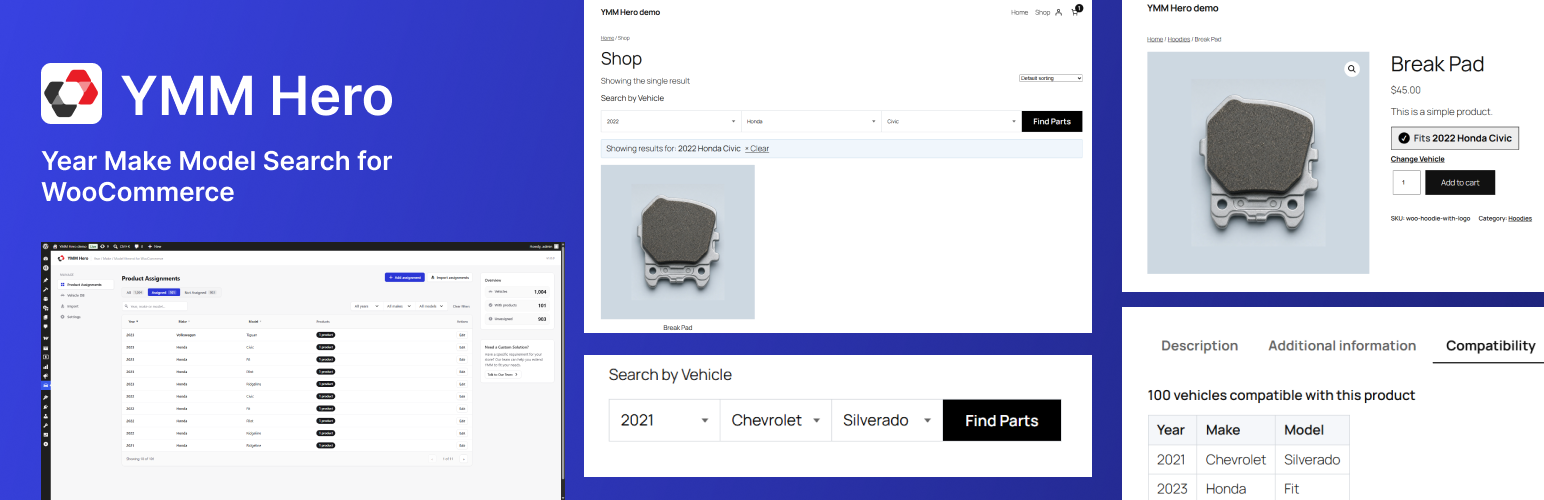
YMM Hero adds a Year / Make / Model vehicle filter to your WooCommerce store. Customers pick their vehicle from chained AJAX dropdowns and the shop instantly narrows down to products that fit.
Store owners manage a dedicated vehicle database and map products to compatible vehicles entirely from the WordPress admin — no coding required.
Key features
- Custom vehicle database stored in its own table for fast lookups
- CSV bulk import for vehicles and for product assignments
- Product–vehicle compatibility mapping via a meta box on the product edit screen
- Dedicated Product Assignments admin screen with search and filters
- AJAX chained Year Make Model dropdowns
- Shop and archive filtering through URL parameters
- Fitment verification widget on the single product page
- Compatibility table showing every vehicle a product fits
- Vehicle memory across pages using localStorage
- Settings page for widget placement and styling
- Gutenberg block for placing the search widget anywhere
Shortcodes
[ymmhero_search]— renders the Year/Make/Model search widget[ymmhero_fitment_check]— renders the fitment check widget on a product page[ymmhero_compatibility_table]— renders the compatibility table for a product
Screenshots
![Frontend - The Year / Make / Model search widget placed on the home page with the block or the [ymmhero_search] shortcode.](https://ps.w.org/ymm-hero/assets/screenshot-1.png?rev=3754844)
Frontend - The Year / Make / Model search widget placed on the home page with the block or the [ymmhero_search] shortcode.
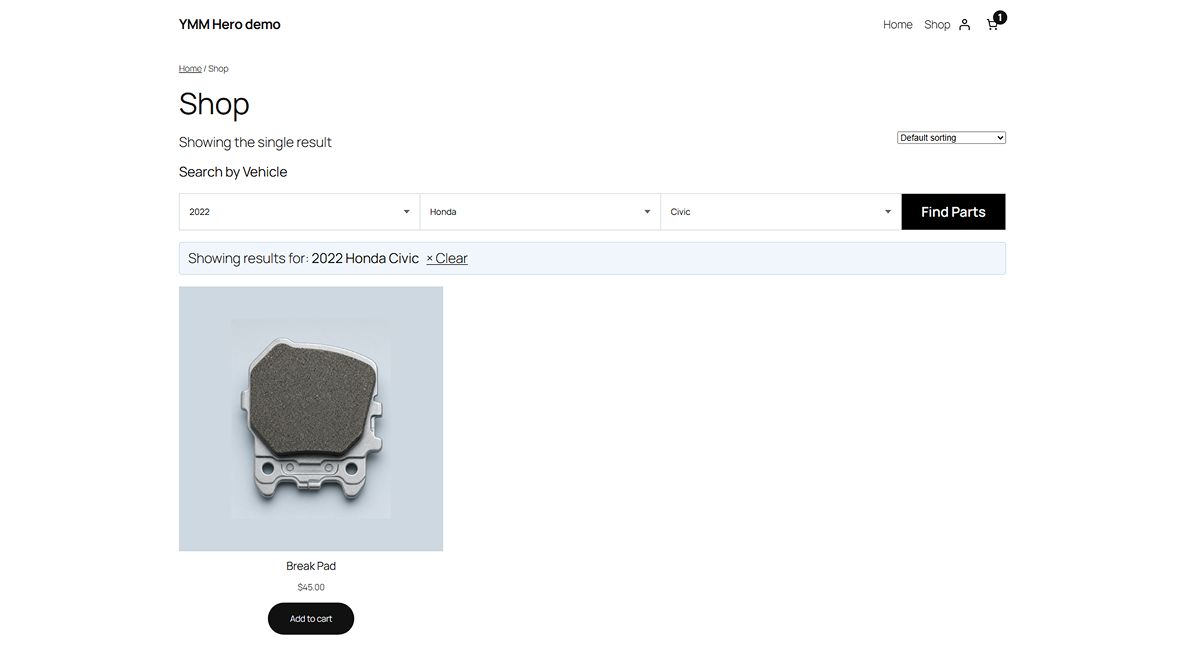
Frontend - Shop page filtered to the selected vehicle, with the active "Showing results for" banner and a clear link.
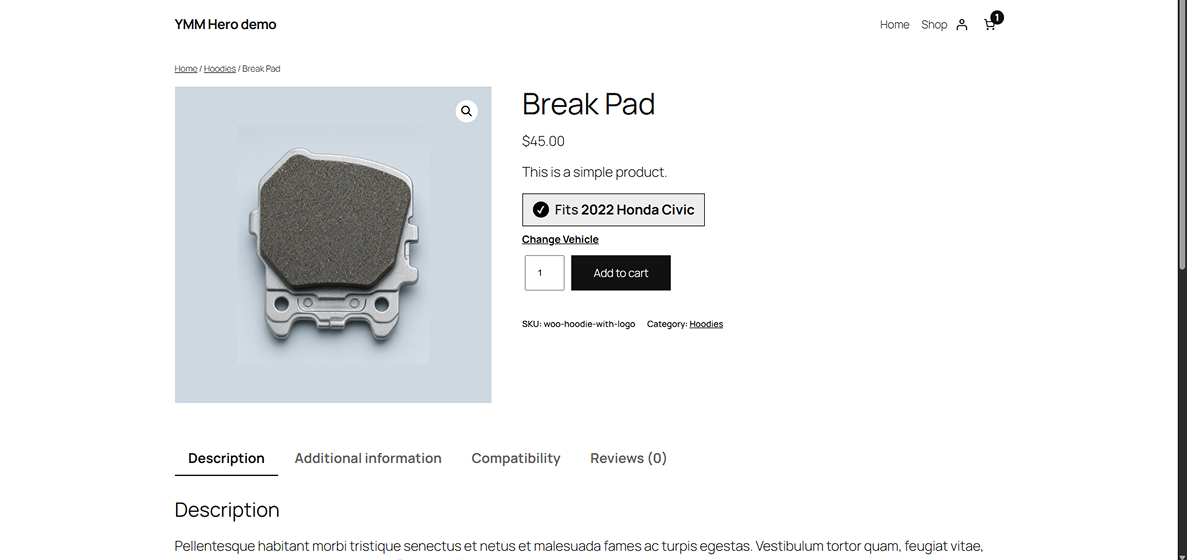
Frontend - Single product page confirming the part fits the remembered vehicle, plus a Compatibility tab.
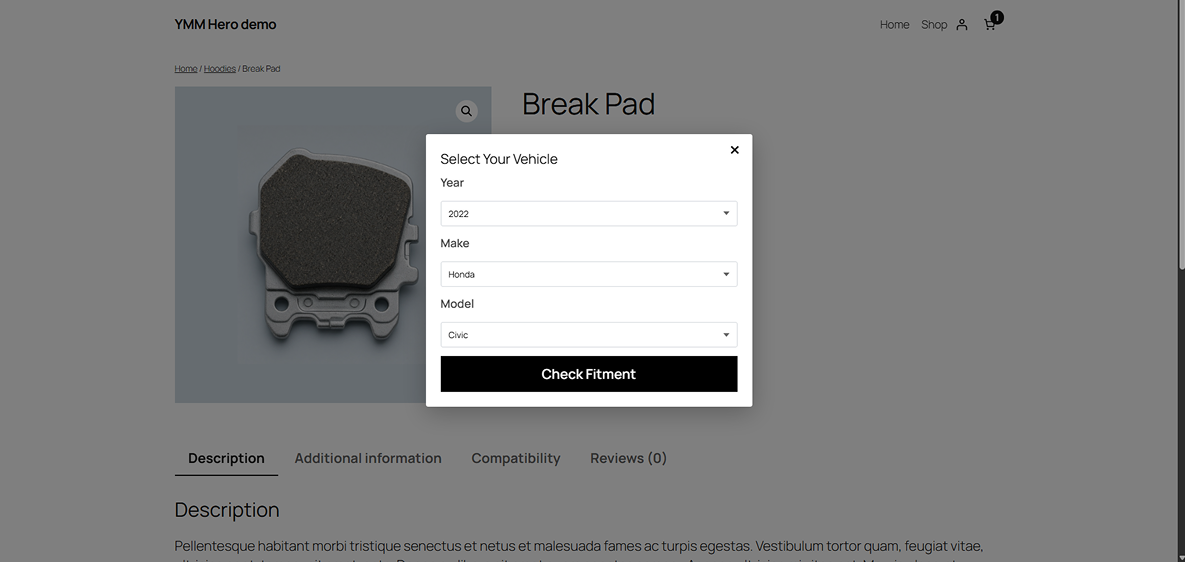
Frontend - The Select Your Vehicle popup on the product page, used to check fitment without leaving the page.
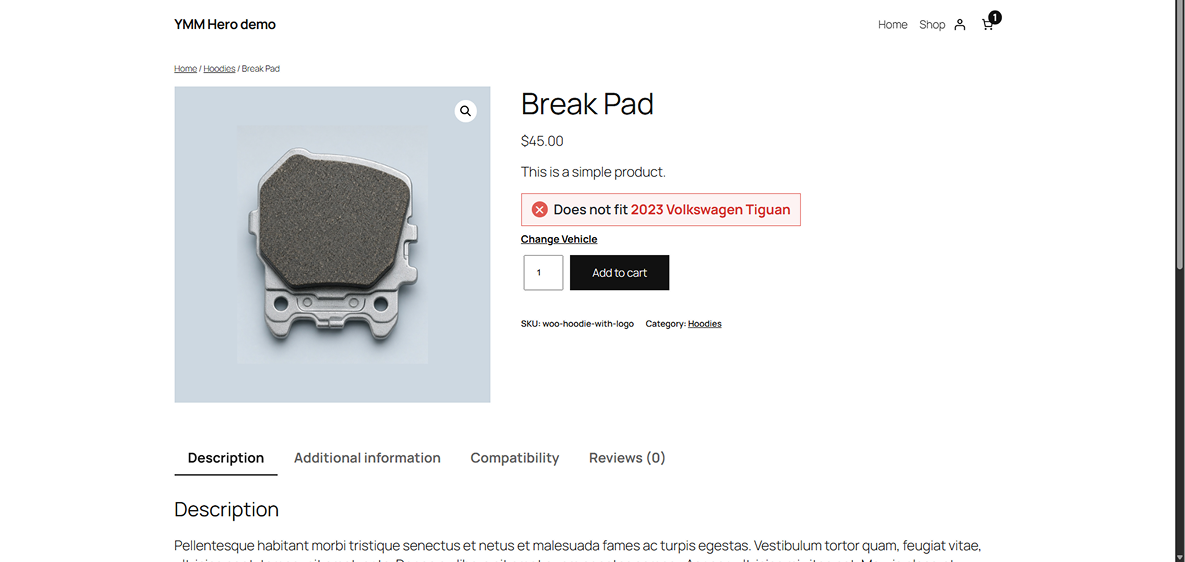
Frontend - Single product page warning that the part does not fit the selected vehicle.
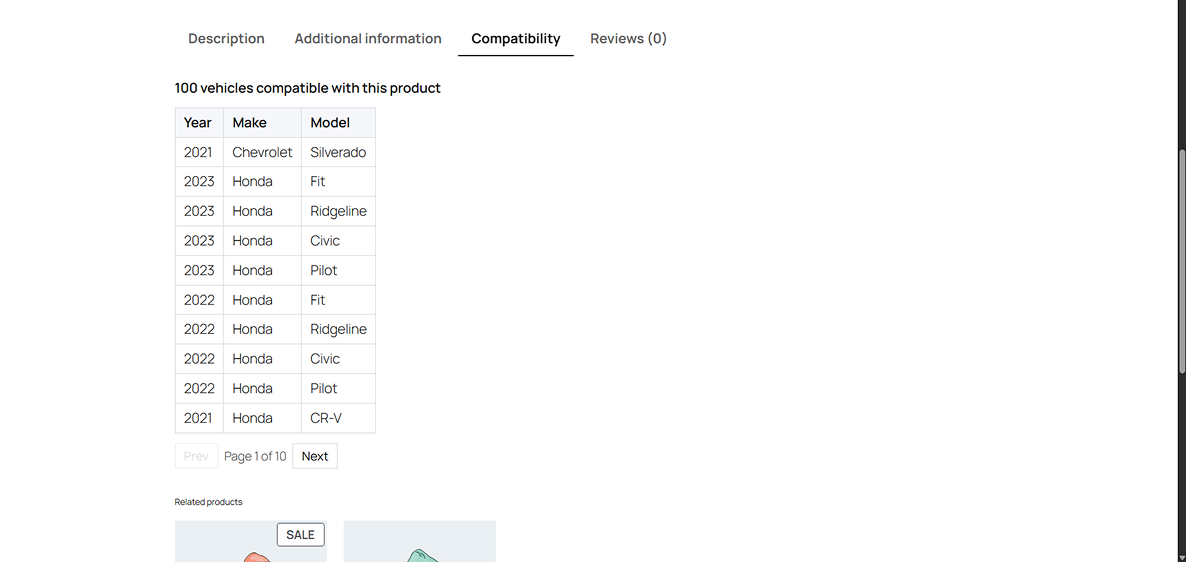
Admin panel - The Compatibility tab listing every vehicle a product fits, with pagination.
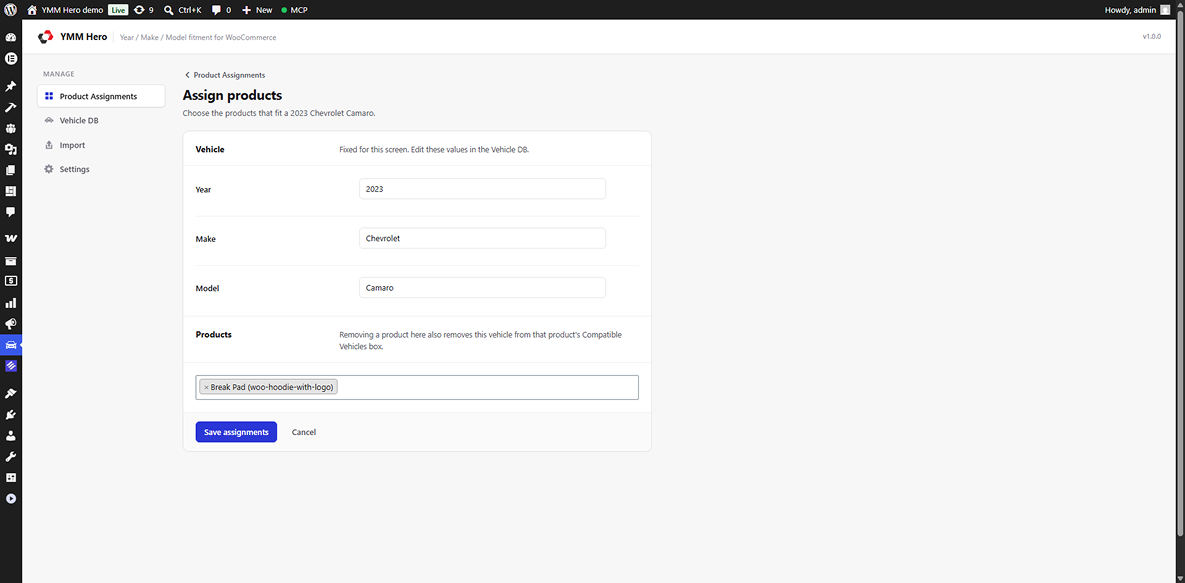
Admin panel - Assign products screen — pick the products that fit one vehicle.
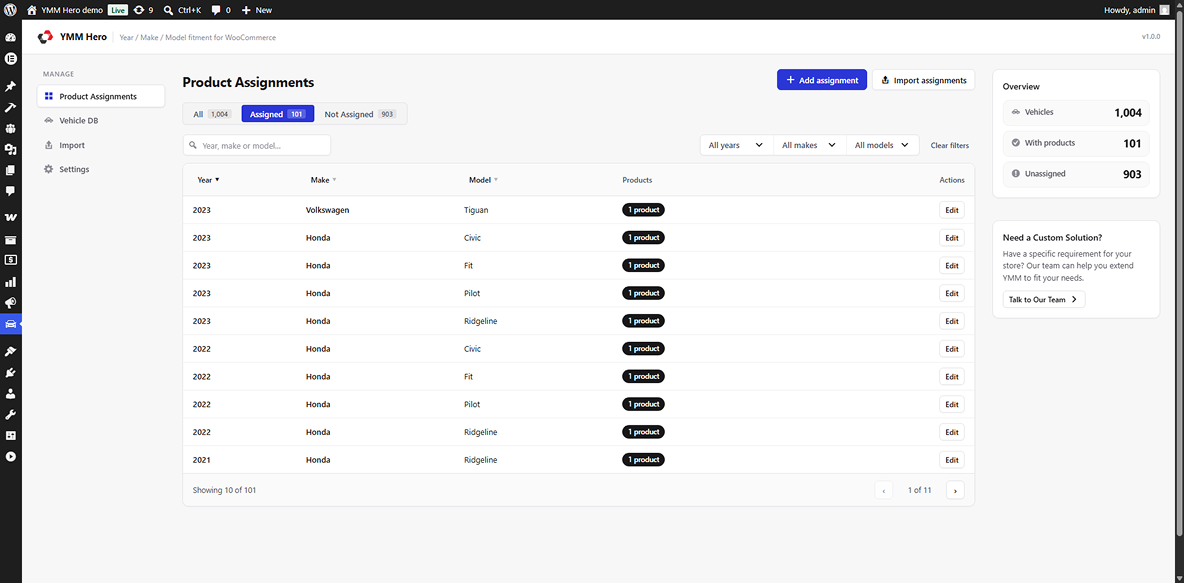
Admin panel - Product Assignments screen with assigned / not assigned tabs, search, and year / make / model filters.
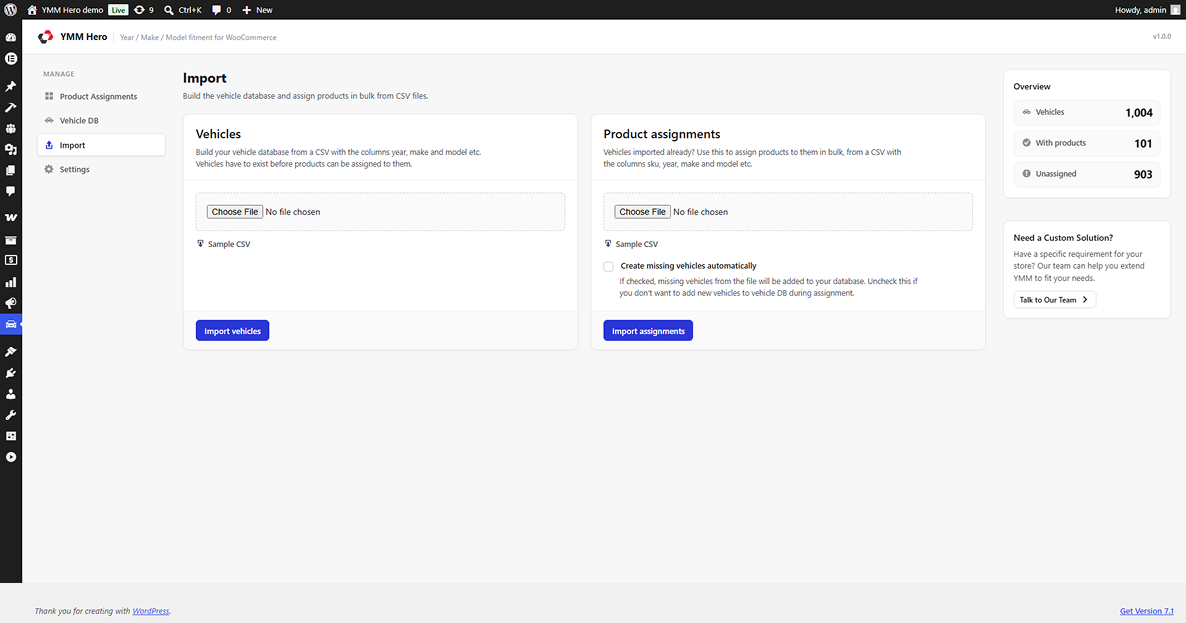
Admin panel - Import screen for bulk loading vehicles and product assignments from CSV.
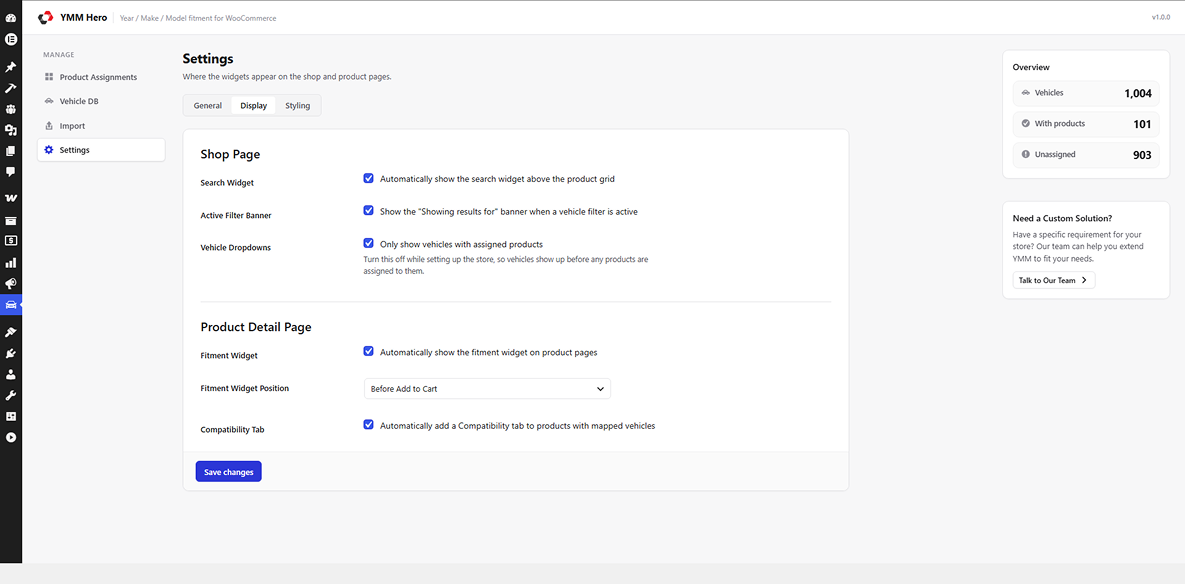
Settings — Display tab, controlling where the search and fitment widgets appear.
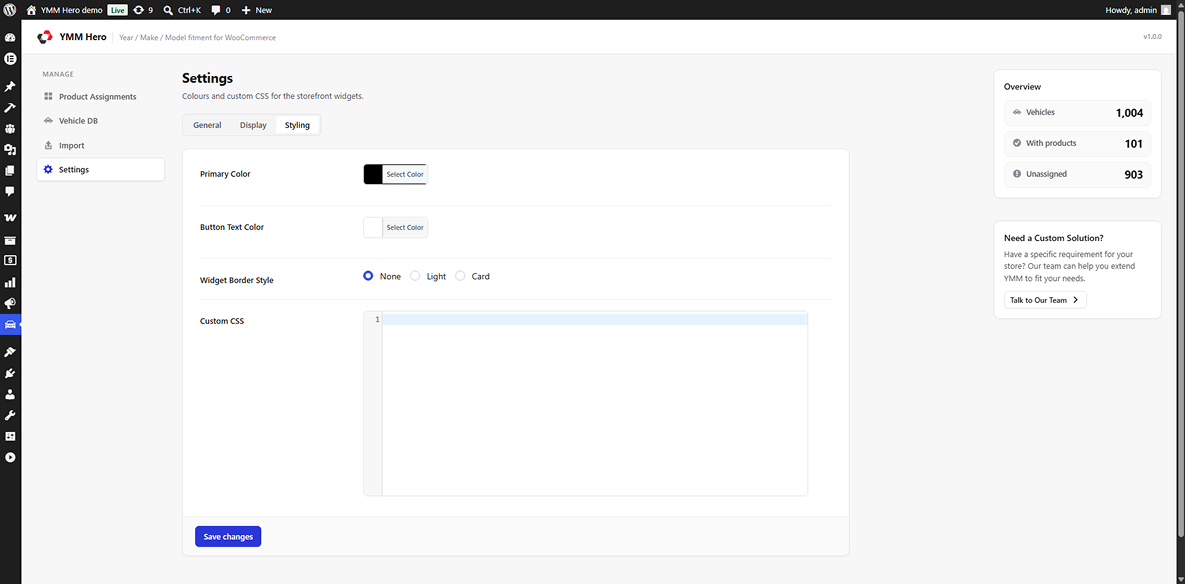
Settings — Styling tab, with colours and widget border style.