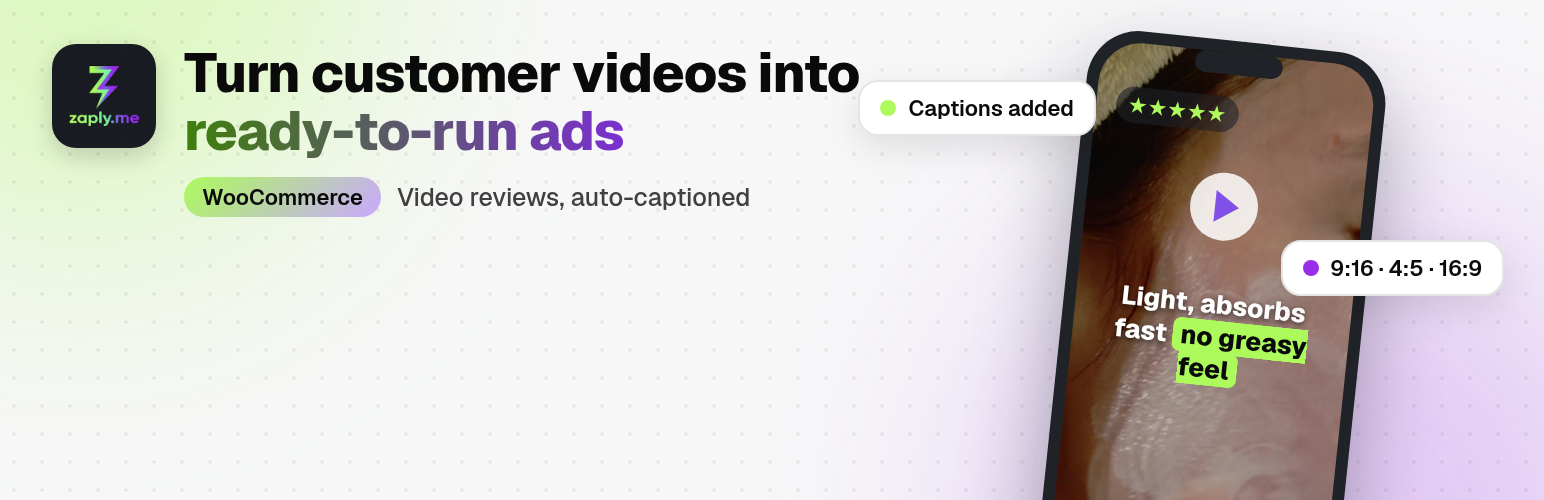
Zaply.me turns your customers into a source of authentic video content.
After an order is completed, the plugin sends a friendly invitation to record a short
vertical video review. After technical approval (a clear recording that follows the rules), the customer automatically gets a
reward coupon – so more customers record, and you get more UGC for ads, product pages
and social media.
Why stores use Zaply.me
- More trust on product pages – real people showing your product beat star ratings.
- Ready-made ad creatives – vertical 9:16 videos with captions for Reels, TikTok and Meta Ads.
- Automatic rewards – a WooCommerce coupon is sent after technical approval, regardless of review content.
- No app for the customer – they record in the browser from a link in the email.
- Your mail, your brand – invitations go out through your WooCommerce mailer.
How it works
- Connect your store with your Zaply.me company slug.
- Set the invitation delay (e.g. 7 days after “Completed”) and the coupon value.
- Customers record a video from the link in the email.
- You review the videos in Zaply.me and download the ones you want to use.
Good fit for
Natural cosmetics, pet accessories, shoes, bags and jewellery – any product that looks better in a customer’s hands.
Privacy
Customer email addresses are not sent to the Zaply.me API by this plugin. Review invitations and reward emails are sent by your WooCommerce mailer. See “External services” below for the full list of data the plugin sends and receives.
External services
This plugin connects to the Zaply.me service, which is required for it to work. Zaply.me hosts the page where customers record videos and the dashboard where the store manages them. The plugin does not contact the production API from local or development sites (localhost, private IP addresses, or the WordPress environment types “local” and “development”).
Zaply.me API (https://api.zaply.me)
- Connecting the store – when you save or change the company slug, or click “Reconnect” in Settings Zaply.me, the plugin sends a POST request to
https://api.zaply.me/v1/integrations/woocommerce/registerwith the company slug and the store URL. The API returns a shared secret, which the plugin stores and uses to authenticate later requests in both directions. - Registering an order – when an order is paid or reaches the “Completed” status, and again when the delayed invitation is about to be sent, the plugin sends a POST request to
https://api.zaply.me/v1/orders/registerwith the company slug, the WooCommerce order ID, and the customer’s billing first name (or billing last name if the first name is empty, otherwise the word “Klient”). The API returns a token used to build the customer’s review link and tells the plugin whether invitations are allowed (they are allowed only after the store’s review terms URL is set in Zaply.me). - All requests use HTTPS with SSL verification and include the shared secret in the
X-Zaplyme-Secretheader.
Review link (https://zaply.me)
The invitation email contains a link to https://zaply.me/r/{company-slug}?order={order ID}&token={token}. When the customer opens it, the video is recorded and stored by Zaply.me, not by your WordPress site.
Incoming notifications from Zaply.me
The plugin registers the REST route /wp-json/zaplyme/v1/video-approved (also available as /index.php?rest_route=/zaplyme/v1/video-approved). After you approve a video in Zaply.me, the service calls this route with the order ID and the customer’s consent choice for using the video. Requests without a valid X-Zaplyme-Secret header are rejected. The plugin then sends the reward email with the coupon.
What is not sent
The plugin does not send customer email addresses, phone numbers, postal addresses, order items, or payment data to Zaply.me. Review and reward emails are sent by your store’s WooCommerce mailer and can be disabled individually in WooCommerce Settings Emails.
This service is provided by Zaply.me: Terms of Service, Privacy Policy.
Screenshots
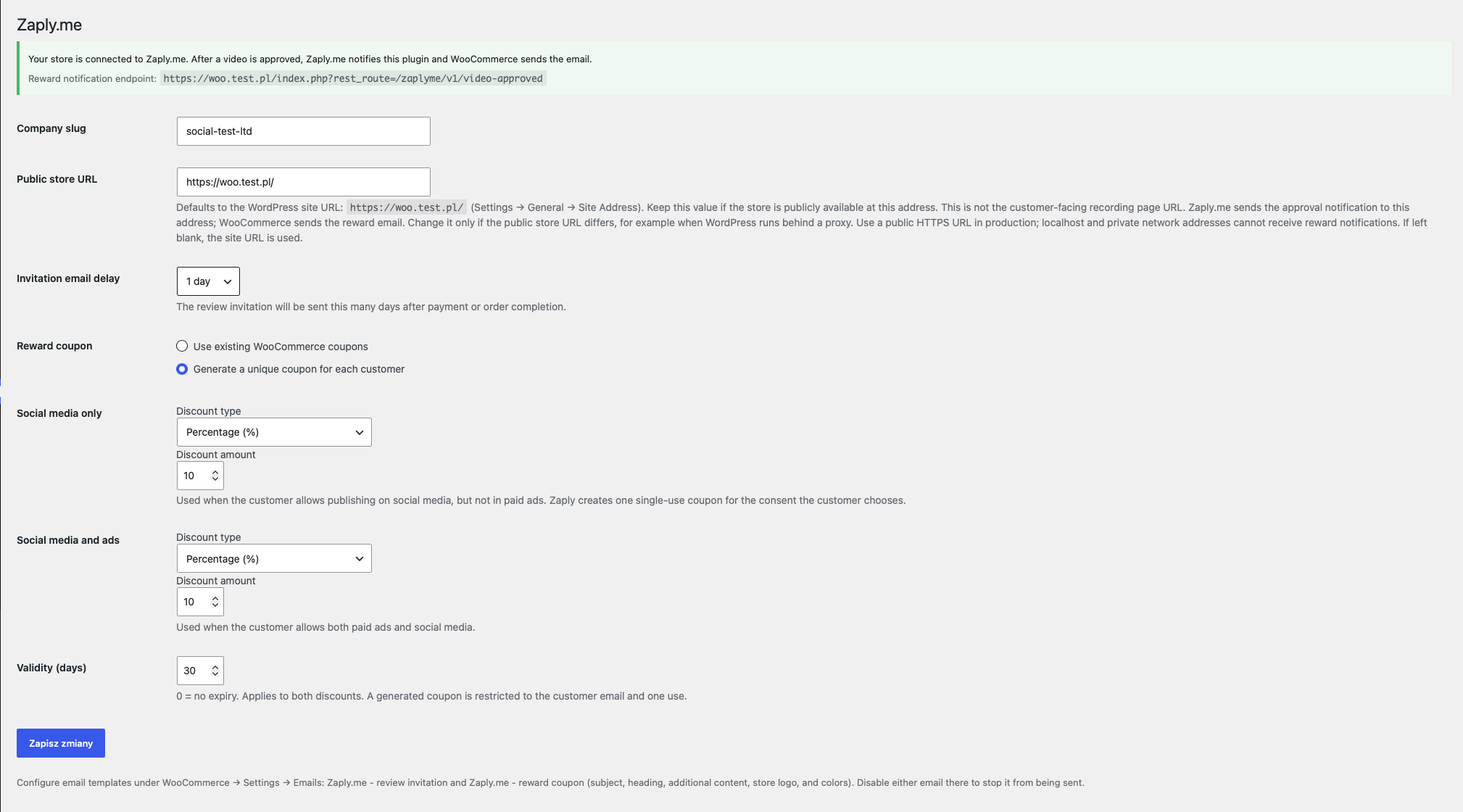
Connect your store in Settings → Zaply.me and choose when the invitation goes out – setup takes a few minutes.
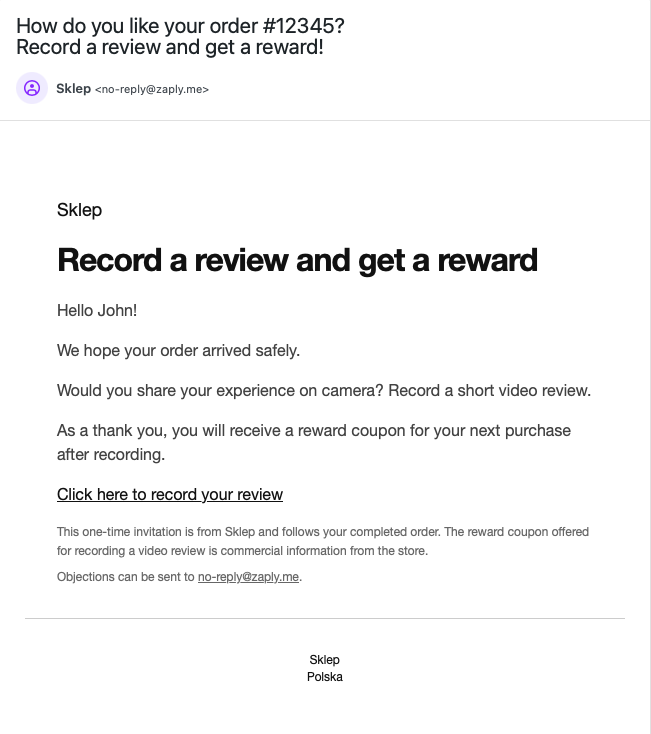
The customer gets a friendly invitation email from your store, with a reward for recording a video.
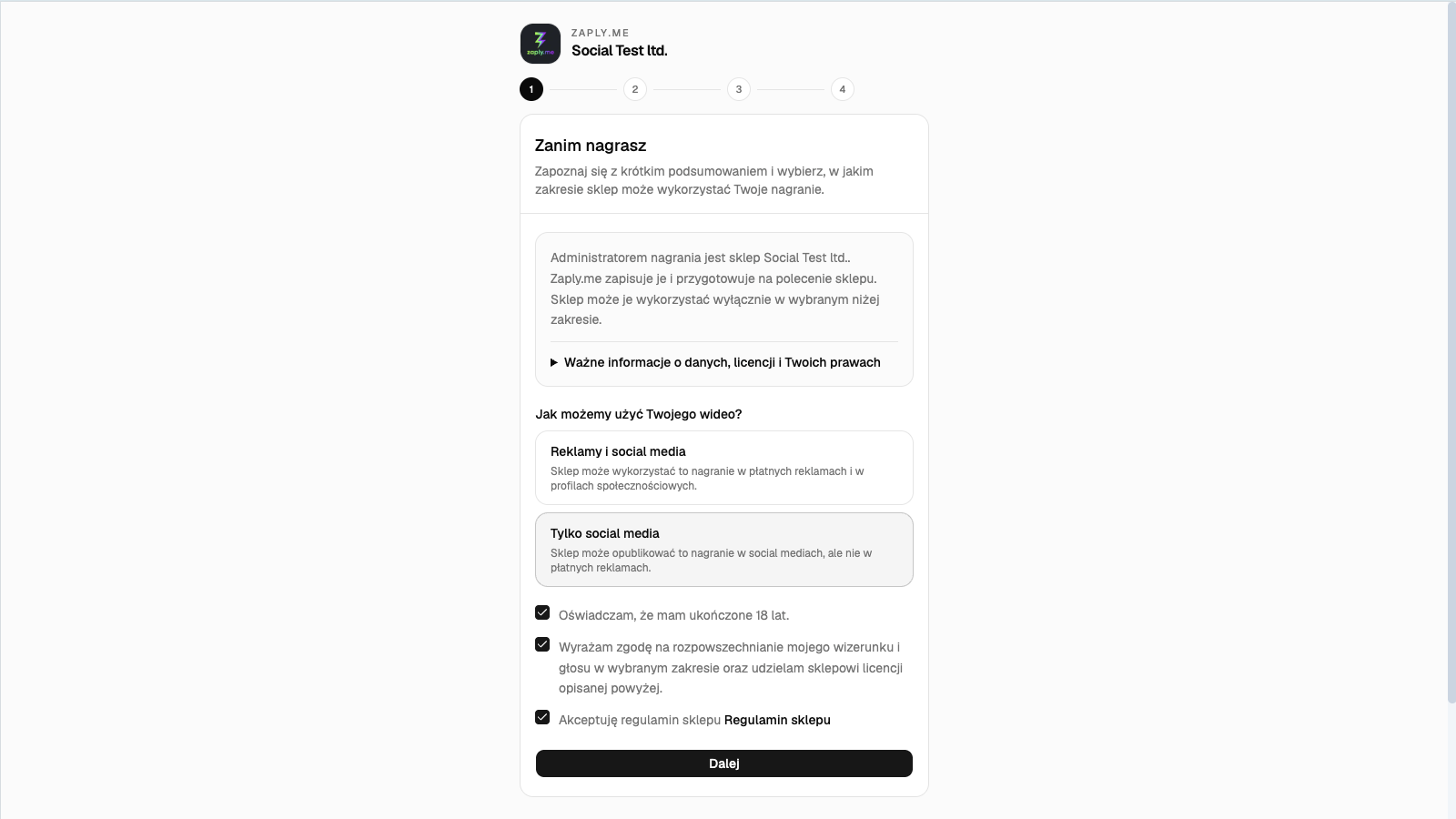
The customer records a short vertical video right in the phone browser – no app to install.
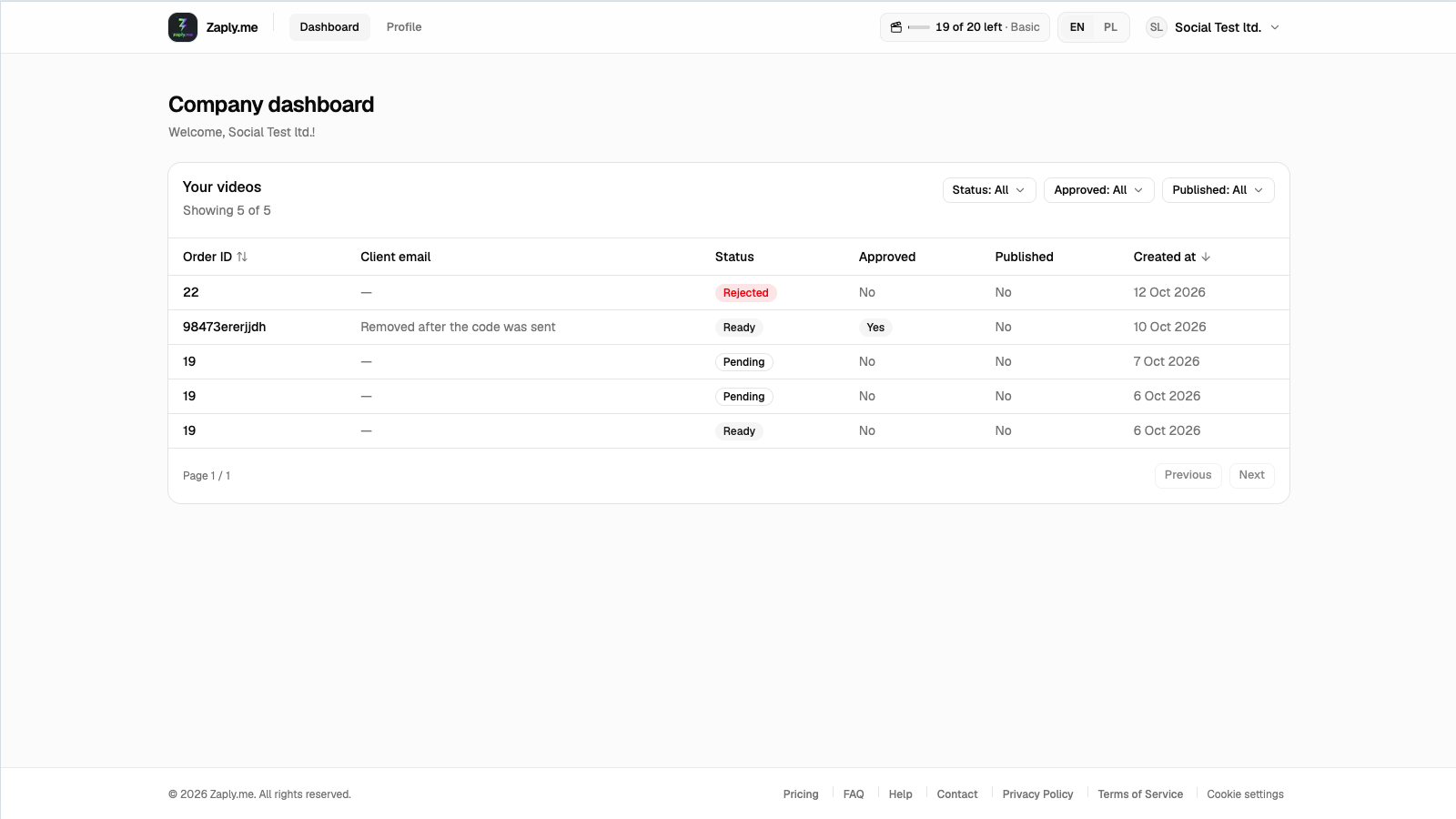
All customer videos in one list, ready to review and use in ads and on product pages.
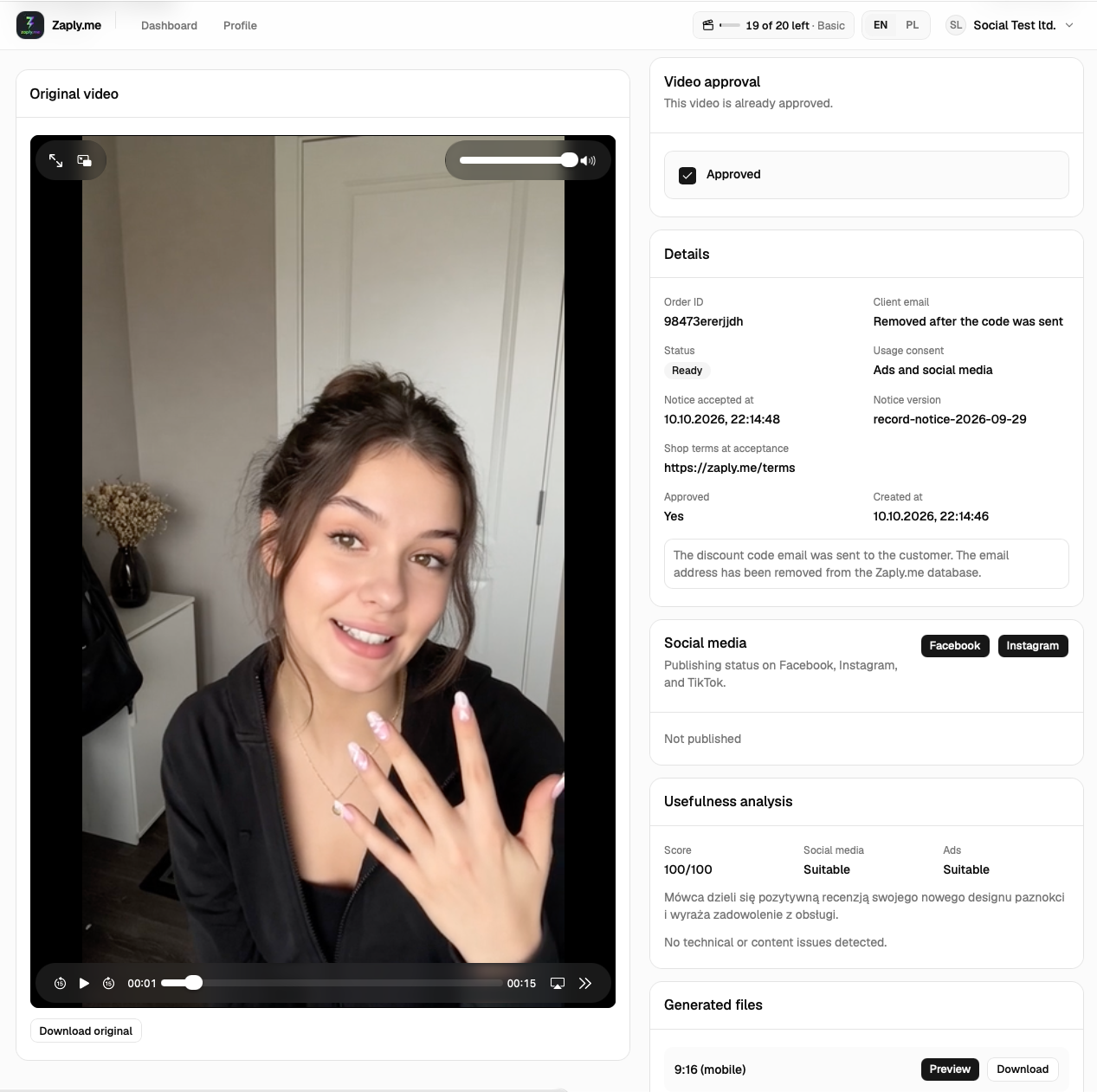
Video details: review videos; the coupon is sent on your shop's terms.
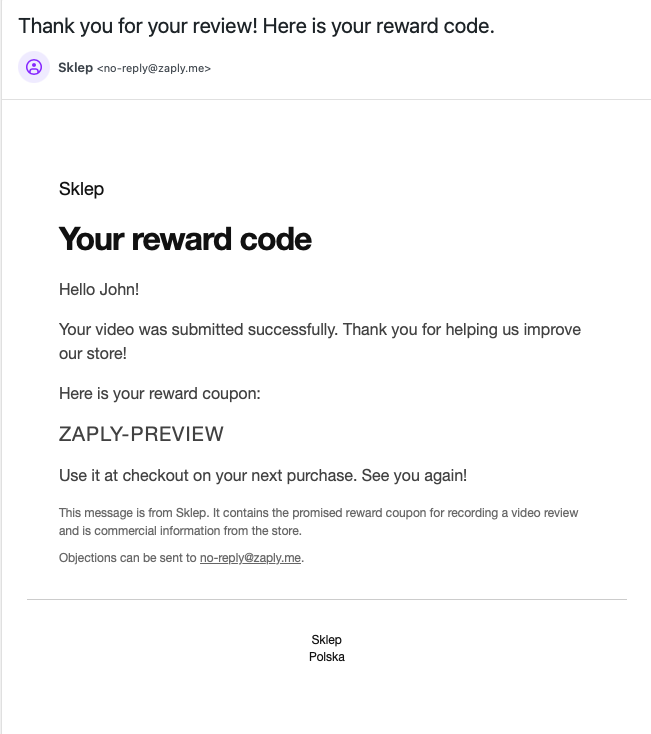
The reward email with the coupon brings the customer back for the next purchase.