
The only 100% free donation plugin for nonprofits. No platform fees, no transaction
fees, no credit card fees — every dollar your donors give goes directly to your cause.
Trusted by over 100,000 nonprofits across the US and Canada, Zeffy has helped
organizations raise more than $2 billion. Churches, food banks, animal rescues,
schools, and community foundations use Zeffy to collect donations on their WordPress
sites without losing a cent to platform charges.
Most donation plugins charge a percentage of every gift, a monthly subscription, or
both. Zeffy charges nothing. Zeffy is funded entirely by optional tips that donors
can choose to leave — your nonprofit keeps 100% regardless. Zeffy is also a
certified B Corp, and has been supporting nonprofits for over 7 years.
📚 Zero Fees for Your Nonprofit
- No platform fee
- No transaction fee
- No credit card processing fee
- No monthly or annual subscription
- Donors can leave an optional tip to support Zeffy — your organization keeps 100% either way
📋 Donation Forms and Donate Buttons
- Embed a full donation form directly on any WordPress page or post
- Add a donate button that opens your form in a popup — no coding required
- Customize forms with your organization’s colors and custom donor fields
- Run multiple donation forms for different campaigns or programs
- Works on any device — desktop, tablet, and mobile
🔄 Recurring Monthly Donations
Donors can choose one-time or recurring giving on every form. Monthly recurring
donations are easy for donors to set up at checkout. All recurring giving is managed
in your Zeffy dashboard — no extra configuration needed inside WordPress.
🧾 Automatic Tax Receipts
- Tax-compliant receipts sent automatically after each donation (for eligible organizations)
- Year-end summaries generated without manual work
- Donors receive their receipt instantly — no follow-up needed from your team
- Stay compliant without adding work to your plate
💳 Accepted Payment Methods
Accept donations with the payment methods your supporters already use — no extra
accounts or configuration needed:
- Credit and debit cards (Visa, Mastercard, American Express, and more)
- PayPal
- Apple Pay and Google Pay
- Bank transfers (ACH)
👥 Donor Management
Every donation, donor, and interaction stored in one Zeffy dashboard — free, with no
paywall on any feature:
- Track giving history across all your campaigns
- Segment donors and send targeted email campaigns directly from Zeffy
- Automate receipts and year-end summaries
❤️ Built for Every Type of Nonprofit
Zeffy works for organizations of every size and cause:
- Churches and faith-based organizations: tithes, offerings, and ministry donations online
- Animal shelters and rescues: fund medical care, rescue operations, and adoption drives
- Food banks and hunger relief organizations: raise funds to feed your community
- Schools and PTAs: collect donations for programs, trips, and classroom supplies
- Community foundations and charitable funds: accept restricted and unrestricted gifts
- Arts and culture organizations: fund performances, exhibits, and creative programs
⚡ Set Up in Under 5 Minutes
Install and activate the plugin, connect your Zeffy account, and add a shortcode
wherever you want your form or button. No coding. No developer needed.
Note for WordPress.com users: Installing plugins requires a WordPress.com Business
plan or higher, or a self-hosted WordPress site (WordPress.org). The free WordPress.com
plan does not support third-party plugins.
External Services
This plugin connects to Zeffy.com to display donation forms and process donations.
This service is required for the plugin to function.
What data is sent and when:
* Campaign information is loaded when the donation form displays
* Donation data (amount, donor information, payment details) is transmitted when a donor gives
* All data is sent securely over HTTPS to Zeffy’s servers
Third-party service details:
* Service: Zeffy — https://www.zeffy.com
* Purpose: Processing donations and displaying donation forms
* Terms of Service: https://support.zeffy.com/terms-of-use-for-users
* Privacy Policy: https://support.zeffy.com/data-privacy-policy
Step 1: Create your Zeffy account
- Visit https://www.zeffy.com/ and click “Sign Up Free”
- Register your nonprofit organization (takes about 2 minutes)
- Link your bank account to receive donations
Step 2: Create your donation form
- Log into your Zeffy dashboard
- Create a new donation campaign
- Customize your form with branding, donation amounts, and donor fields
- Save and copy your campaign URL
Step 3: Install and activate the plugin
- Go to your WordPress dashboard
- Click Plugins > Add New
- Search for “Zeffy”
- Click Install Now, then Activate
Step 4: Configure the plugin
- Go to Settings > Zeffy in your WordPress dashboard
- Paste your Zeffy campaign URL into the Campaign URL field
- Click Save Changes
Step 5: Add your form or button
Use one of two shortcodes anywhere on your site:
[zeffy-donate] — embeds the full donation form inline
- width and height (defaults: 700×1000). Example: [zeffy-donate width=800 height=1200]
- fullwidth (true/false, default: false). Example: [zeffy-donate fullwidth=true]
- align (left/center/right, default: center). Example: [zeffy-donate align=left]
- url (overrides default campaign). Example: [zeffy-donate url=”https://www.zeffy.com/en-US/donation-form/your-id”]
[zeffy-donate-button] — displays a button that opens the form in a popup
- text (default: “Donate Now”). Example: [zeffy-donate-button text=”Support Us”]
- bg-color (default: #007bff). Example: [zeffy-donate-button bg-color=”#28a745″]
- text-color (default: #ffffff). Example: [zeffy-donate-button text-color=”#000000″]
- url (overrides default campaign). Example: [zeffy-donate-button url=”https://www.zeffy.com/en-US/donation-form/your-id”]
Both shortcodes use the campaign URL from Settings > Zeffy by default.
Step 6: Publish and test
Publish your page and make a test donation to confirm everything is working.
Need help? Visit https://support.zeffy.com/ or email contact@zeffy.com
Screenshots
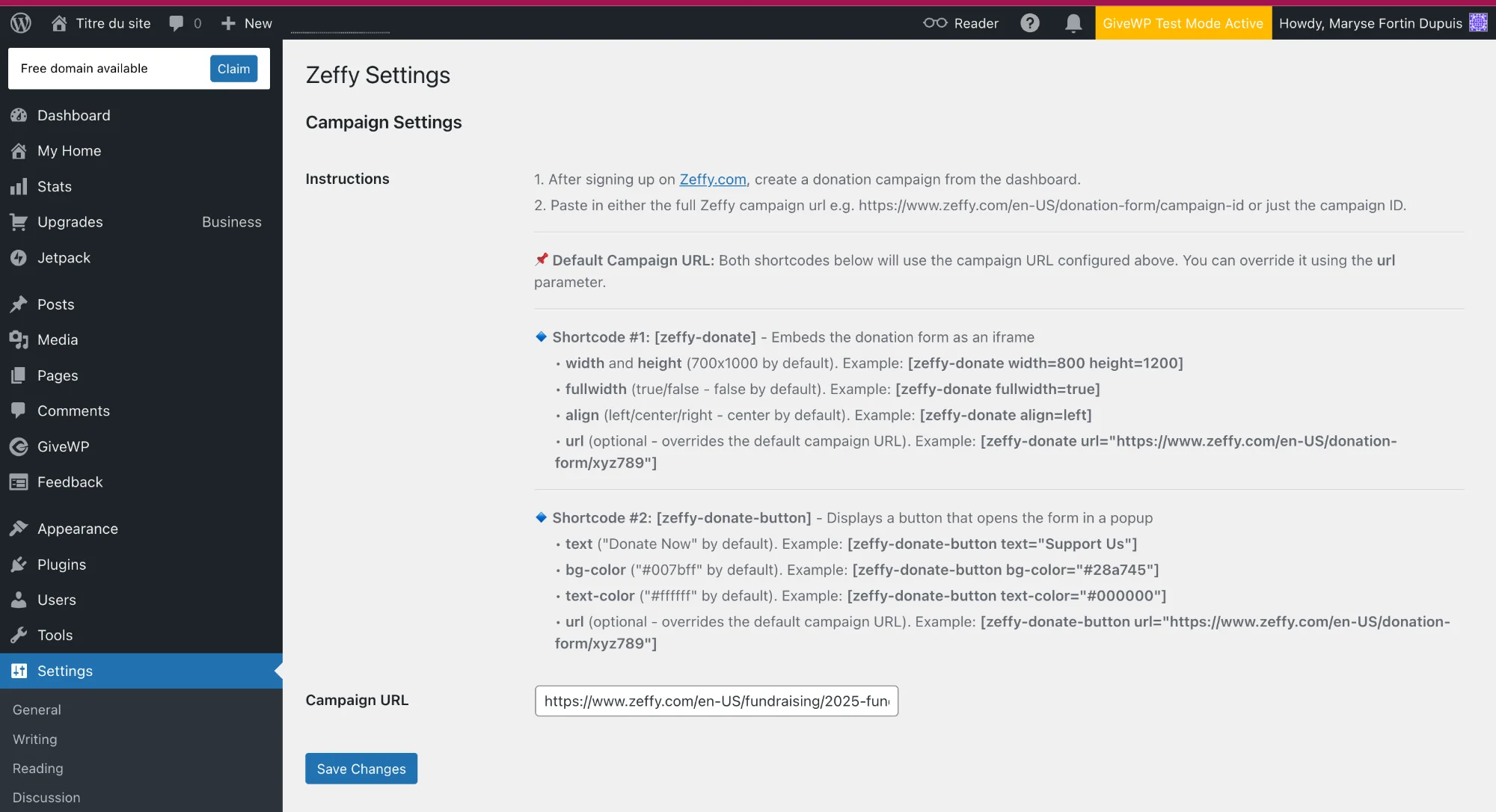
Plugin settings page — configure your Zeffy campaign URL and view shortcode instructions
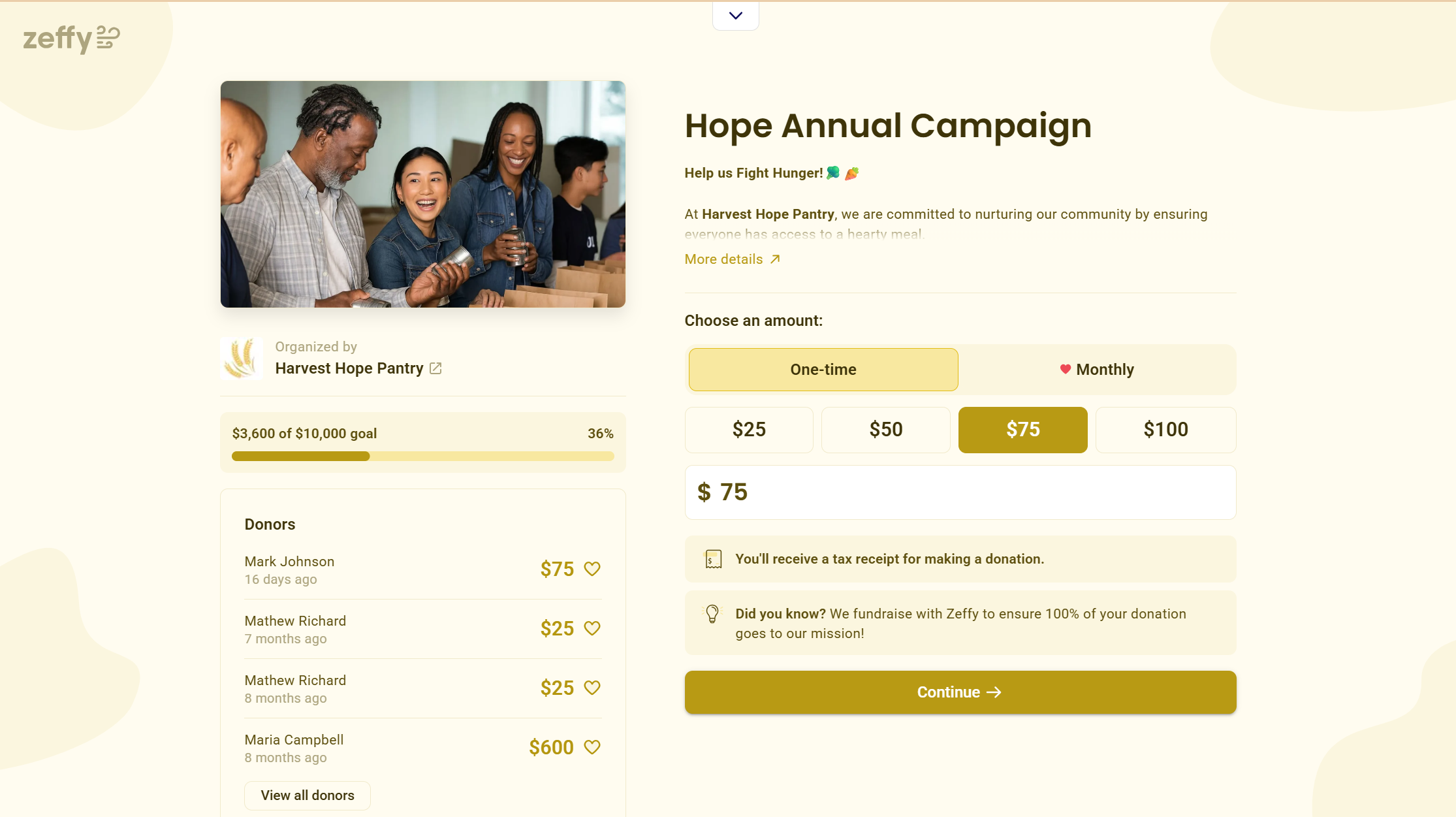
Branded donation forms with one-time and monthly giving options, preset amounts, and automatic tax receipts.
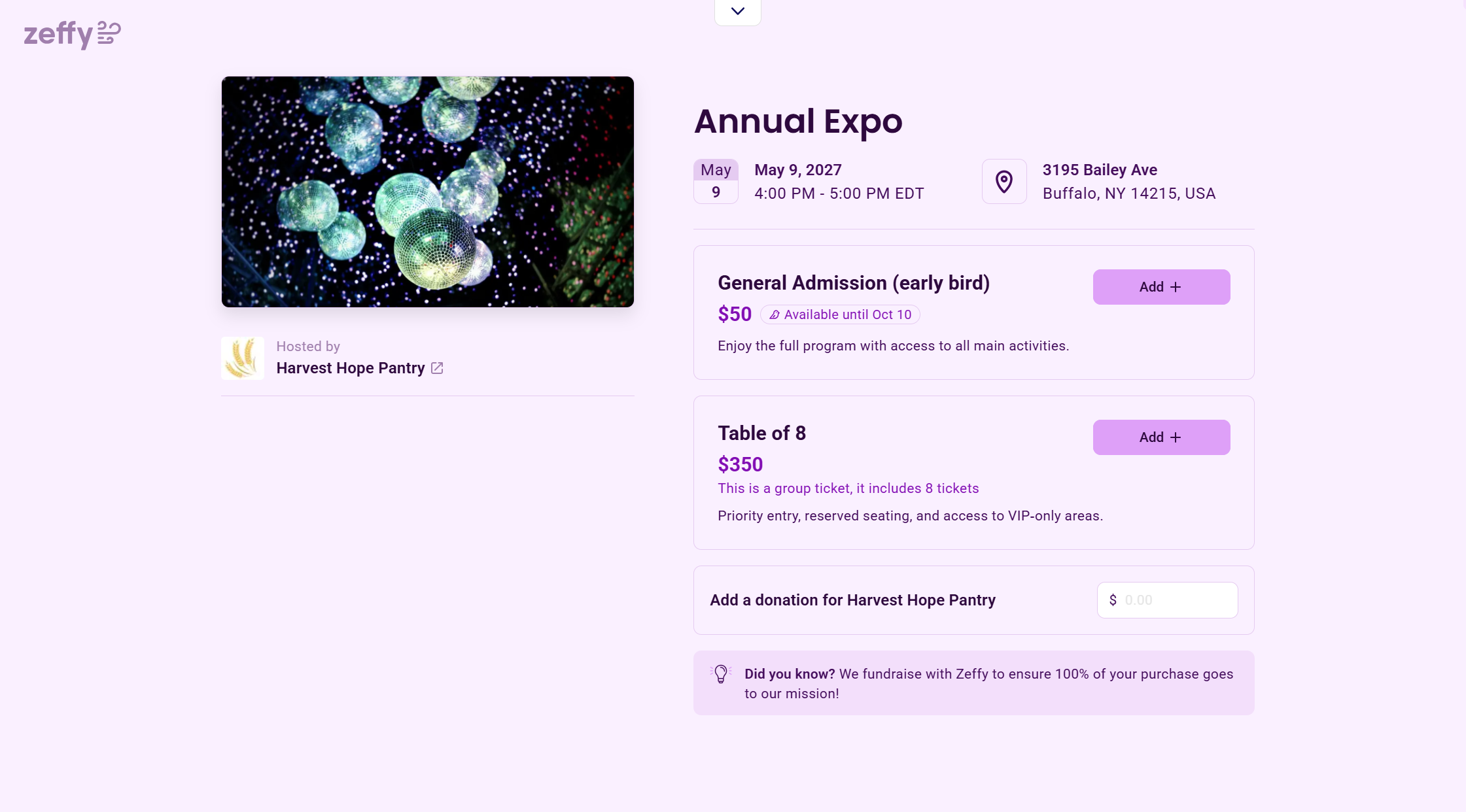
Sell event tickets at any price — tiered packages, capacity controls, and confirmation emails handled automatically.
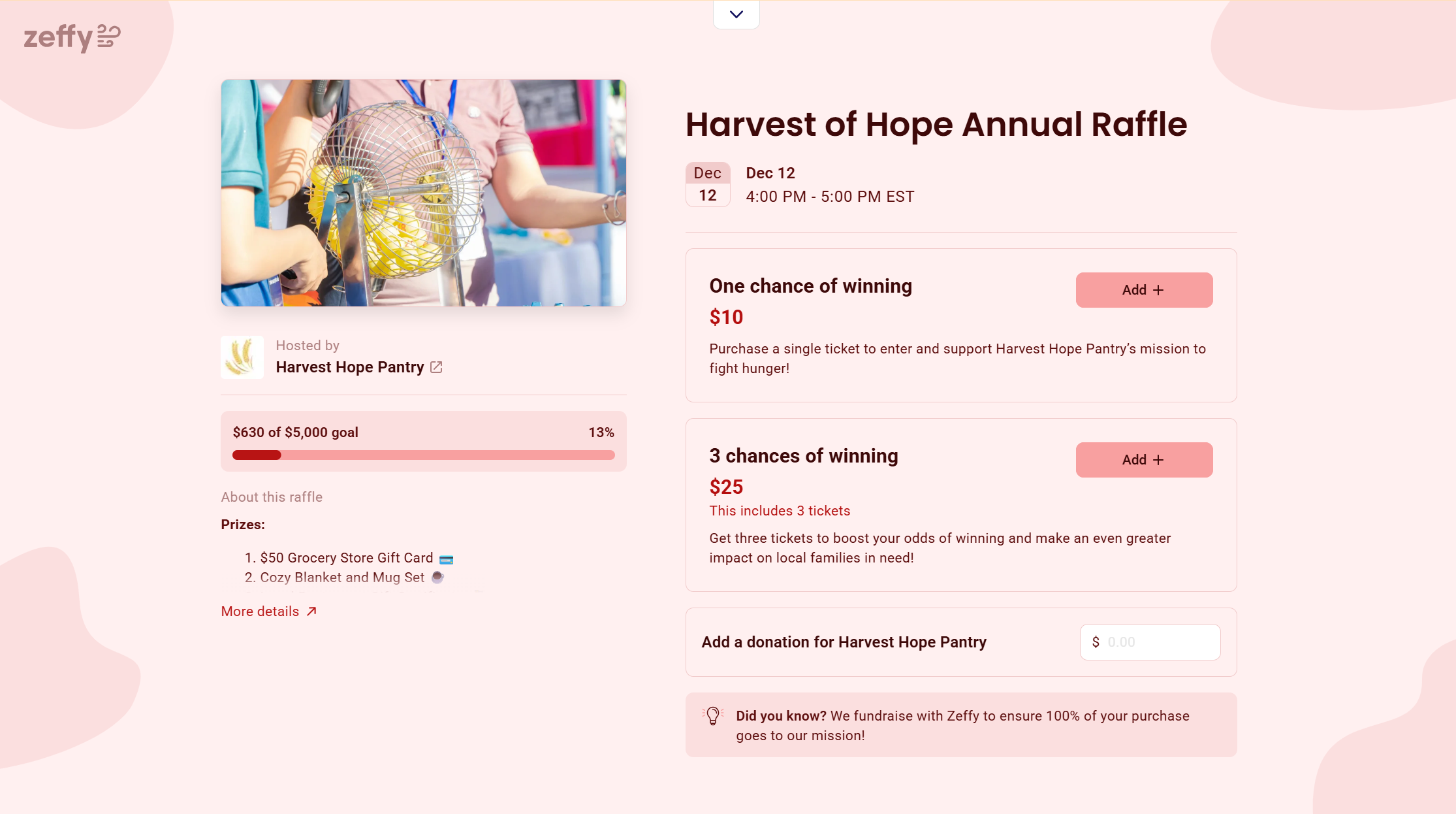
Raffle campaigns with tiered ticket pricing, a live progress bar, and automatic prize tracking.
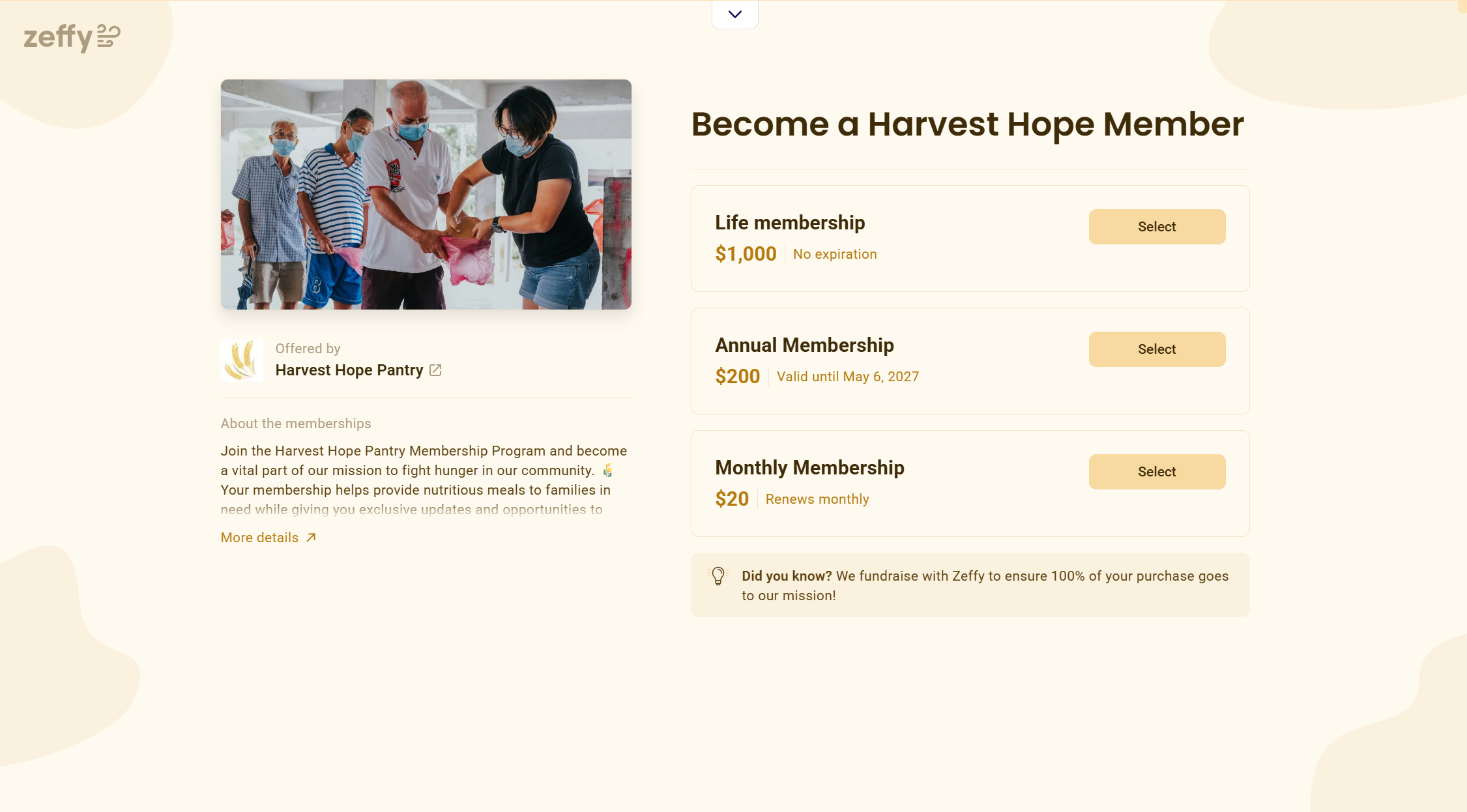
Membership programs with monthly, annual, or lifetime tiers — renewals and tax receipts handled automatically.
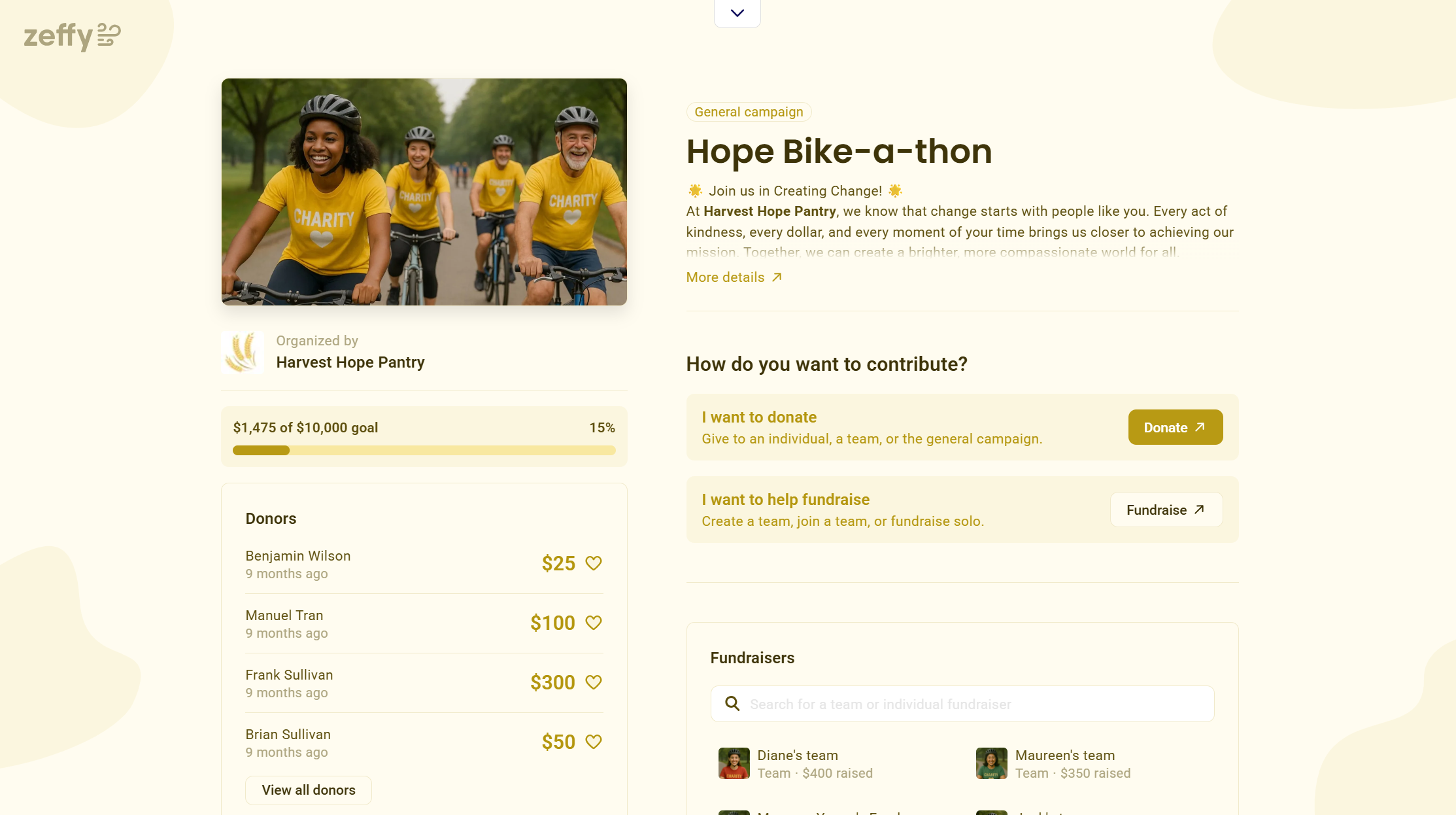
Peer-to-peer fundraising with personal fundraiser pages, team leaderboards, and a live donor feed.
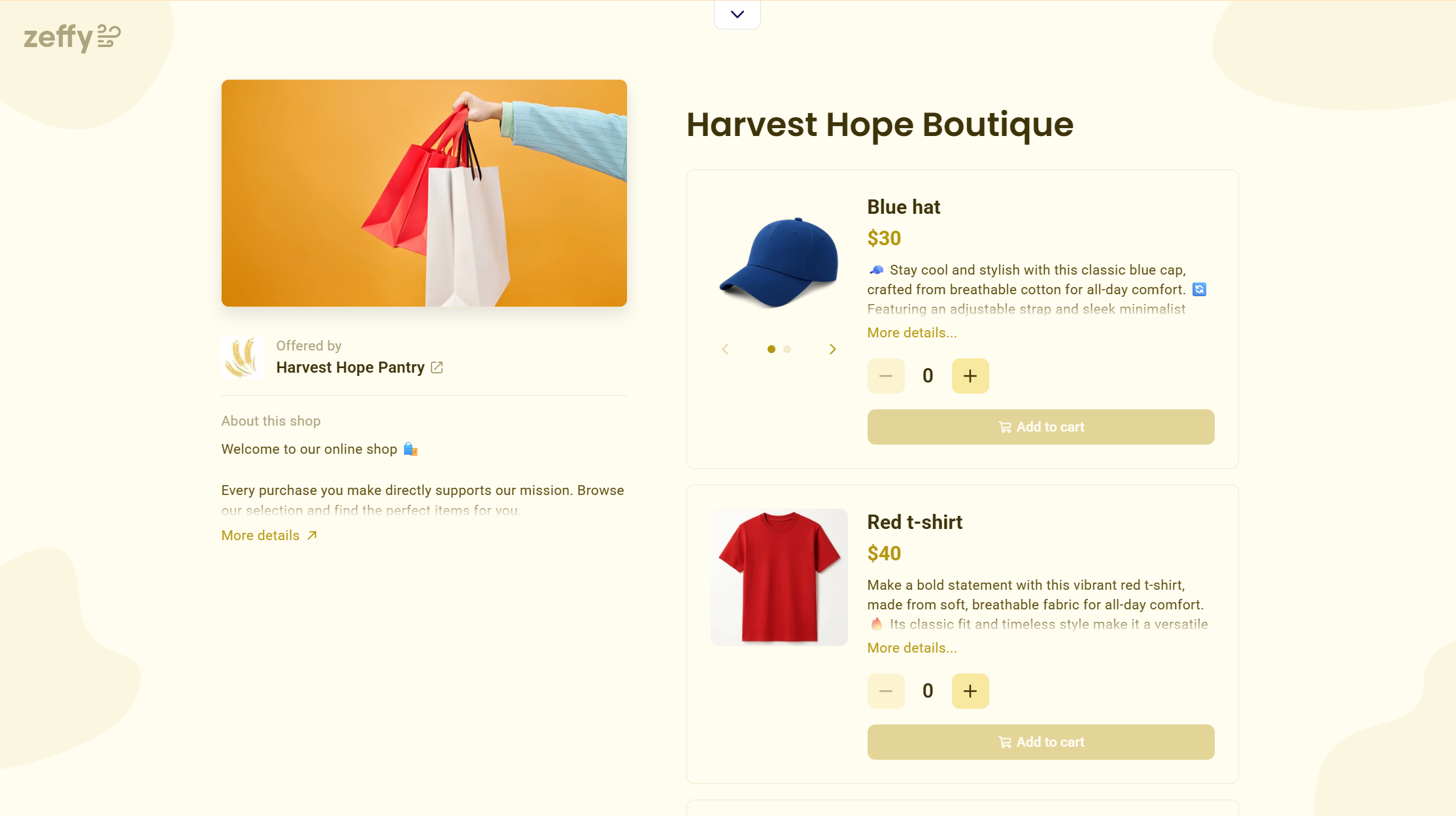
A simple nonprofit merchandise store — branded items, add-to-cart checkout, zero transaction fees.
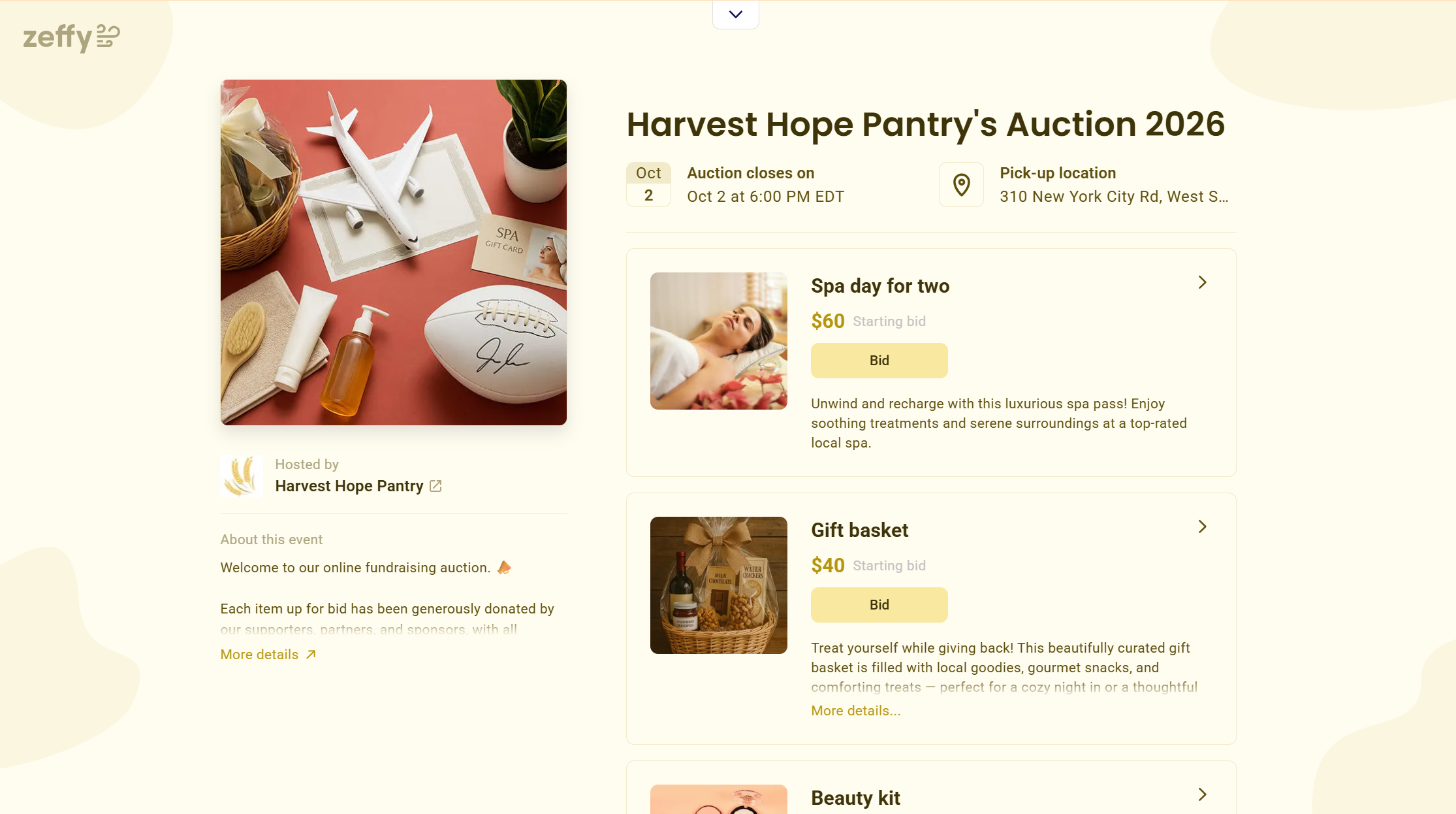
Online auctions with item listings, opening bids, closing dates, and pickup instructions.
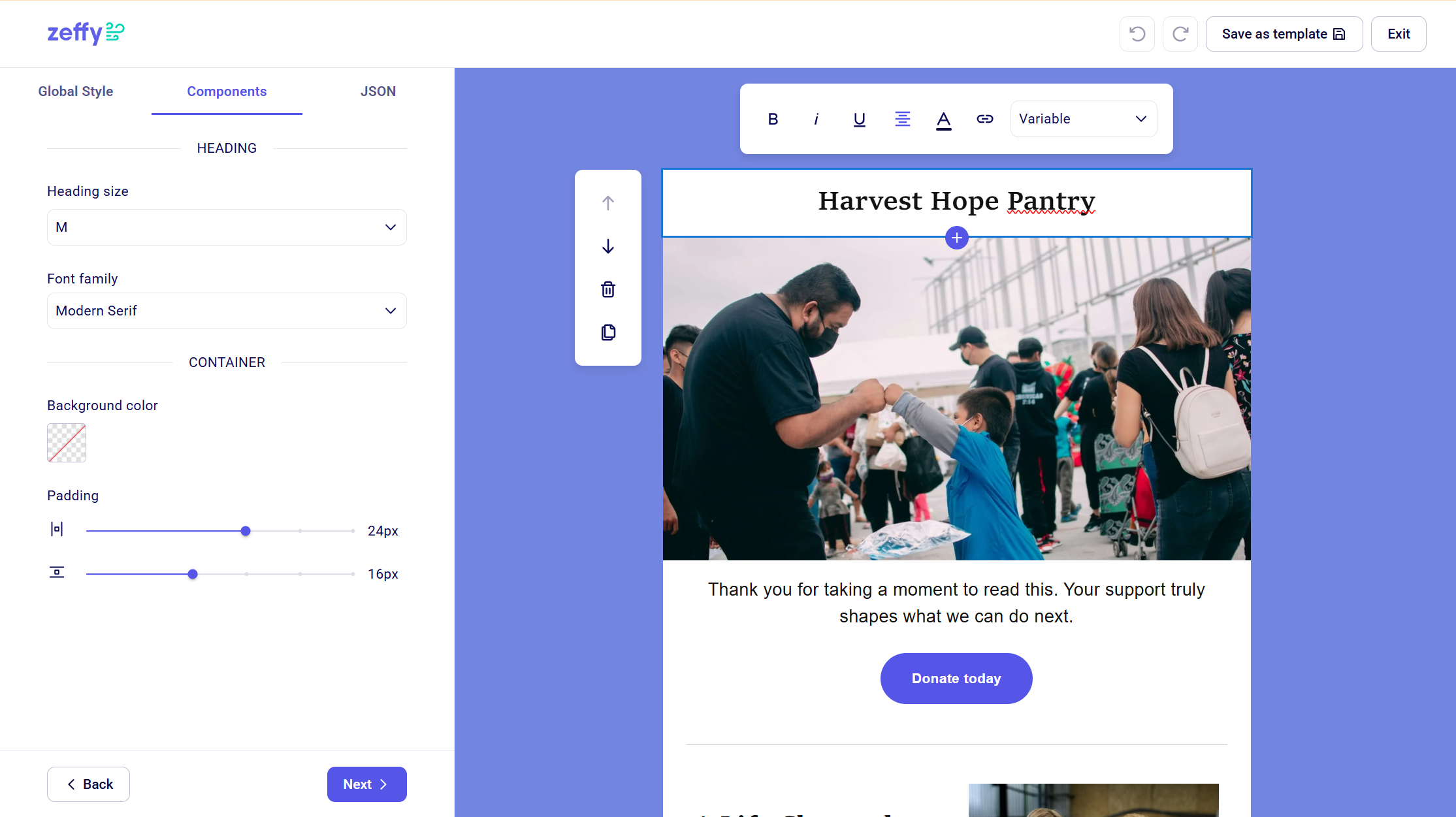
Drag-and-drop email builder to design and send donor communications directly from your dashboard.
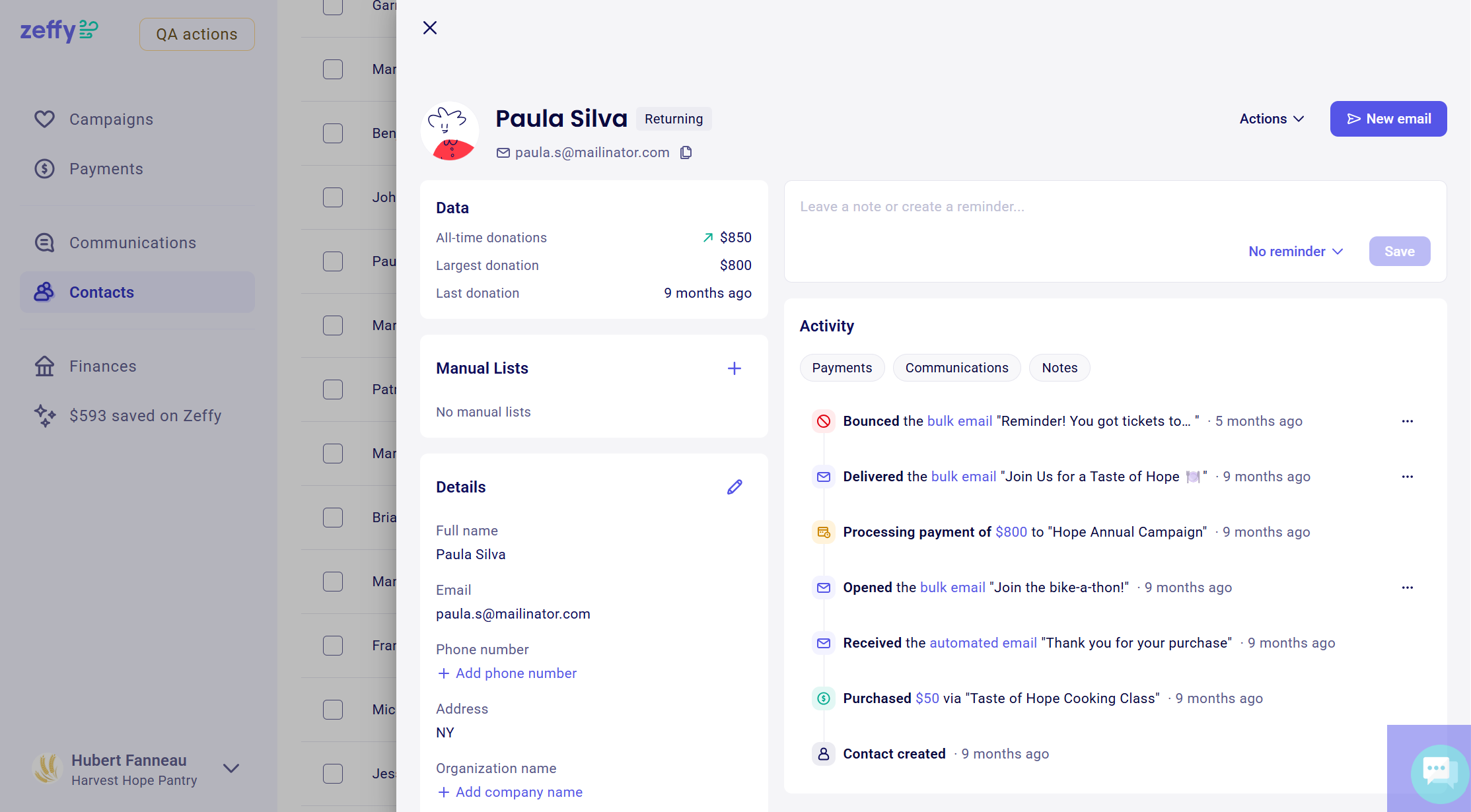
Full donor profiles with giving history, activity timeline, and communication log in one place.