Zephena gives your business an AI agent that answers visitors’ questions, captures leads, and publishes your approved FAQ content where search engines and AI answer engines can read it.
This plugin is a thin connector for the Zephena hosted service (https://zephena.com). It does four things:
- Places your chat widget on your pages (with per-page exclusions) — and any button or link on your pages can open it with a question already asked, through the widget’s one-line page API.
- Server-renders your findability content — the approved FAQ block, FAQPage/LocalBusiness structured data, and /llms.txt — into your pages’ raw HTML, so crawlers see it without executing JavaScript.
- Reports status — connection and plan — with links into your Zephena dashboard on zephena.com, where all management (agents, content approval, leads, billing) lives.
The plugin has no tiers and no plan logic: what your account can do is decided by the Zephena service. It plays nicely with cache plugins (LiteSpeed Cache, WP Rocket, W3 Total Cache are detected and purged automatically when your published content changes).
External services
This plugin relies on the Zephena hosted service. Once you connect, it contacts the Zephena gateway (gw.zephena.ai) to verify your embed key and fetch your approved, public FAQ content — about twice a day in the background, and again each time you open a Zephena page in your WordPress admin, so a key that was disconnected from your Zephena dashboard is noticed at once. The only data sent is your embed key, your findability key, and your site URL (as the HTTP user agent) — no visitor data, no admin data, and no site content is ever transmitted.
Before you connect — before you paste your embed key and click Connect — the plugin makes no external request at all and loads nothing from Zephena: no check-in, no script, no frame. You opt in by connecting.
The chat widget itself is loaded by your visitors’ browsers from Zephena’s CDN, on the pages where you chose to place it.
Your Zephena dashboard is never embedded in your WordPress admin: the Zephena page links to it on zephena.com, where you sign in as yourself, and nothing about your WordPress login is sent there.
Disconnecting stops every request. All of this is under Zephena’s terms and privacy policy:
- Terms: https://zephena.com/terms
- Privacy: https://zephena.com/privacy
Screenshots
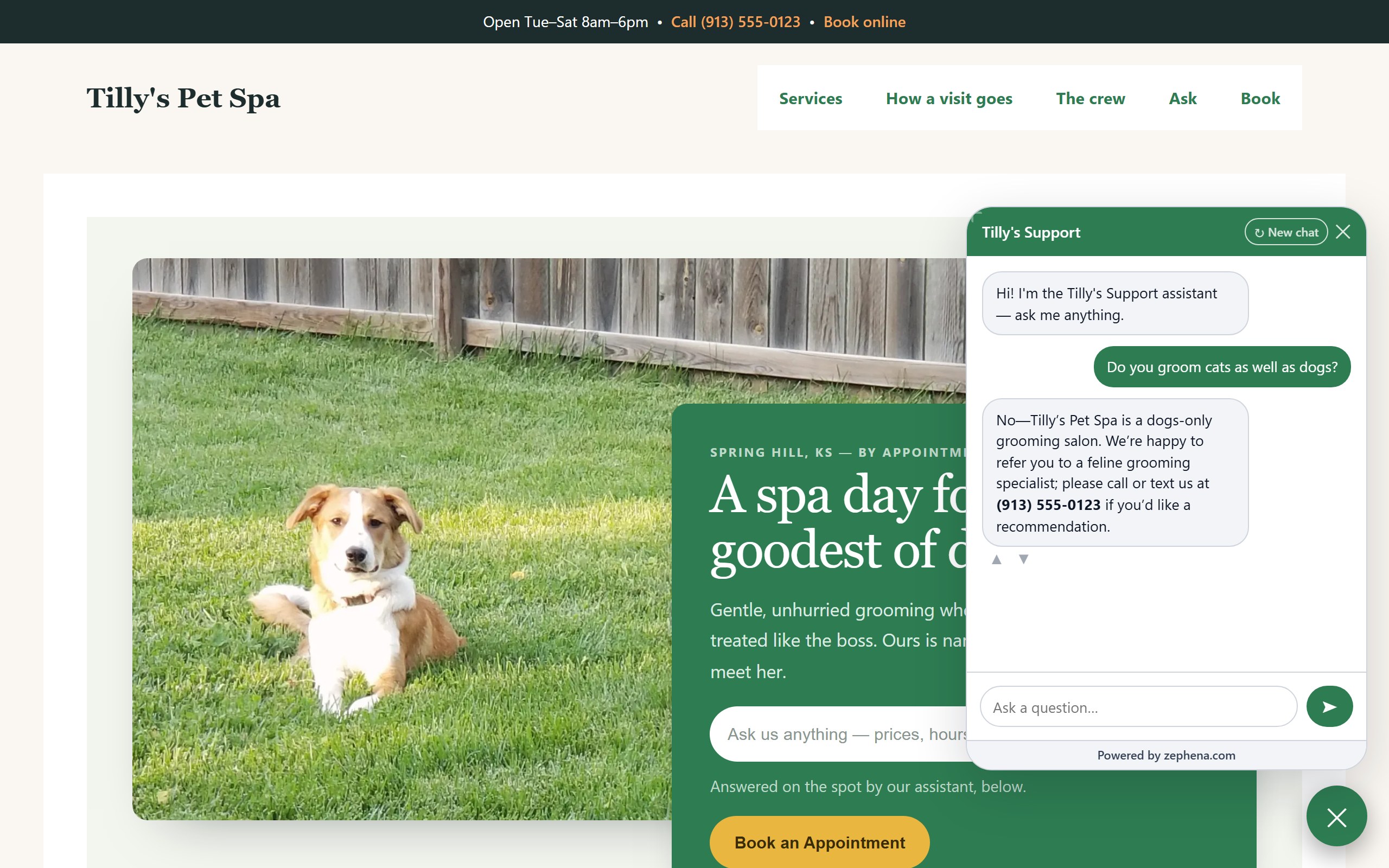
The chat widget on a live site, answering a visitor's question — and declining accurately when the business doesn't offer something, instead of inventing a yes.
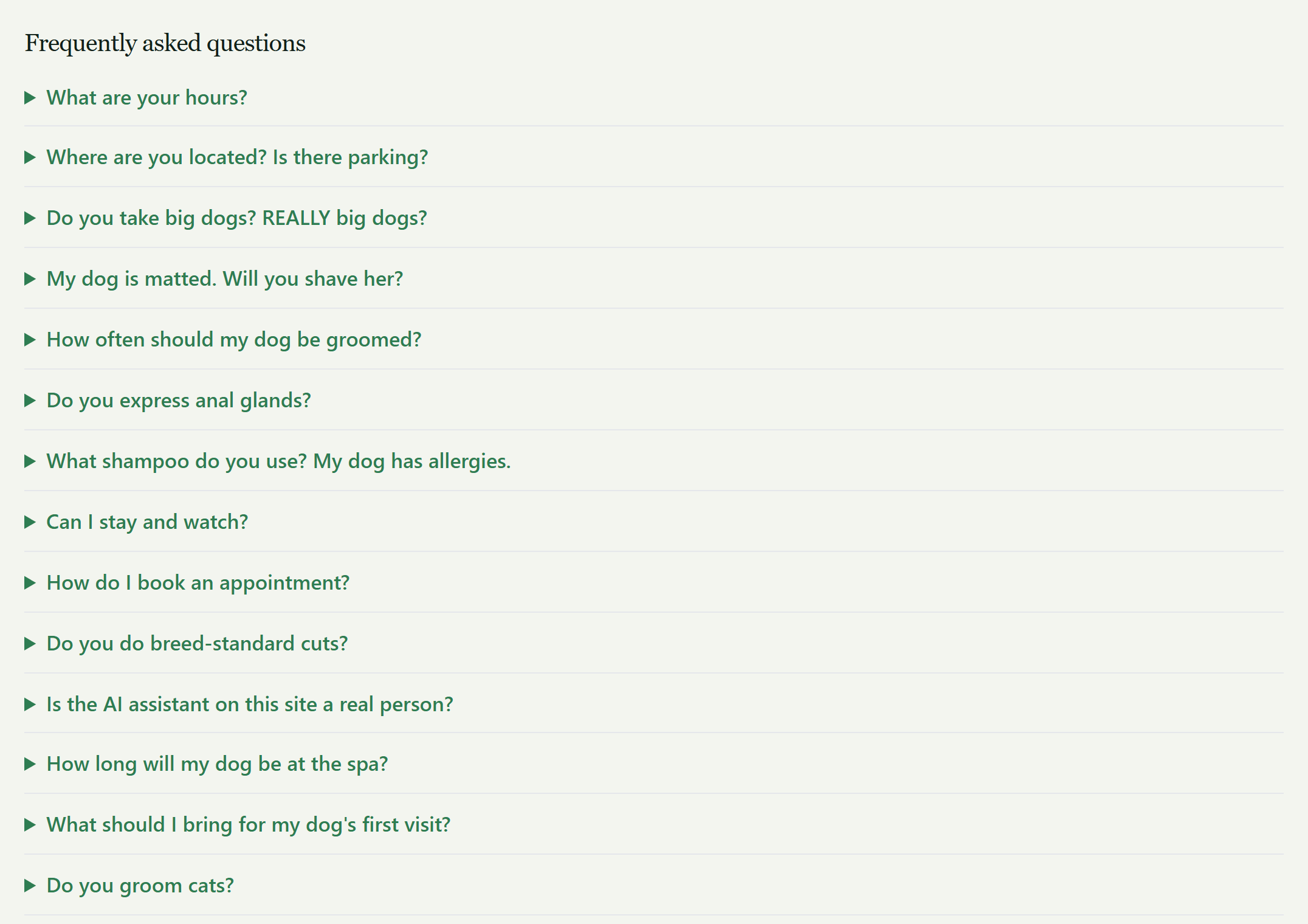
The FAQ block, server-rendered into the page with matching FAQPage structured data — readable by crawlers without JavaScript.
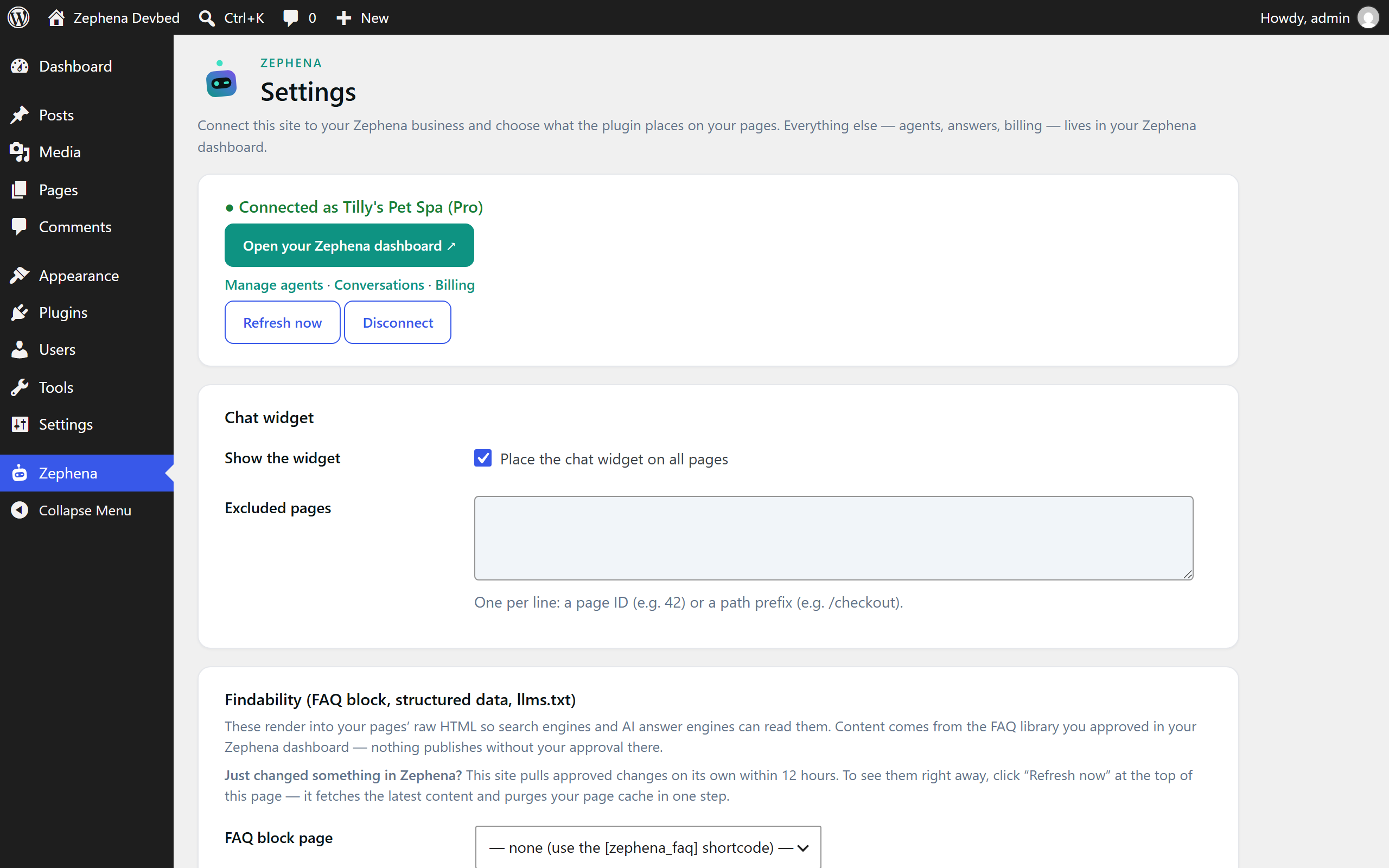
The Settings screen in WordPress admin: connection status with links into your Zephena dashboard, widget placement with per-page exclusions, and the findability options.
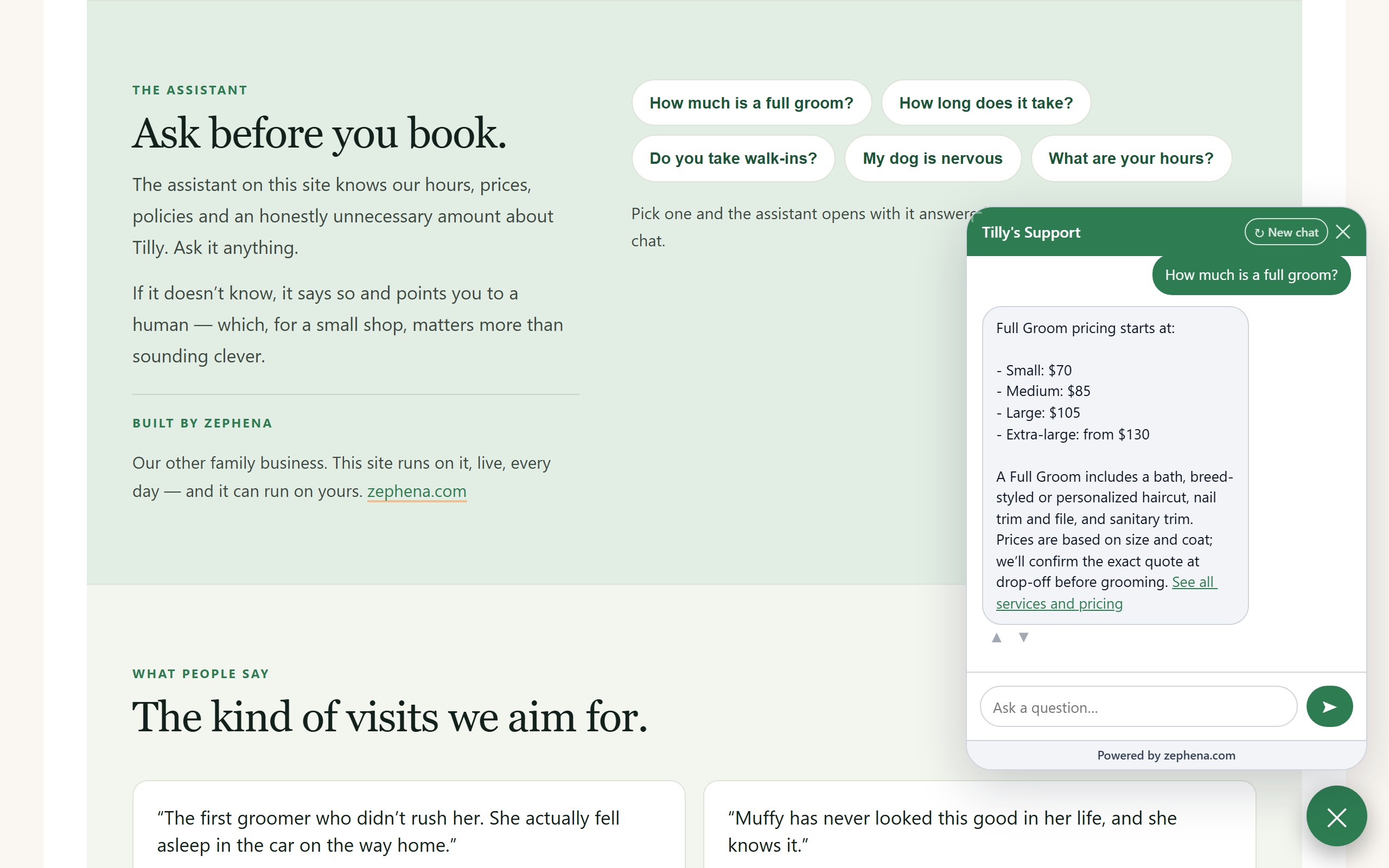
"Ask before you book": question buttons on the page open the assistant with the answer already there, through the widget's one-line page API — the answer comes from the business's own content.