
Zoe Booking turns your WordPress site into a complete booking system in about five minutes. Add services and staff, drop the form on any page, and start taking appointments — free reservations, hosted online payments or the WooCommerce checkout.
Three ways to take bookings
- Standalone — instant reservations (confirmed automatically or pending your approval). No other plugin needed.
- Standalone — pay online — customers pay on a hosted checkout (Square built in; Stripe and PayPal come with the PRO add-on). The booking is created only after the payment is verified server-side; if the slot was taken while paying, the charge is refunded automatically.
- WooCommerce (PRO add-on) — bookings ride through the cart and checkout as products, with prefilled customer details.
A booking form people enjoy using
- Four friendly steps: service date & time details confirm, with a live price summary.
- Five layouts (sidebar with photo, numbered process timeline, top stepper, slim progress bar, icon rail) and five design skins (Classic, Minimal outline, Soft, Dark, Glass).
- Every colour, corner radius, spacing and font control is free and fully editable — nothing about styling the form is locked.
- Design presets (PRO add-on) — nine finished looks (Zoe Classic, Nordic, Midnight, Blush, Atelier, Clinic, Terracotta, Mono, Botanical) applied in one click, plus saving your own and carrying it to another site.
- Popup mode — show just a button, the form opens in an elegant modal.
- One-service forms —
[ms_booking service="ID"]skips the service step, ideal for a simple call-back form. - Calendar days fill up visually as they get booked; time slots show remaining group spots.
- An “Earliest available” button jumps to the first free slot, however far ahead it is.
- A decoy field and a per-visitor hourly cap keep automated submissions out of the calendar without a CAPTCHA or a third-party service.
- Phone field with a country dial-code picker — optional, required or hidden — validated email, optional customer notes.
- Dedicated Elementor widget — layout, design skin, colours, typography, spacing and the sidebar photo are all editable straight in the Elementor panel. A Gutenberg block and the
[ms_booking]shortcode render the same form everywhere else. - A service catalogue with
[ms_services]or its own Elementor widget: your services as cards (photo, description, duration, price) in list, grid or large-card layouts, with optional category filters, search and sorting — and a Book button that opens the form on that service. - 12 or 24-hour time, any currency symbol and position, renameable terminology (Service Class, Person Coach…), single-person mode.
Run the business, not the admin
- A week calendar with an hour axis and colour-coded appointments (day and month views too), staff and service filters, and a two-step panel for adding a booking by hand.
- Move an appointment straight from the day panel — pick a new date, pick from the free times. The booking keeps everything (id, customer, price, payment) and the customer gets a calendar invite for the new time — even at short notice.
- A bookings list with status tabs and counts, removable filter chips, bulk actions and a Table / Cards switch — every booking opens in a side panel with a print-ready details sheet, and the CSV export takes whatever your filters select.
- Private notes on any booking — what you need to remember about a customer, never shown to them.
- CSV import to bring an existing calendar (and its customers) over from a spreadsheet or another plugin, with a dry run before anything is written and no emails sent to anyone.
- Optional conversion tracking: a completed booking is announced to your own analytics — GA4, Google Tag Manager or Meta Pixel — without Zoe loading a single third-party script.
- A dashboard you arrange yourself — today’s schedule, approvals, the next appointment, and revenue and booking charts with a period picker and a data table under each.
- Emails with .ics calendar invites, automatic reminders, and a QR code customers scan to drop the appointment into their phone’s calendar.
- Built-in SMTP delivery — enter your mail provider’s server details under Settings Notifications and every email the plugin sends goes through it. No separate SMTP plugin needed.
- An optional GDPR consent checkbox on the booking form — your own text and privacy-page link, required server-side in every booking mode, with the moment of consent stored on the booking as proof.
Schedules that fit real people
- A weekly schedule per person — several windows a day if you need them (09:00–12:00 and 18:00–21:00) — the services they offer, and time off as single days or whole date ranges.
- Special days — different hours on one particular date, for schedules no weekly grid fits. A special day can open a normally closed day, and a day off always wins over it, so a holiday is never reopened by accident.
- Buffers before and after a service — the room needs resetting, you need to drive there. The gap is held clear on both sides, so the next slot never starts on top of it.
- Booking rules you set once: a minimum notice (nothing inside the next N hours) and a booking window (how far ahead the calendar opens). Slots outside the rules are never shown, and a tampered request is refused server-side.
- Free slots are worked out from the schedule, the service length (plus the gaps around it) and the bookings you already have — two customers can never grab the same slot, even if they pay at the very same moment.
Staff panel (PRO add-on)
Each team member gets their own corner of the WordPress admin: a “today” strip, their own appointments with quick status changes and rescheduling, their own month calendar, their own schedule (weekly hours, days off, special days) and a My Profile page for the name and photo customers see. No settings, no payments, nobody else’s bookings. Give them a WordPress account with the “Zoe Staff” role, link it on the Staff screen — done.
You decide how much they get: Settings What staff can do switches statuses, rescheduling, managing their own hours, seeing the customer’s phone number and editing their profile — each enforced on the server, not merely hidden.
Or put the panel on your own site with [ms_staff_panel]: the same appointments and rules on a normal page with a sign-in form — handy when WooCommerce, security plugins or “hide wp-admin” tools keep staff out of the admin.
Earnings & commissions (PRO add-on)
What each person brought in and what you owe them, for any date range — appointments, revenue, commission and what you keep, with a CSV export. A percentage or fixed rate per person, with a per-service override. Revenue comes from the price stored with each booking, so later price changes never rewrite past months; cancelled and refunded bookings are excluded. Zoe reports what is owed and never moves money — splitting payments would mean running a Stripe Connect platform with identity checks for every team member, where a bank transfer already does the job.
Deposits, pay links & no-shows (PRO add-on)
Take part of the price online when the booking is made — a percentage or a fixed amount, global or per service — and collect the rest at the appointment. Reports, invoices and commissions still count the full price, and the summary, email and details sheet show “deposit due now / balance due at the appointment”. Email payment link sends the customer a secure checkout for exactly what is still owed (it works for bookings you typed in by hand too), and the same “Pay” button appears in their customer panel. Mark a booking No-show and the sheet shows how many appointments that customer has missed, the new-booking email warns you when they book again, and no-shows never count as revenue or commission.
Already using Amelia or Bookly? Move in with one click
Zoe finds them on your site and copies your services, staff and appointments across — free. “Show me what would happen” previews exactly what would be created and skipped, and your old plugin is only ever read, never changed, so you can compare the two and go back. Imported appointments arrive silently (no confirmation emails for last spring’s haircut), running it twice is safe, and working hours are deliberately not copied — every plugin shapes them differently.
SMS & WhatsApp messages (PRO add-on)
Automatic confirmations, reminders and cancellation notices by SMS or WhatsApp, through your own Twilio account and number — you pay Twilio’s list price and we add nothing on top. Write your own wording with {name}, {service}, {staff}, {date}, {time} and {site}, or use ours. Reminders follow your email reminder schedule (customers who left only a phone number get one too), numbers are tidied into international format, and a failed message never affects the booking — the reason lands in its private note.
Zoom meetings per booking (PRO add-on)
A fixed meeting link breaks down when appointments overlap or run back to back — everybody has the same URL. Connect your own Zoom account once (Server-to-Server OAuth: three values, no app review) and every booking gets its own meeting in the confirmation email and calendar invite, created in your Zoom account. Moving an appointment moves its meeting, cancelling gives it back, and each occurrence of a series gets its own. If Zoom is unreachable the booking still goes through and the failure is noted on it.
Zapier, Make & webhooks (PRO add-on)
Send every new booking, status change and reschedule to Zapier, Make, n8n or your own software the moment it happens — create a client or patient record, add a spreadsheet row, post to your team chat. Paste the “Catch Hook” (Zapier) or “Custom webhook” (Make) address, press “Send a test booking” and map the fields: name, email, phone, service, team member, location, date and time, price and status. Bookings you add in the calendar are sent too; the customer’s own note only when you switch it on. Requests are signed (HMAC-SHA256), retried once on failure and listed in Settings.
Team appointments (PRO add-on)
Some jobs take two people: a four-hands massage, a cleaning crew, a workshop with an assistant. Set People required on the service and Zoe offers only the times when enough qualified colleagues are free, then books the whole team. The form doesn’t change for customers; the appointment blocks every member’s calendar, feed and staff panel; only the lead can move or re-status it; and the commission report splits the price equally, each at their own rate.
Feature switchboard
Every capability has an on/off switch under Zoe Booking Features, so the plugin stays exactly as light as you need.
Events & tickets (PRO add-on)
Events (workshops, openings, concerts) with a ticket pool, image and description — sold through any booking mode and displayed with the Events widget or [ms_events] shortcode in list, grid or standard layouts. An event can run on one date or many — customers choose their date, every date sells its own seats, and events are not tied to anyone’s working hours.
Customer panel
A front-end account area with passwordless magic-link sign-in: customers see their appointments and tickets, cancel online up to a deadline you set (e.g. 48 hours before the appointment — payments are never refunded automatically), download invoices, edit their details — and exercise their GDPR rights (export or permanently delete their data) themselves. [ms_customer_panel] or the Elementor widget.
Free vs Premium
The free plugin is complete on its own: everything above that is not marked PRO — unlimited services and staff, the full booking form and calendar, booking rules, Square payments, emails and reminders, group and recurring appointments, the customer panel and full translations.
Zoe Booking PRO (a separate add-on, not included in this plugin) adds: the design-preset gallery and saving your own, the staff panel, the earnings & commissions report, deposits, pay-by-link balance collection, no-show tracking, Stripe & PayPal payments, WooCommerce checkout, discount coupons, waiting lists, multiple locations, invoices, refunds, events & tickets, SMS & WhatsApp messages, Zoom meetings, team appointments and Zapier & Make webhooks.
External services
Zoe Booking stores all data in your WordPress database and contacts an external service only when you switch on the matching feature and enter your own keys:
- Square (connect.squareup.com) — payment links, order checks and refunds. Sends: amount, currency, item name, buyer email. Terms, Privacy.
- Stripe (api.stripe.com, PRO) — checkout sessions, payment checks and refunds. Sends: amount, currency, item name, customer email. Terms, Privacy.
- PayPal (api-m.paypal.com, PRO) — orders, captures and refunds. Sends: amount, currency, item name. Terms, Privacy.
- Twilio (api.twilio.com, PRO) — one text message per enabled event. Sends: the recipient and sender numbers and the message text (by default: customer name, service, appointment date and time, site name). Terms, Privacy.
- Zoom (zoom.us, api.zoom.us, PRO) — an access token, then creating, updating and deleting meetings in your own Zoom account. Sends: the appointment title (service and customer name), start time, duration and timezone — no email or payment details. Terms, Privacy.
- Webhook addresses you enter (e.g. Zapier, Make, n8n; PRO) — one signed JSON request per enabled event. Sends: booking id, status, service, team member, location, date, time, price, amount paid and the customer’s name, email and phone (the note only if you enable it). The receiving service, chosen by you, applies its own terms.
- zoebooking.com (our licensing service) — only for the optional PRO licence: activating or re-checking a key sends the key and your site’s hostname, and the optional “Install PRO now” button downloads the package you bought (the request carries only your key). Nothing is sent without a key or that click; the “Get PRO” page only links to our website. Terms, Privacy.
WhatsApp links are plain wa.me links — nothing is sent until someone taps one. The QR code renderer and the flag font ship inside the plugin; no third-party script is loaded.
Screenshots

The customer-facing booking form — pick a service, staff, date and time in a clean, mobile-friendly flow.
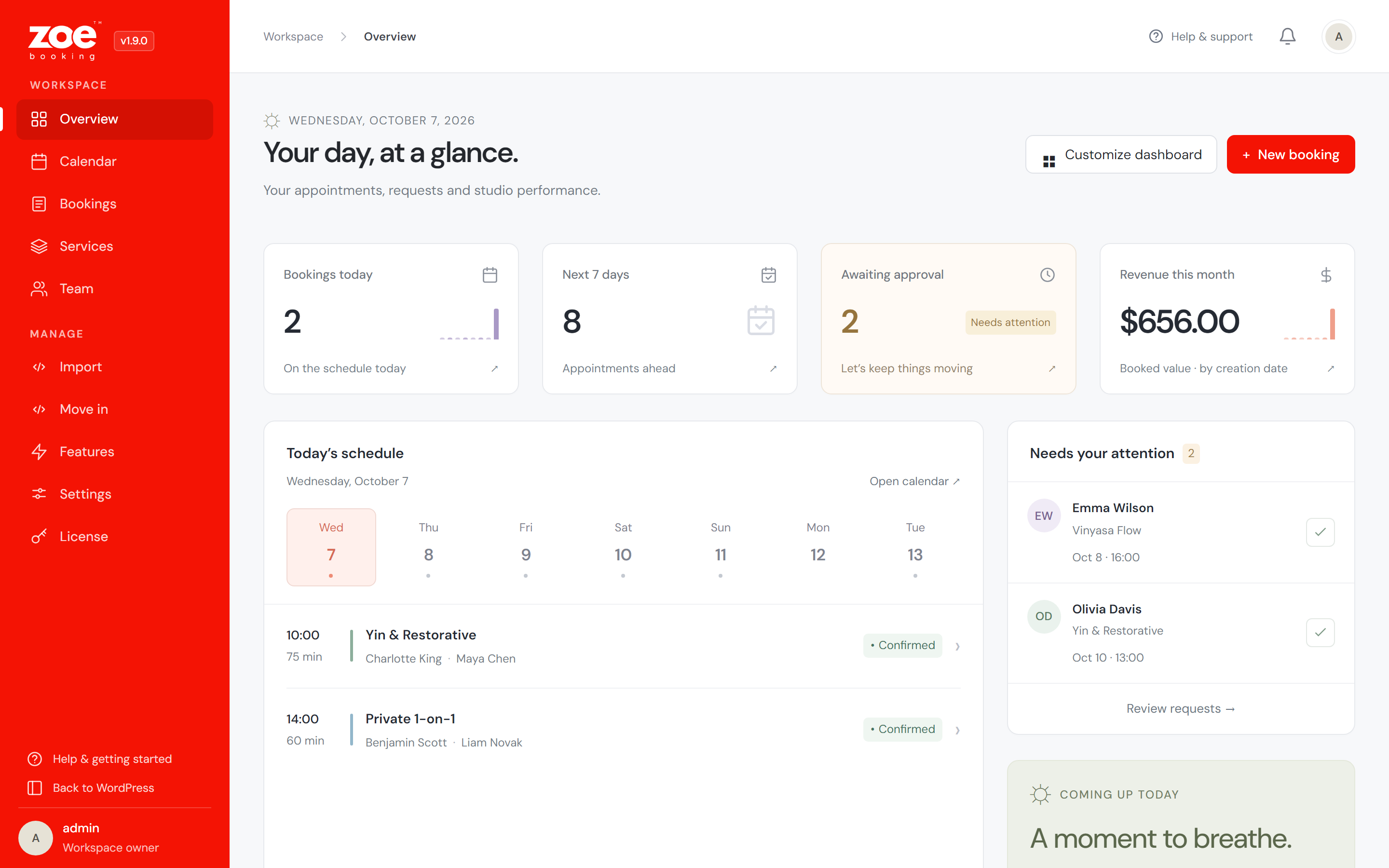
Your day at a glance — today's schedule, bookings awaiting approval, revenue and your most-loved services, in a dashboard you can rearrange.
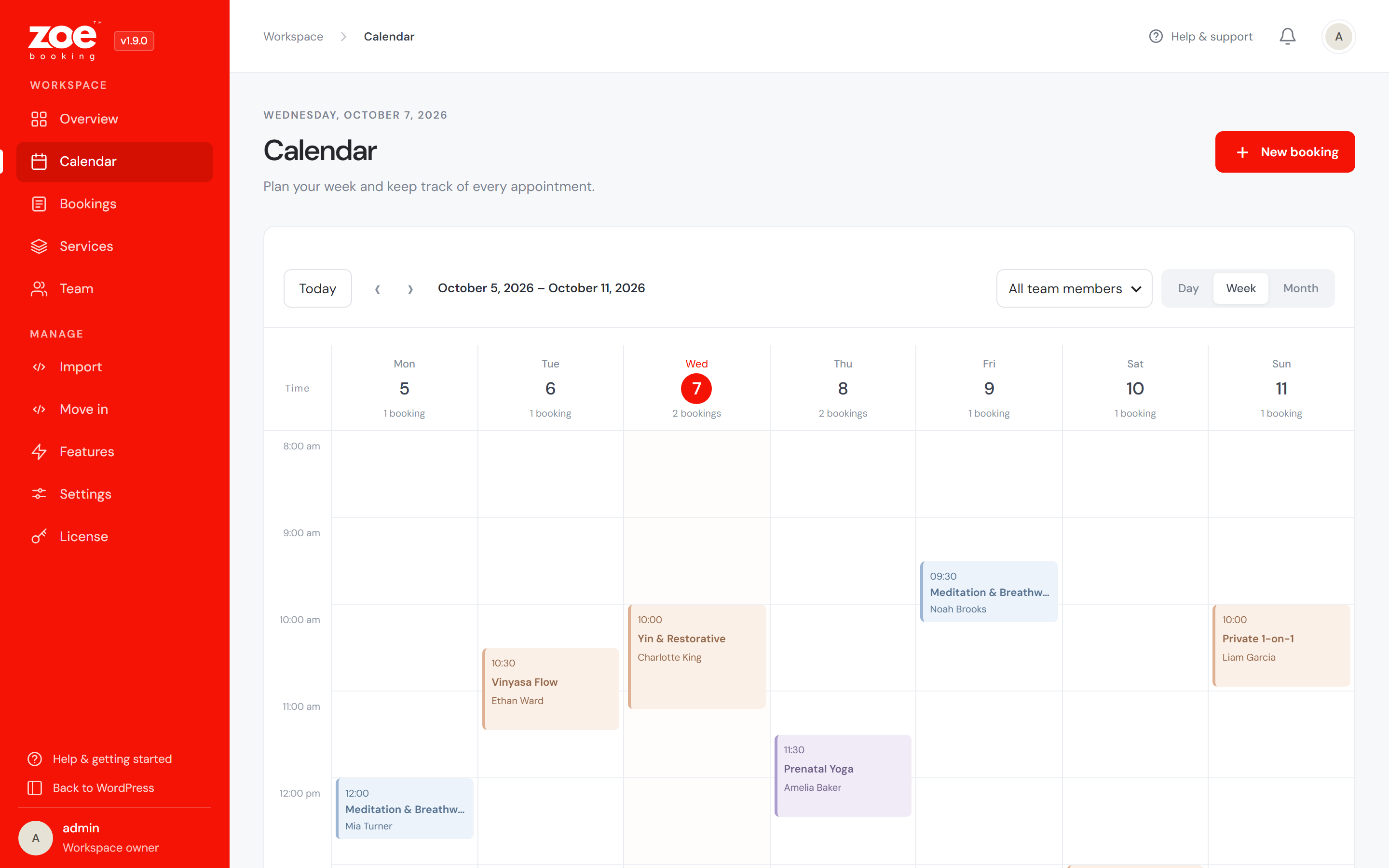
Week calendar with an hour axis and colour-coded appointments — switch to day or month, filter by staff or service.
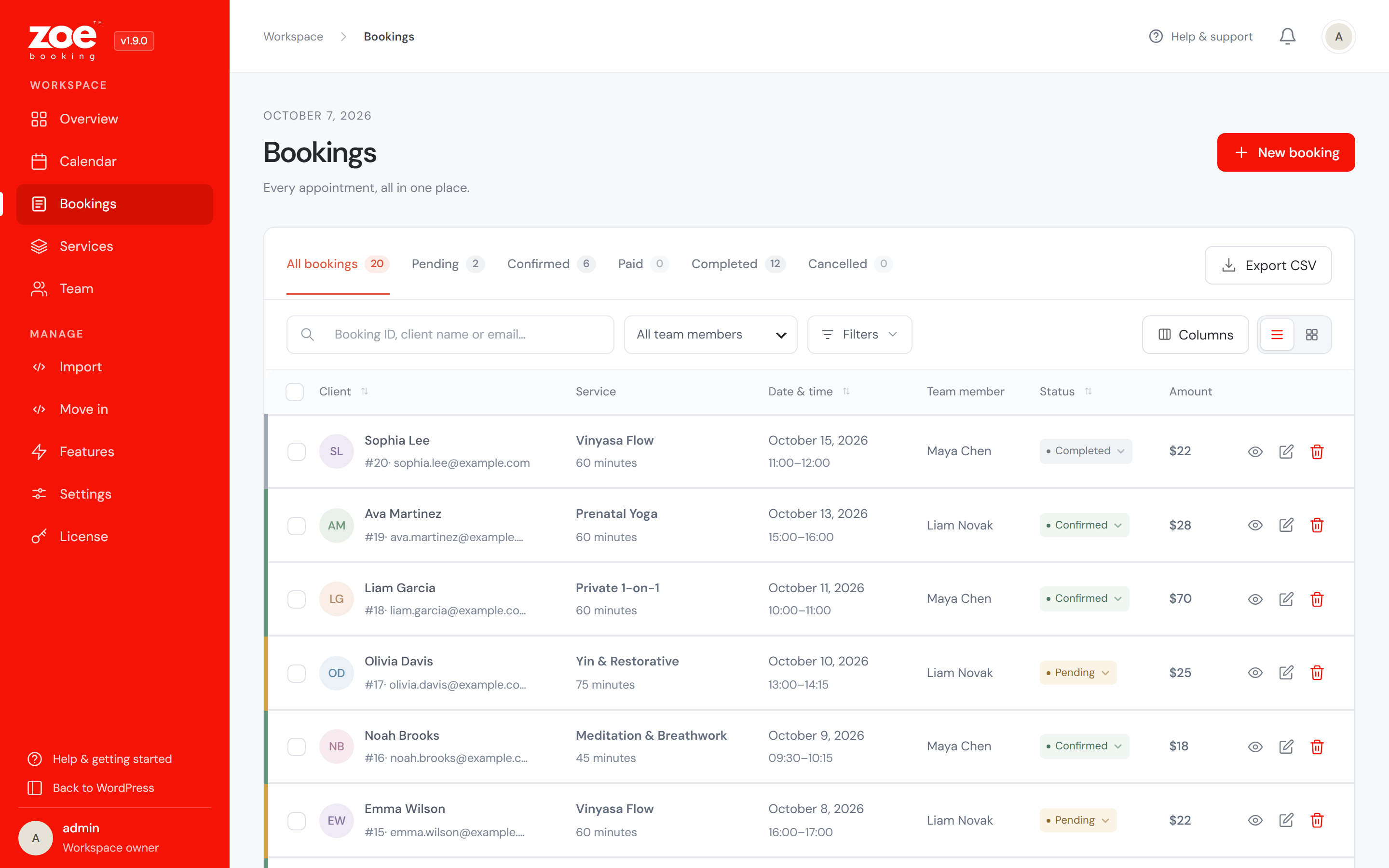
Bookings list — status tabs with counts, search and filters, bulk actions and CSV export; open any booking in a side panel.
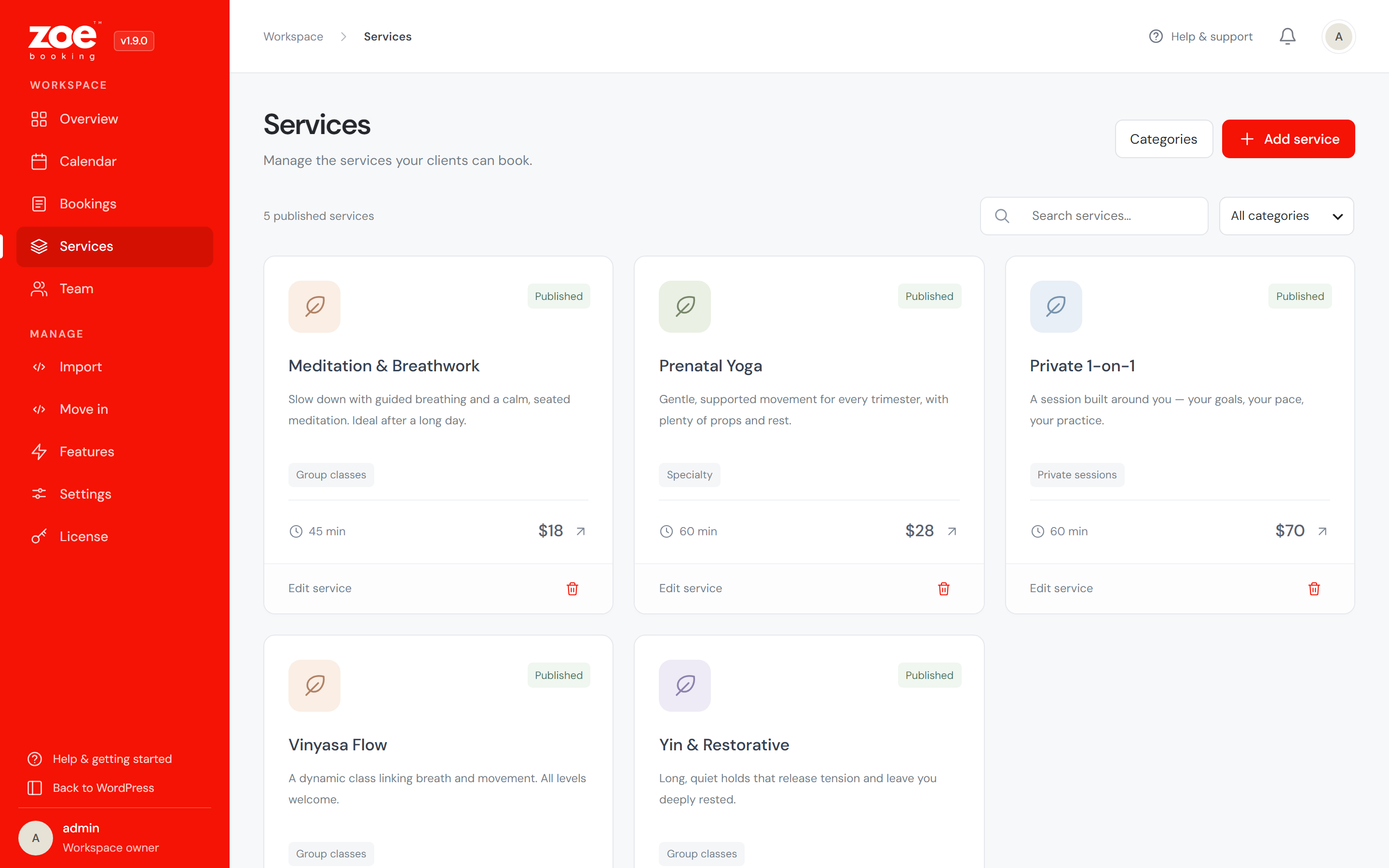
Services as cards — a duration, price and category for everything customers can book.
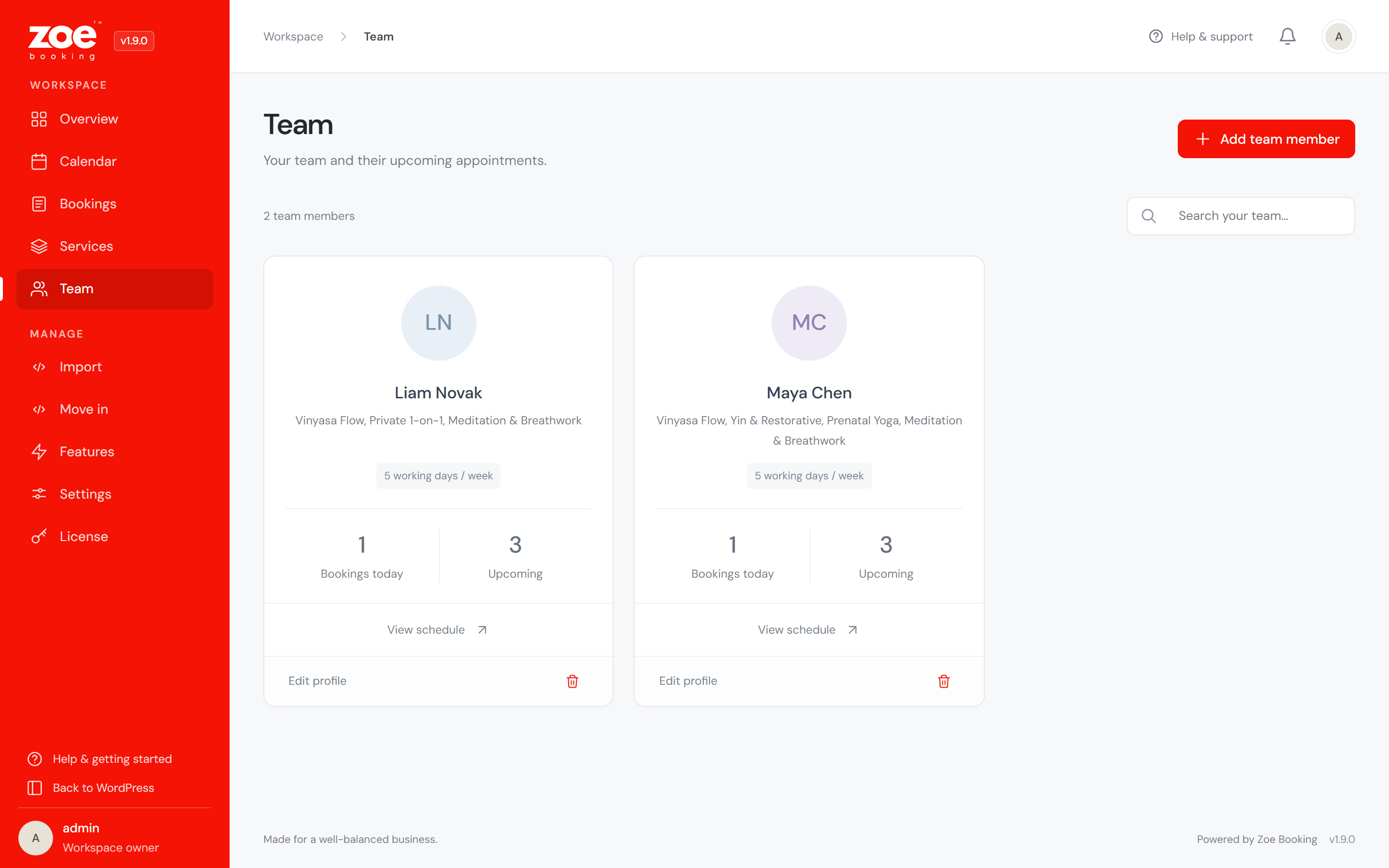
Give each team member a weekly schedule, assigned services and time off.
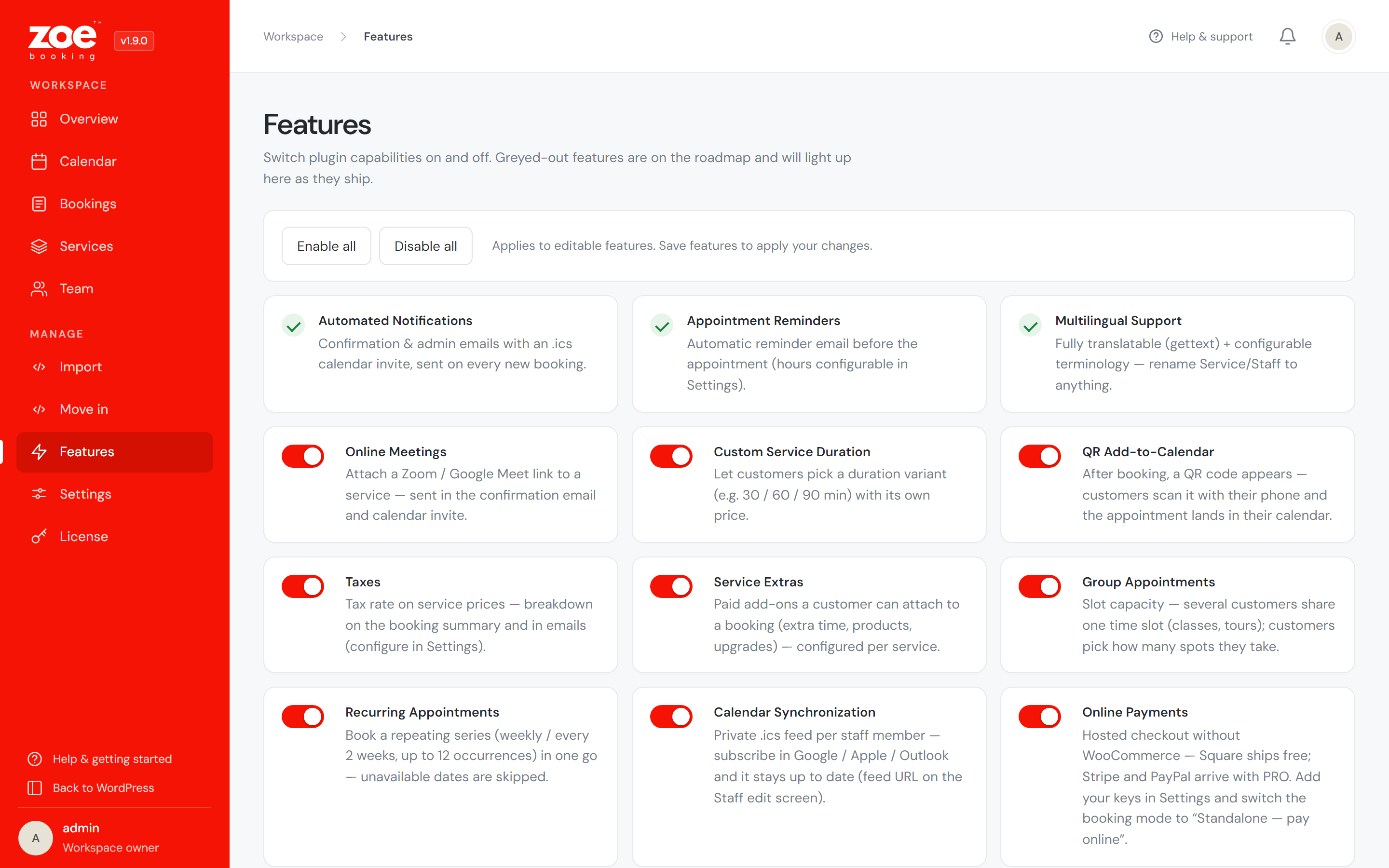
Turn plugin capabilities on and off to match how you work.
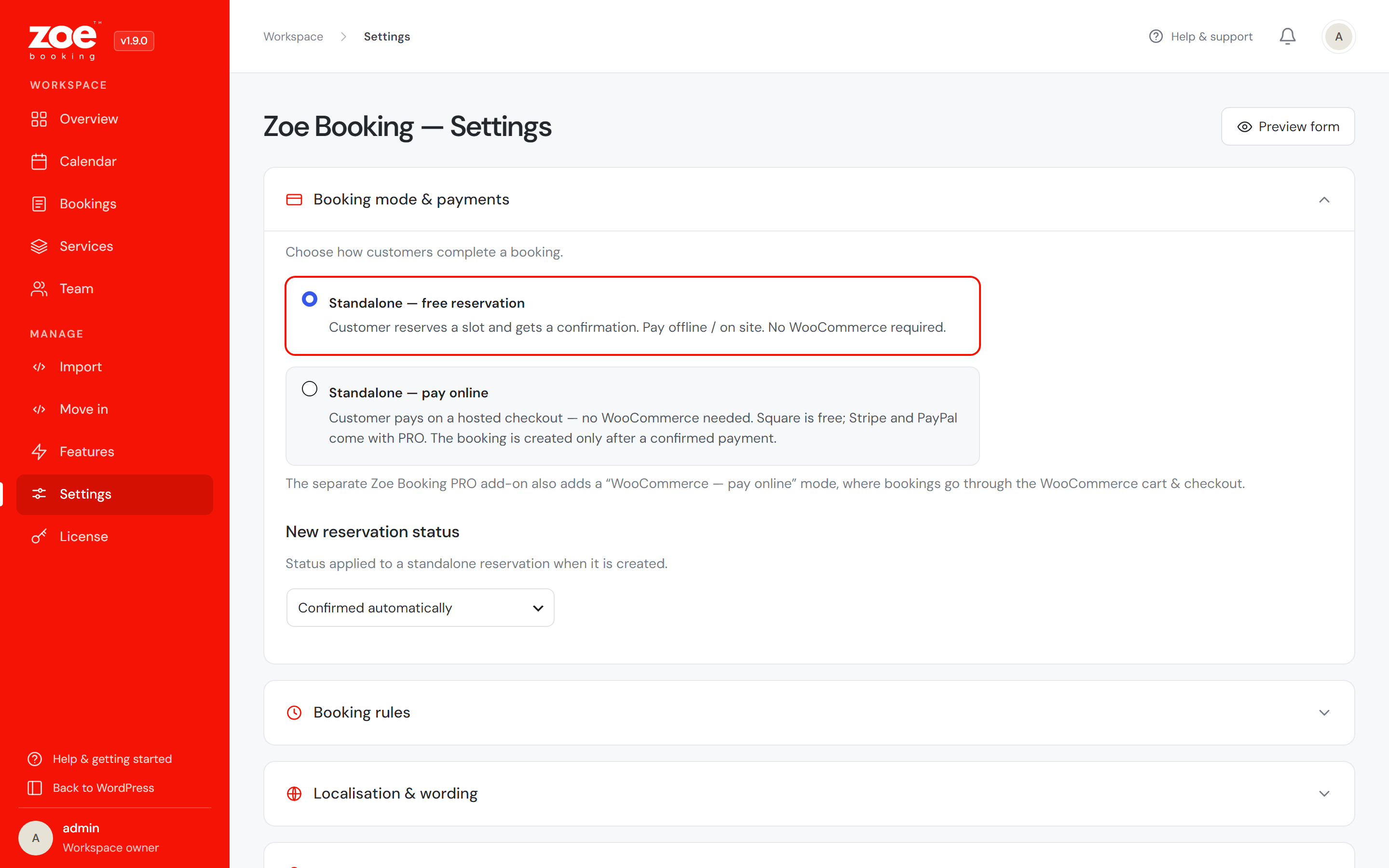
Configure booking mode, payments, notifications, terminology and the look of your form.