🔥 Get ZooMeet PRO | 📖 Documentation | 🤝 Join Community | 🕹️ YouTube
ZooMeet is a Zoom integration for WordPress that creates Zoom meetings and webinars, gives each one its own page on your site, and shows what is live on your Zoom account in wp-admin.
Connect your Zoom account once with a Server-to-Server OAuth app, and every event you create in WordPress is a real Zoom meeting or webinar. Visitors join from your site, in the Zoom app or right in the browser, and you manage the account behind it without switching tabs.
Features marked (Pro) need ZooMeet Pro. Everything else is in this free plugin.
🏆 Key Features at a Glance:
✅ Zoom Meetings & Webinars From WordPress
-
A guided event wizard
- Create a meeting or webinar in clear steps, with quick picks for the date and length, the time zone, a passcode, the host and alternative hosts.
-
Every Zoom setting you rely on
- Waiting room, join before host, Zoom sign-in required, mute on entry, host and participant video, auto recording, and for webinars, panelist video, practice session and HD video.
-
All Events in one list
- View, publish drafts, copy a shortcode and delete (to the trash, never straight away). A summary panel flags clashing events and busy days.
-
Categories
- Group events by course, client or team, with category pages and a category filter on the list shortcodes.
-
Recurring meetings (Pro)
- Daily, weekly or monthly series, created once.
-
Registration (Pro)
- Ask for a name and email before the join link appears, approve registrants, and email them.
✅ Event Pages Your Visitors Join From
Every event gets a page on your site with the details, a countdown and a Join button.
-
Join in the Zoom app or in the browser
- Add Meeting SDK keys and visitors can join inside your site. The signature is made on your server, so no secret reaches the browser.
-
Host controls on the page
- The host can start the event, end it or let people join early.
-
Two free page themes, Classic and Paper
- Choose a brand colour, button shape, sidebar side, thumbnail, and whether the site header and footer show. Pick a theme for the whole site, then change it on any one event.
-
Times in each visitor’s own time zone
- Optional, per event, with the time zone shown beside the time.
-
12 more themes (Pro)
- Cover, Studio, Cadence, Guestlist, Admit, Lobby, Lesson, Keynote, Consult, Aurora, Journal and Encore, plus page background and extra style options.
✅ Your Zoom Account, Inside WordPress
- Live Meetings and Live Webinars: see what is on your Zoom account right now, refresh it, and delete on Zoom.
- Import: bring existing Zoom meetings into WordPress as events, with a duplicate check. Importing webinars is Pro.
- Zoom Users (Pro): list, add, edit and remove the users on your Zoom account. Every Zoom user can host events in the free plugin.
- Zoom Recordings (Pro): browse cloud recordings by host and date range, open the files, and move a recording to the trash.
- Zoom Reports (Pro): daily, account and per-meeting reports and registrant lists, with CSV export.
- API logs: see why a Zoom request failed, with errors only or every call, kept 14 days and never storing secrets.
✅ Shortcodes, Block & Elementor
[zmeet-zoom-meeting id="123"]and[zmeet-zoom-webinar id="123"]show one event, with options to hide the details or the timer.[zmeet-zoom-meeting-list]and[zmeet-zoom-webinar-list]list upcoming events; addcategory="slug"orshow_past="yes".- A block for the block editor and an Elementor widget that embed a meeting or webinar straight from a Zoom host.
- Recording shortcodes (Pro): a single recording or a recording archive on any page.
- Classic Editor button (Pro).
✅ Access & Security
- Choose who may open event pages: everyone, logged-in users, or chosen roles. Hosts and admins always get in.
- Passcodes and the waiting room, sent to Zoom with the event.
- Zoom keys and passcodes are never sent to the browser.
- Works on WordPress Multisite.
✅ Sell, Teach & Run a Marketplace (Pro)
- WooCommerce: sell an event as a product; buyers get the joining details after they pay.
- WooCommerce Bookings: a Zoom meeting is created for each confirmed booking.
- LMS: attach live classes to courses and lessons in Tutor LMS, LearnPress, LifterLMS and Academy LMS, open only to enrolled students.
- Marketplaces: Dokan, WCFM Marketplace and MultiVendorX vendors run their own events, each with an on/off switch.
- Frontend Meetings: members create and manage events from a page on your site, without wp-admin.
- Add to Google Calendar button on event pages.
💡 Use Cases
- Online courses and coaching: live classes next to the lesson, open to enrolled students.
- Webinars and virtual events: a public page with a countdown, registration and a Join button.
- Paid consultations: sell a session through WooCommerce and send the link after payment.
- Teams and agencies: run every Zoom event from one WordPress login, and with Pro, manage Zoom users, recordings and reports there too.
- Marketplaces: let each vendor host their own Zoom sessions.
🔥 Get ZooMeet PRO | 📖 Documentation | 🤝 Join Community | 🕹️ YouTube
📖 Documentation
Step-by-step guides with screenshots for every feature:
- Connect Zoom with ZooMeet (Server-to-Server OAuth)
- Set up Join in browser (Meeting SDK)
- Create your first Zoom meeting
- Show Zoom meetings on any page with shortcodes
- All ZooMeet guides
📢 Hear From Our Users
⭐⭐⭐⭐⭐
Excellent Support and Multi-Vendor Features
I needed each vendor to be able to connect their own Zoom account, and the support team helped me get everything working quickly. Now every vendor can manage meetings using their own Zoom account.
– by @akbarali98⭐⭐⭐⭐⭐
Best Zoom plugin for WordPress
This zoom meeting plugin is fantastic. Loved this one and its team’s dedication and support.
– by @tasnim179
😍 Other Plugins from Our Team
- MeetingHub – Appointment booking and meeting scheduling for Zoom, Google Meet, Microsoft Teams, Webex and Jitsi
- GoodMeet – Meetings, webinars and classes for Google Meet
- DriveHub – Google Drive integration for WordPress
- WeMeet – Webex integration for webinars, meetings and video conferences
- TogMeet – Microsoft Teams integration for webinars, meetings and video conferences
External services
This plugin connects to Zoom to create and manage meetings and webinars, and to Freemius for licensing. Each is listed with what is sent and when.
Zoom OAuth (zoom.us/oauth/token) – exchanges the Account ID, Client ID and Client Secret you enter under Settings Connect for an access token, when you save the settings and whenever the token needs renewing.
Zoom REST API (api.zoom.us) – used to create, update, delete and import meetings and webinars, to list the Zoom users who can host them, and, with Pro, to manage Zoom users and read recordings and reports.
– Creating or updating an event sends its title, description, start time, time zone, duration, passcode, host, alternative hosts and the meeting settings you chose.
– With Pro, the Zoom Users screen sends a user’s name, email and type when you add or edit one.
– Admin screens such as All Events, Live Meetings, Live Webinars and, with Pro, Zoom Users, Recordings and Reports read from Zoom when you open them, and event pages read the meeting’s status.
Zoom Meeting SDK (source.zoom.us) – loaded in the visitor’s browser only on the Join in browser page. The browser connects to Zoom with the meeting number, a signature made on your server, and the display name and email the visitor enters.
This service is provided by Zoom Video Communications, Inc.: Terms of Service, Privacy Policy.
Freemius – used to license ZooMeet Pro and, if you opt in on the activation screen, to receive basic site data (site URL, WordPress, PHP and plugin versions, and your admin email) that helps us support the plugin. You can skip the opt-in; the free plugin works the same either way.
This service is provided by Freemius, Inc.: Terms of Service, Privacy Policy.
Source Code
The admin interface is built with React and compiled to the minified JavaScript and CSS in assets/dist/. The uncompiled source ships with the plugin in assets/src/, and package.json in the plugin root lists the build tools (webpack, Tailwind CSS, PostCSS and Babel) and the build commands, npm run build and npm run build:getstarted, run with NODE_ENV=production. The PHP libraries in vendor/ are listed in composer.json.
Screenshots
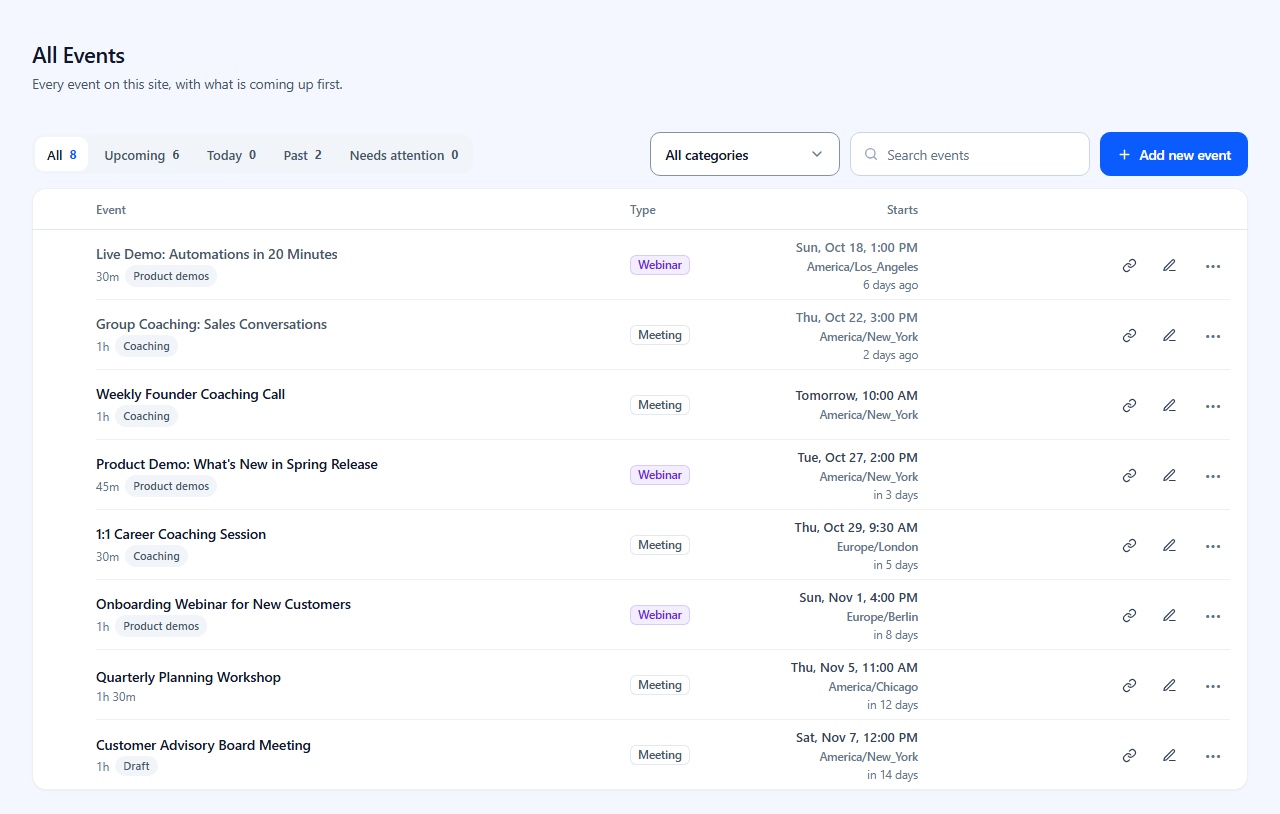
All Events: every meeting and webinar in one list, with tabs for upcoming, past and events that need attention

Editing an event in four short steps: name and type, date and time, access, page design
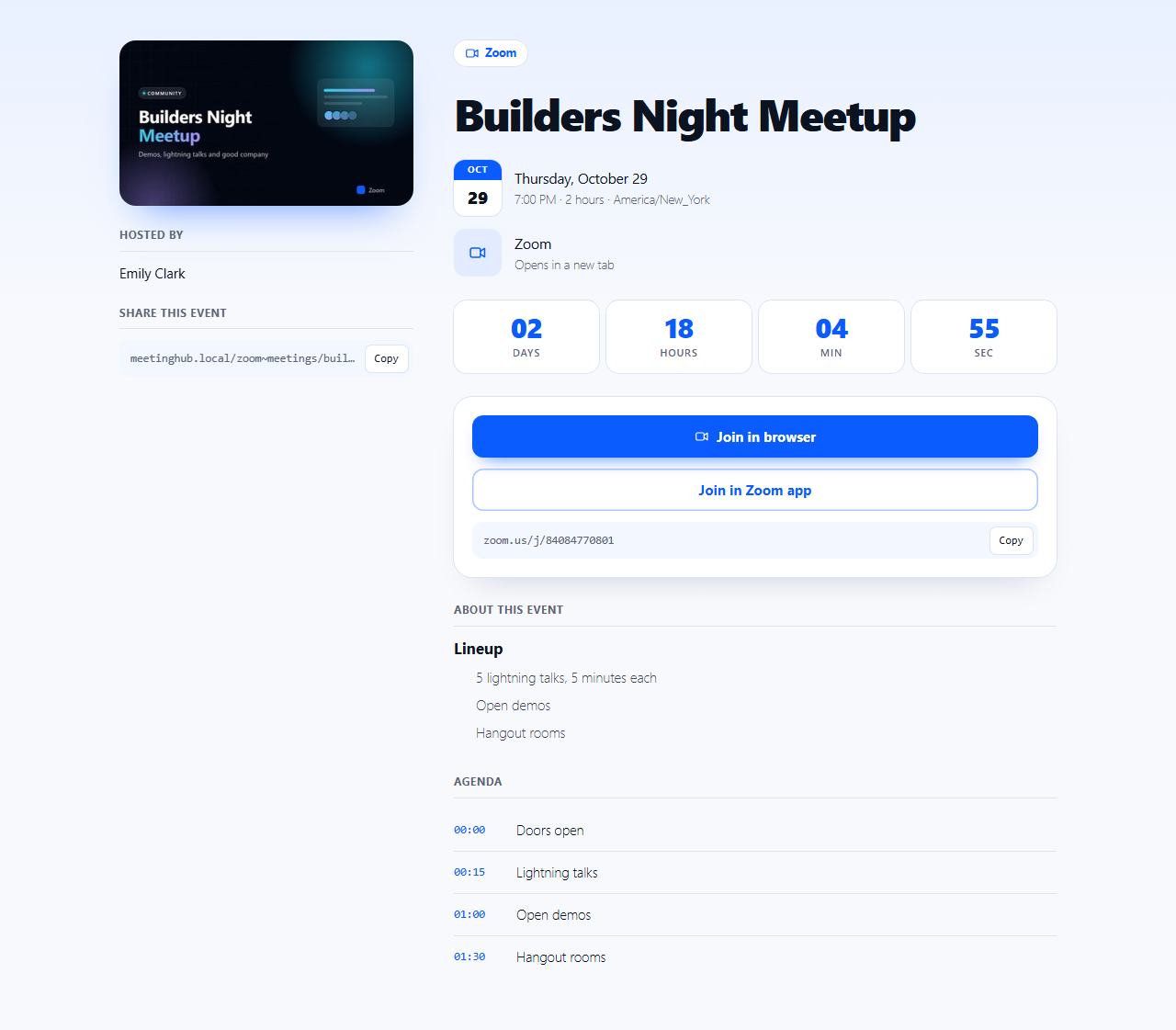
The event page visitors see: title, countdown, date and time, and Join buttons
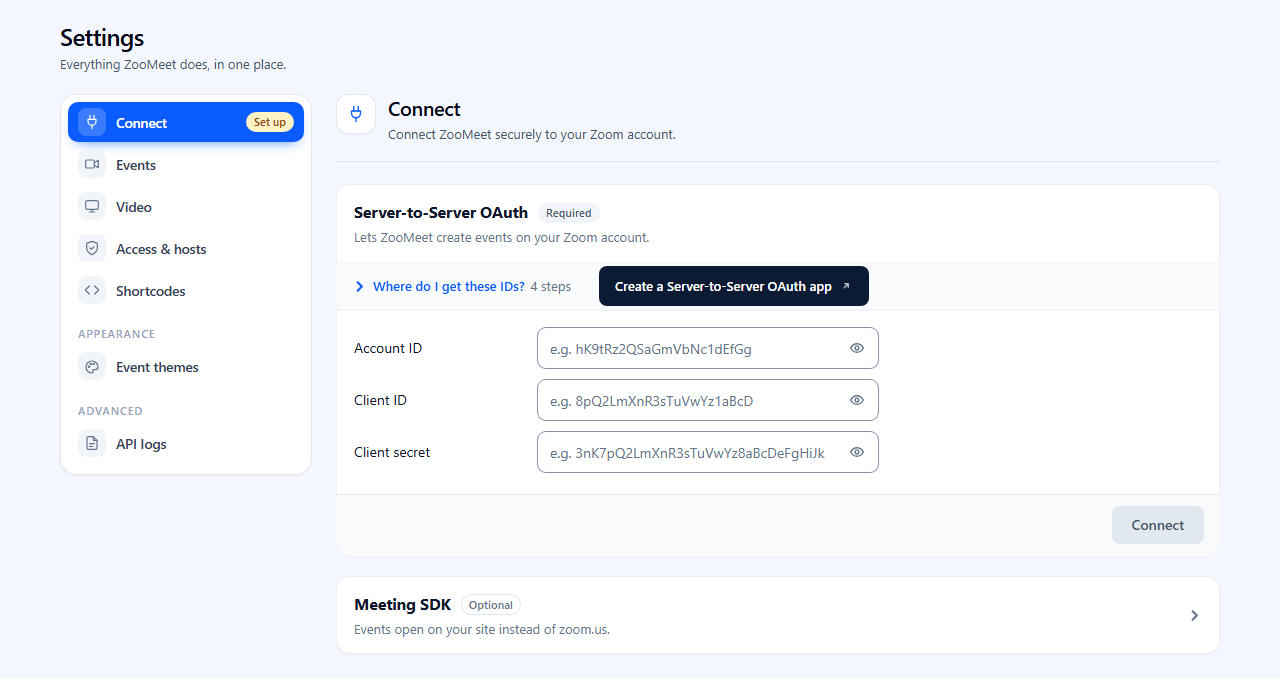
Connecting ZooMeet to your Zoom account with a Server-to-Server OAuth app
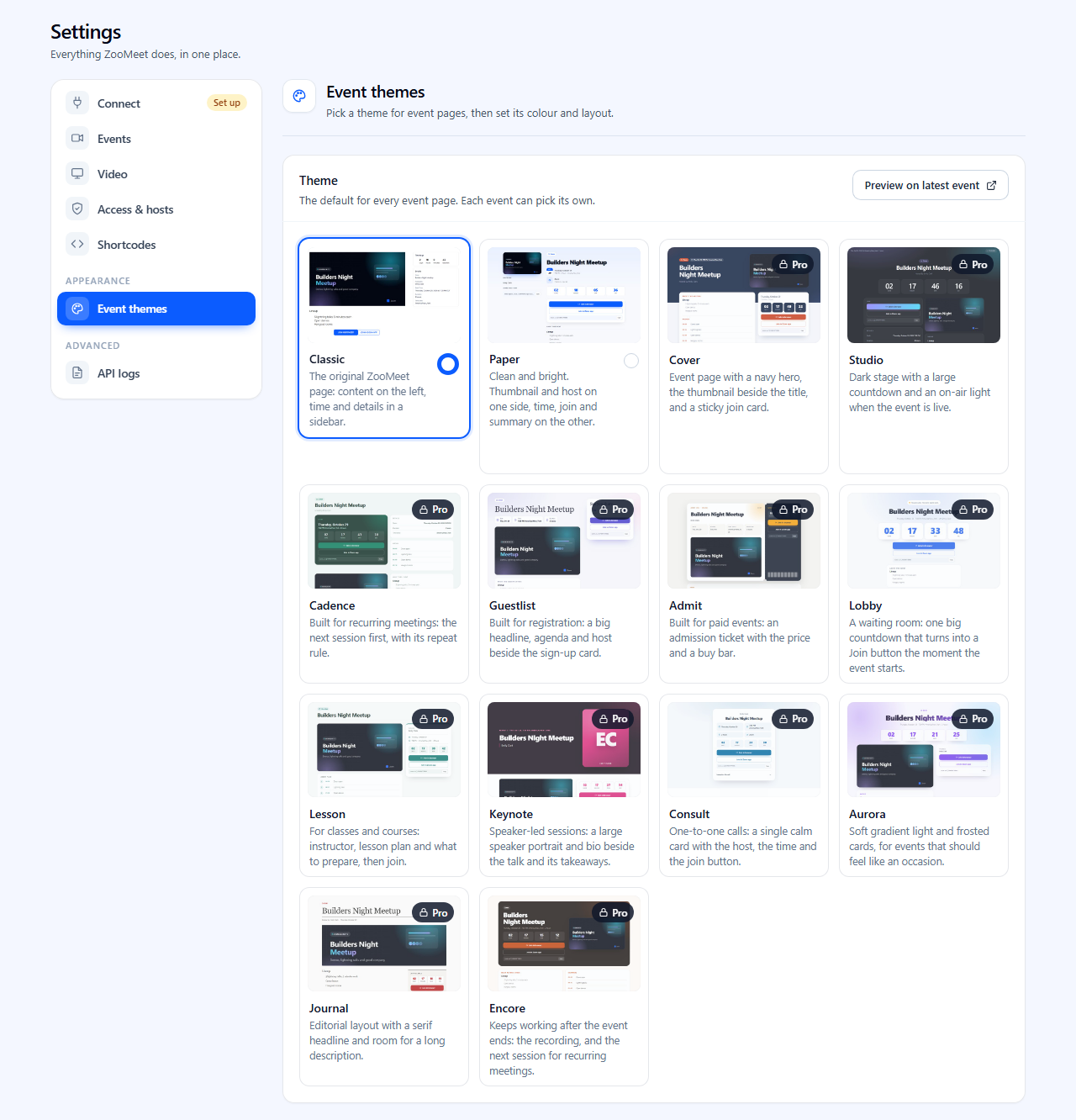
Event themes: Classic and Paper are free, with more themes in Pro
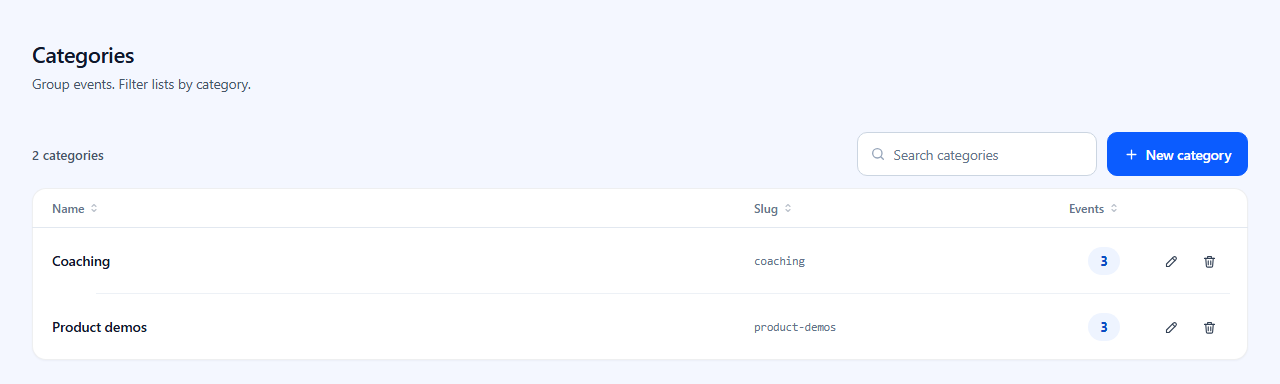
Categories to group events and filter lists
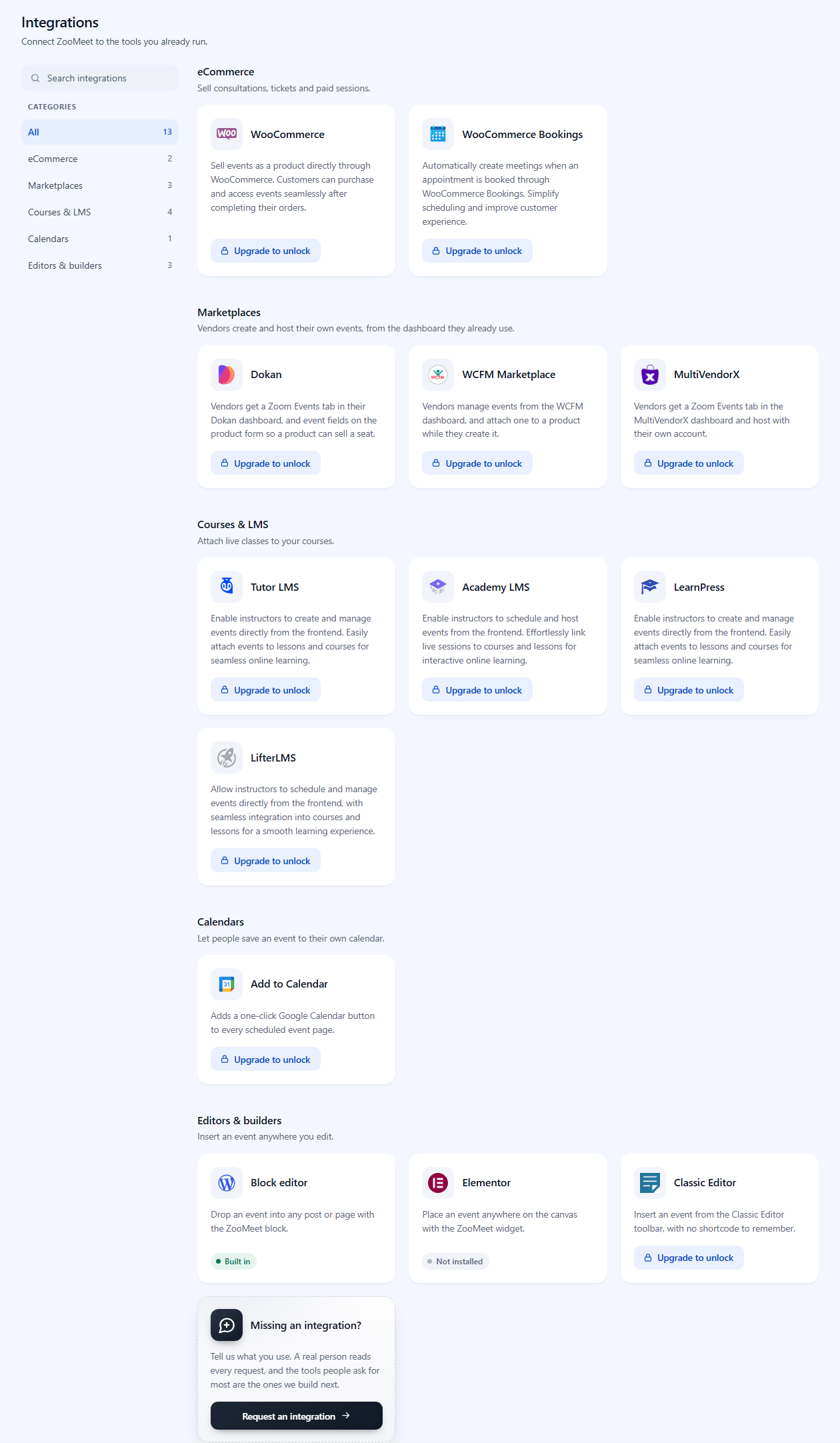
Integrations with WooCommerce, marketplaces, LMS plugins, calendars and page builders
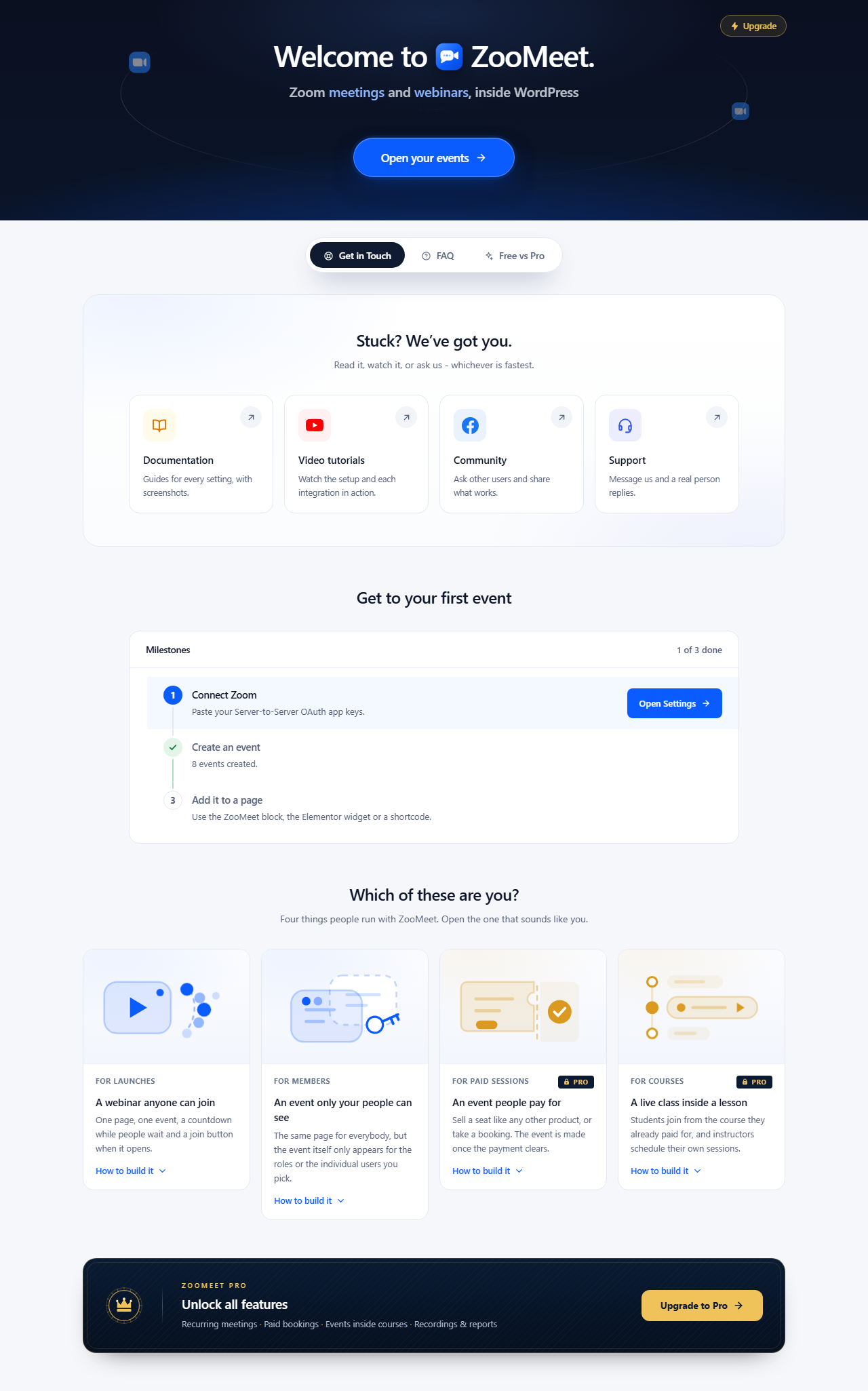
Get Started: a short guide from connecting Zoom to your first event