
Zywrap writes the small things every post, page and product needs, and helps with the text you are writing. It works inside WordPress, on your own content, and nothing changes until you say so.
Start free, right inside WordPress. Enter your email, type the 6-digit code we send you, and you are connected, with 10,000 free credits. No other website to visit, no key to copy. A typical task uses between 30 and 100 credits, so that is well over a hundred tasks.
What it does
- Finds what is missing. The Zywrap home screen and the Dashboard widget show how many posts have no excerpt or meta description and how many images have no alt text. One click fills a whole list; you approve each one.
- Fills fields for you. Excerpt, SEO title, meta description, focus keyphrase, social share title and description (in Yoast SEO or Rank Math), URL slug, tags and categories chosen from your own, image alt text, captions and titles.
- Fixes and rewrites your text. Select a paragraph and pick proofread, say it in fewer words, expand, make it simpler, friendlier, more professional or more persuasive, translate, or turn it into a list. Replace the paragraph with the result, or put it below; Undo brings the original back.
- Makes something new from your post. Key takeaways, TL;DR, FAQ section, table of contents, social posts for X, LinkedIn, Facebook and Instagram, a newsletter blurb, an announcement email and more.
- Writes for WooCommerce. Short and long product descriptions, product meta descriptions, benefit bullets, product FAQs and alt text for product photos, from the product’s own details.
- Answers comments and reviews. Tells you whether a comment needs a reply, and drafts one into WordPress’s own reply box for you to check and post. Product reviews get a positive or a negative-review reply.
You stay in charge
- Every result is shown first. Use it, edit it, try again or discard it.
- Every saved change can be undone.
- Zywrap never publishes anything and never posts a reply by itself.
Where you find it
- While writing: the chat icon in the editor’s top toolbar, or the round chat button in the corner. The sidebar shows what the post still needs, tools for the selected text, and every task.
- On a paragraph: the Zywrap menu in the block toolbar.
- Anywhere in the editor: press Ctrl+K (Cmd+K on a Mac) and type “Zywrap”.
- Before publishing: the publish check lists anything still empty.
- Classic editor and WooCommerce products: a Zywrap box under Publish.
- In lists: “Fill with Zywrap” under each post, page and product that is missing something, and “Reply with Zywrap” under each comment.
- Media Library: “Write with Zywrap” under Alternative Text, Title and Caption.
Works with
Yoast SEO, Rank Math, WooCommerce, the block editor and the Classic Editor.
Zywrap Enterprise
Enterprise accounts also get the Playground: every AI template in the Zywrap catalogue, with a choice of AI models and settings, and saved presets. It is linked from Zywrap > Settings once your account includes it.
External Services
This plugin uses Zywrap, a service run by WiselyHub LLC, to write and edit text with AI. Nothing is sent when the plugin is activated, and nothing is ever sent about your site’s visitors. Every request below starts with something a logged-in user does in wp-admin.
Creating an account or signing in from wp-admin
Only when an administrator presses “Create my free account”, after ticking the box to accept Zywrap’s Terms and Privacy Policy.
- Asking for a code: the email address and optional name typed into the form, your site’s address, and a one-time security value (a PKCE challenge, which contains no personal data). Zywrap emails a 6-digit code to that address. A new account is created only when the code is entered.
- Entering the code: the code, the matching security value, and your site’s address. Zywrap returns an API key for this site, the account’s email address and its credit balance, which are stored in your WordPress database (options
zywrap_api_keyandzywrap_account).
Connecting in the browser (zywrap.com)
Only when an administrator clicks “Connect with zywrap.com instead”. The browser goes to https://zywrap.com/connect/wordpress to sign up or sign in and approve the site.
- Sent in that link: your site’s address and name, the wp-admin address to come back to, two one-time security values (a random state and a PKCE challenge, which contain no personal data), and tags showing the visit came from this plugin.
- Anything typed on zywrap.com is given to Zywrap directly, under Zywrap’s own terms.
Zywrap API (api.zywrap.com)
- Finishing a browser connection: the one-time code, the matching security value, and your site’s address. Zywrap returns an API key, the account’s email address and its credit balance, stored as above.
- Checking a key entered by hand: when you click “Verify and save”, the key is sent to confirm it works.
- Running a task: the API key, which task it is, any options chosen, and the content the task works on, listed below. Zywrap passes this content to the AI provider that produces the result (for example OpenAI, Anthropic, Google or Groq) and keeps a usage record for billing.
- Post tasks: the post’s text (up to a word limit), title, post type, and category and tag names. Depending on the task, also the post’s public link (published posts only), the names of the site’s tags or categories, the titles of recent posts, the focus keyphrase from Yoast SEO or Rank Math, and the site’s name and tagline.
- Product tasks (WooCommerce): the product’s name, short and long description and visible attributes. Prices are never sent.
- Image tasks: the image’s file name, alt text, title and caption, and the title of the post it belongs to (for product images, the product’s name and attributes).
- Comment tasks: the comment’s text and author name, and the title and opening of the post it is on (to summarise a thread, the post’s approved comments and their authors’ names).
- Anything typed into a task’s own fields, such as the language to translate into.
- Playground and Zywrap AI window (Enterprise): whatever is typed into the form.
- Downloading the catalogue (Enterprise only): only when you click “Download the catalogue” or “Update now” on the Playground: the API key and the version of the catalogue already on your site.
Zywrap Terms of Service: https://zywrap.com/terms
Zywrap Privacy Policy: https://zywrap.com/privacy
Screenshots
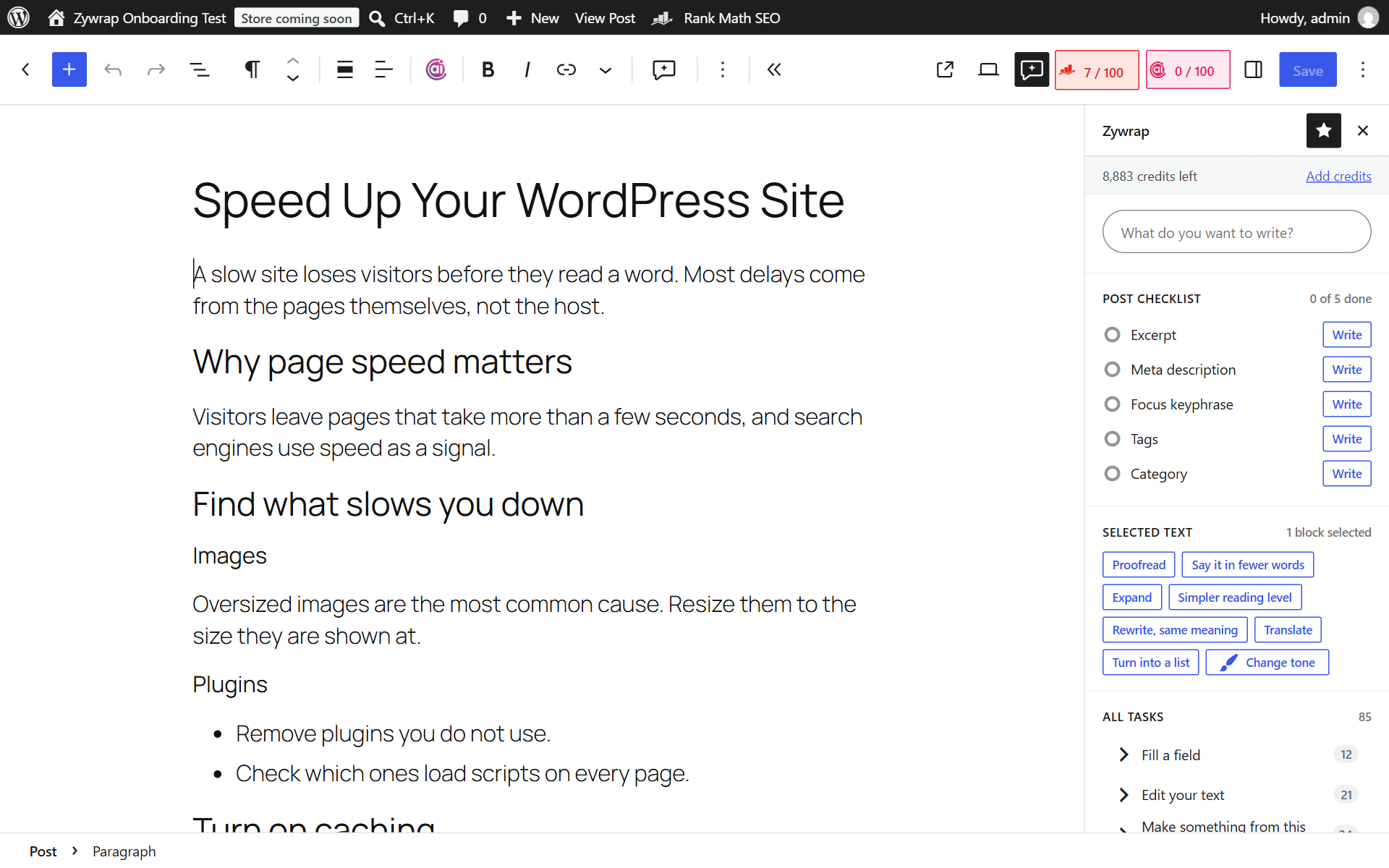
The editor sidebar: credits, what the post still needs, and tools for the selected text.

The Zywrap menu on a paragraph: proofread, shorten, rewrite, change the tone or translate.
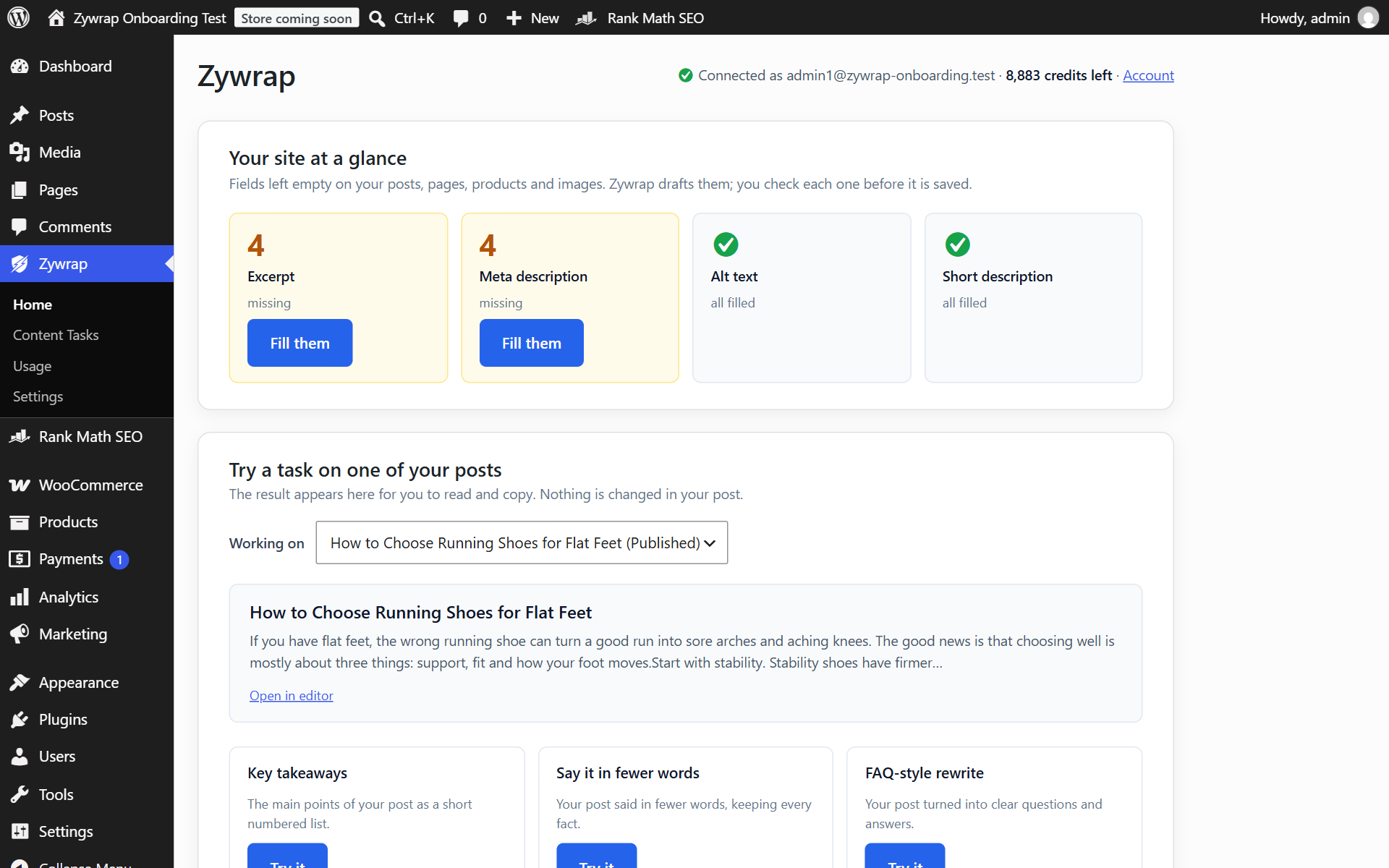
The Zywrap home screen: create a free account, or see what is missing on your site.
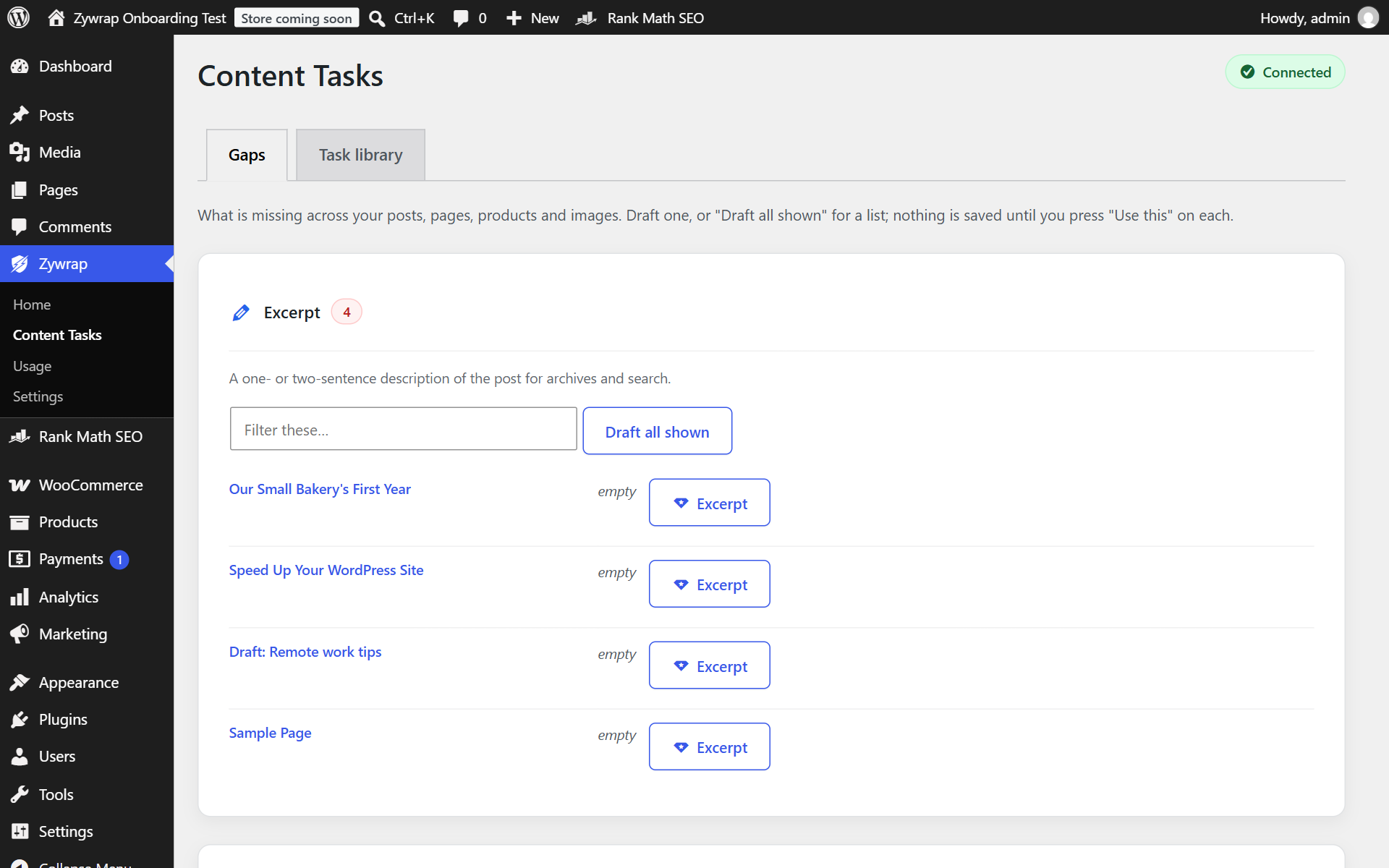
Content Tasks: every post missing an excerpt or meta description, drafted for you to approve.
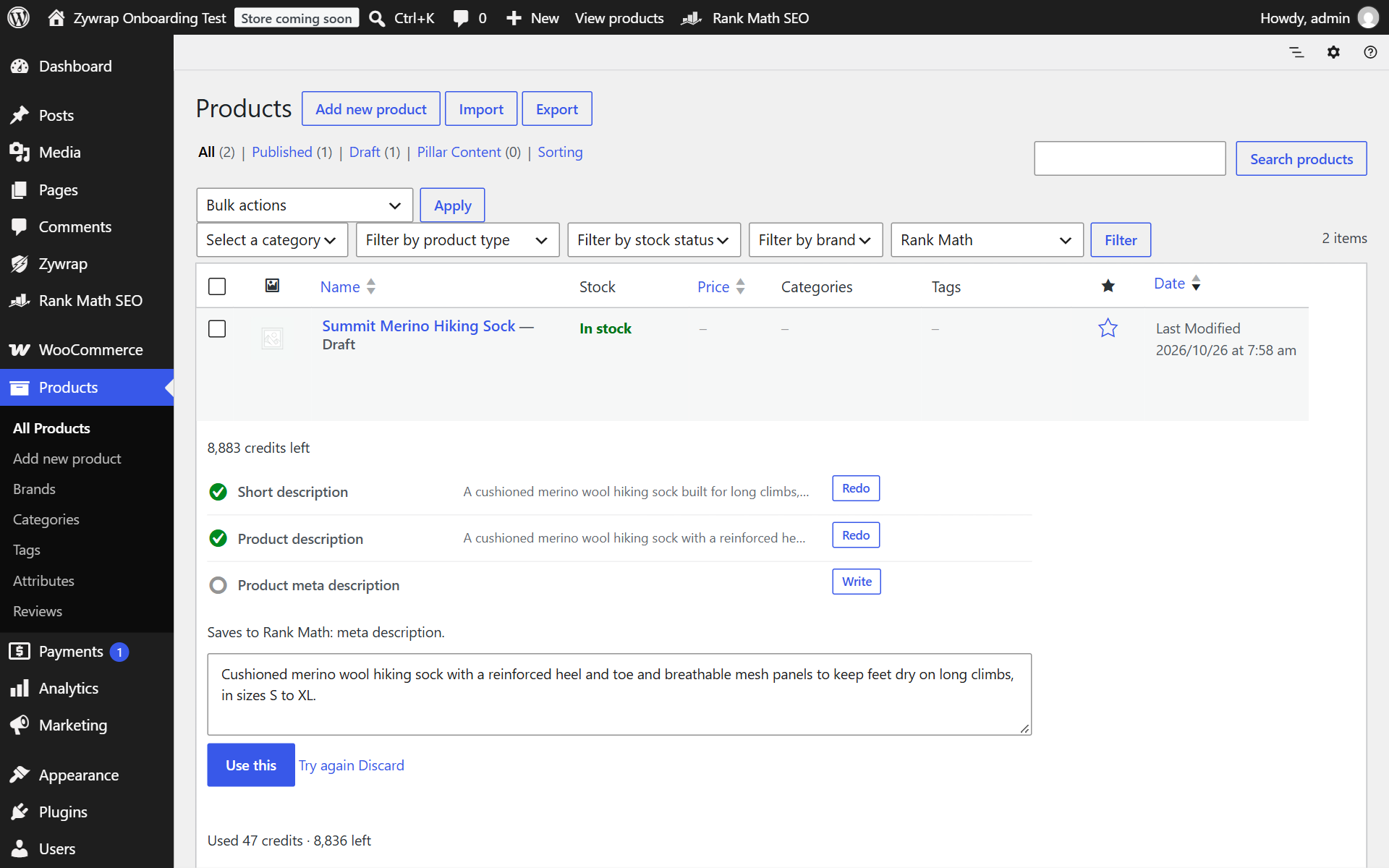
"Fill with Zywrap" on the Products list.
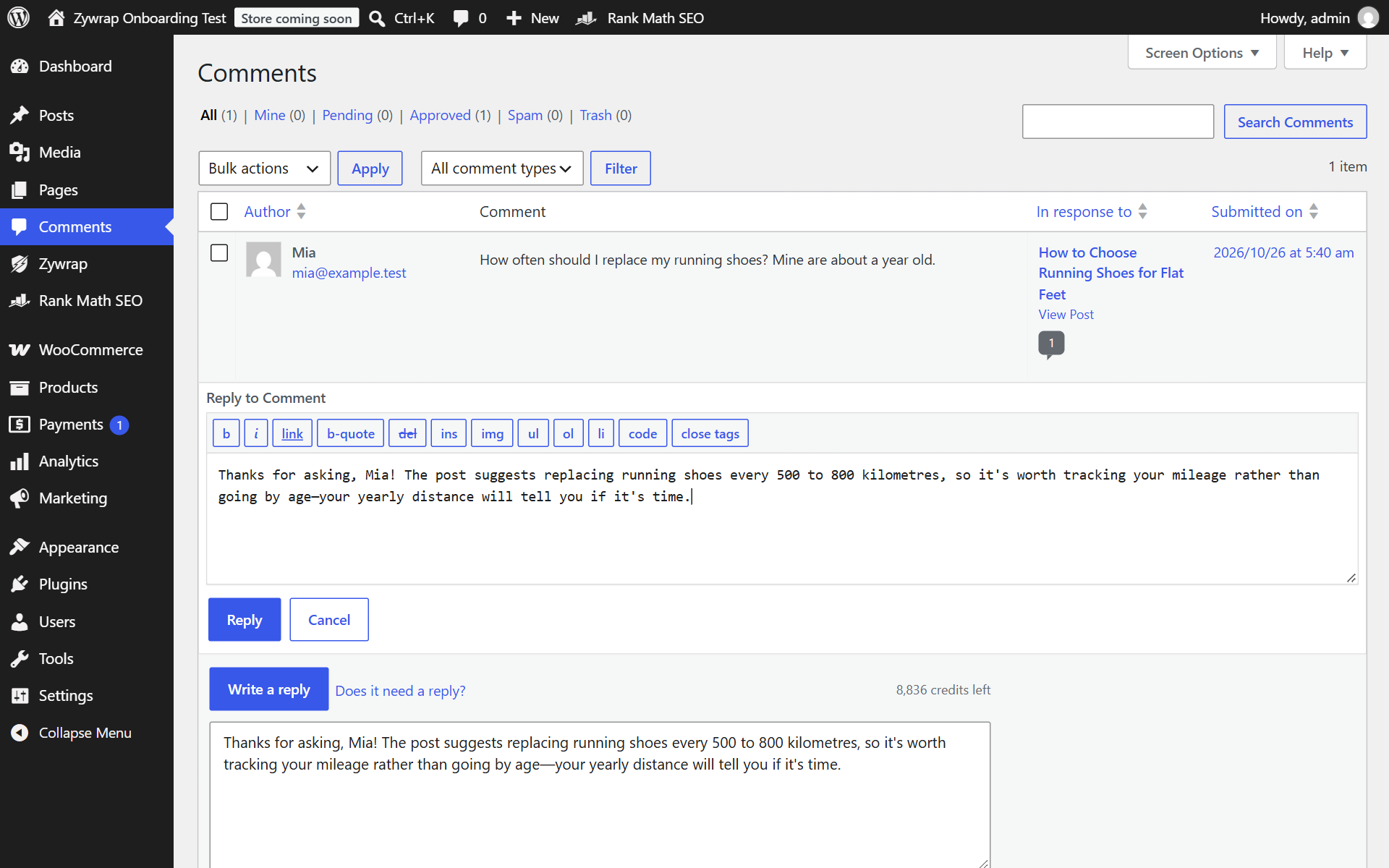
"Reply with Zywrap" on a comment, with the reply ready in WordPress's own reply box.
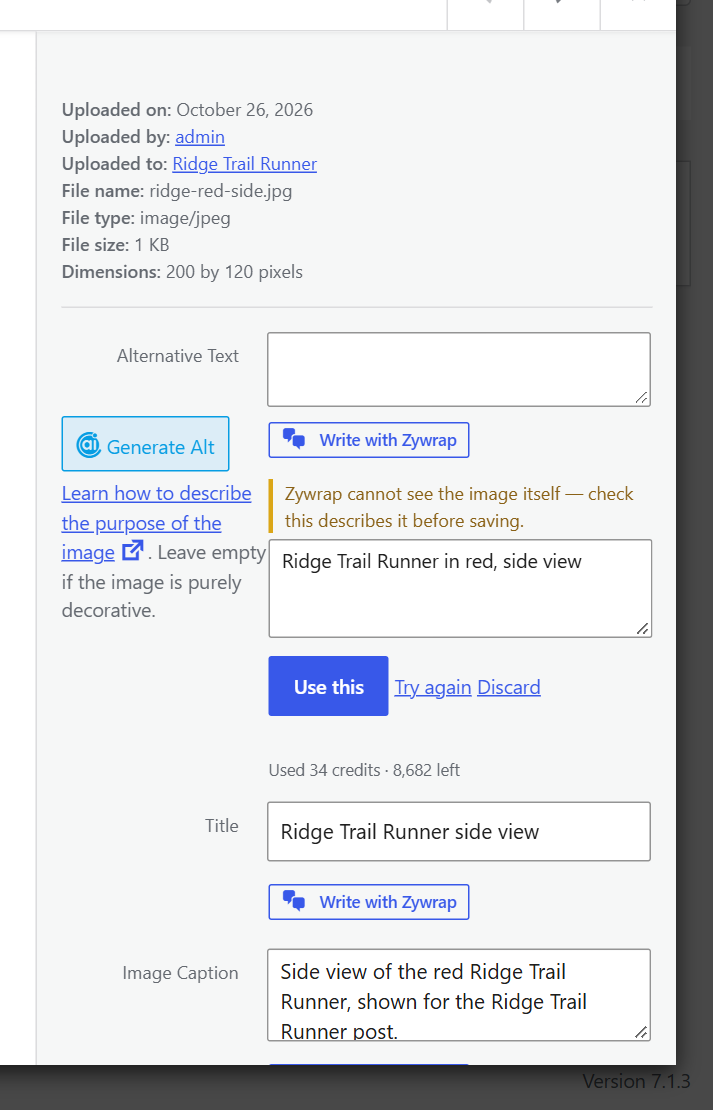
"Write with Zywrap" under Alternative Text in the Media Library.

The Zywrap widget on the WordPress Dashboard.