Search and filter through the entire WordPress plugin ecosystem.
171 RESULTS · PAGE 7 OF 8
LingoJon
"TinyMCE remove-base-64-image" immediately removes images dropped into the TinyMCE editor with Firefox and alerts the user with the reason.
Oscar de Souza Dias
Fetches information about a remote URL and adds it into the post.
prakhar19
AutoComplete For TinyMCE enables word autocompletion for the Wordpress Post Editor. Use it to type Faster and Error-Free.
pajko
Enables inserting of almost all widgets output into the visual editor, as static HTML blocks, witch can be changed once inserted into editor.
A.malakar
A simple plugin that helps you add a pop up to your tiny mce
Carlos Miguel Silva
Use a mceToolbar continuously while writing the content (as our text grows inside the editor box) for the page or post.
dc5ala
This plugin adds a button both to visual and html editor to remove newlines, carriage returns and HTML BR tags from selected text.
Kim
Removes those extra-tempting but extra-problematic buttons from tinyMCE, like font color, alignment, and other things that will wreck your style sheet …
Arefly
Add More Useful Buttons to TinyMCE Editors. 在TinyMCE編輯器上增加更多實用的按鈕
IT-SOLEX
Pattern post manager is a plugin to make Writing more efficient. Registering a pattern saves you the trouble of entering the same wording.
kolmic1
Replaces the standard WordPress editor with a clean, document-style interface for distraction-free writing.
hereladrastel
French Accents adds the majuscule accents on the text editor. Some majuscule characters such as É, È, À, Ç, œ, or Ù cannot be typed on a french keyboa …
jgrodgers
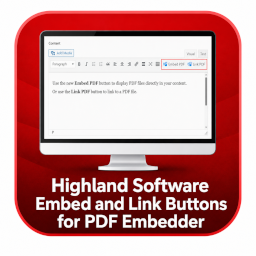
Adds Gutenberg and TinyMCE controls to insert PDFs as embedded viewers or direct links. Link-only output works even when PDF Embedder is not active.
BPOTechHue
Extend TinyMCE & Gutenberg with custom font weights (100–900 + keywords) and text transform options. Works standalone.
Edward
Enables the display of custom-field variables in the WordPress post editor via a TinyMCE button. Works well with custom post types as well as default …
deniskey
Custom TinyMCE toolbar buttons and Formats for the Classic Editor — wrap, insert templates, add classes, or open a code snippet dialog.
RandomSense
Added "Add HTML" button to the visual editor. Shortcut: Ctrl+Shift+K (Cmd+Shift+K). No more switching to a text editor just to paste HTML.
kijekoon
The best editor for apply themes and style set
Bjarne Oldrup
Simplifies TinyMCE to help creators focus on writing, while maintaining clean HTML and web accessibility.
Bestony
You can get a New Button On your TinyMCE Editor to add Your Update Signature in your post or page.
Marin Horvat
Adds safe background color controls for blocks in the WordPress Classic Editor.
Vaibhaw Kumar
Disable Gutenberg block editor & restore classic TinyMCE legacy editor per post type (Posts, Pages) with zero bloat and 100% speed.
Phuc Bui (PERXEL)
Adds an "Insert Accordion" button to the classic TinyMCE editor and renders it on the front end as an accessible accordion.
Arab Spell Checker Team
Enables Arabic Spell Checking in the TinyMCE editor.