Rewind Review Sync for Google Maps: 1.1 Update Guide (2026)
By wpmew
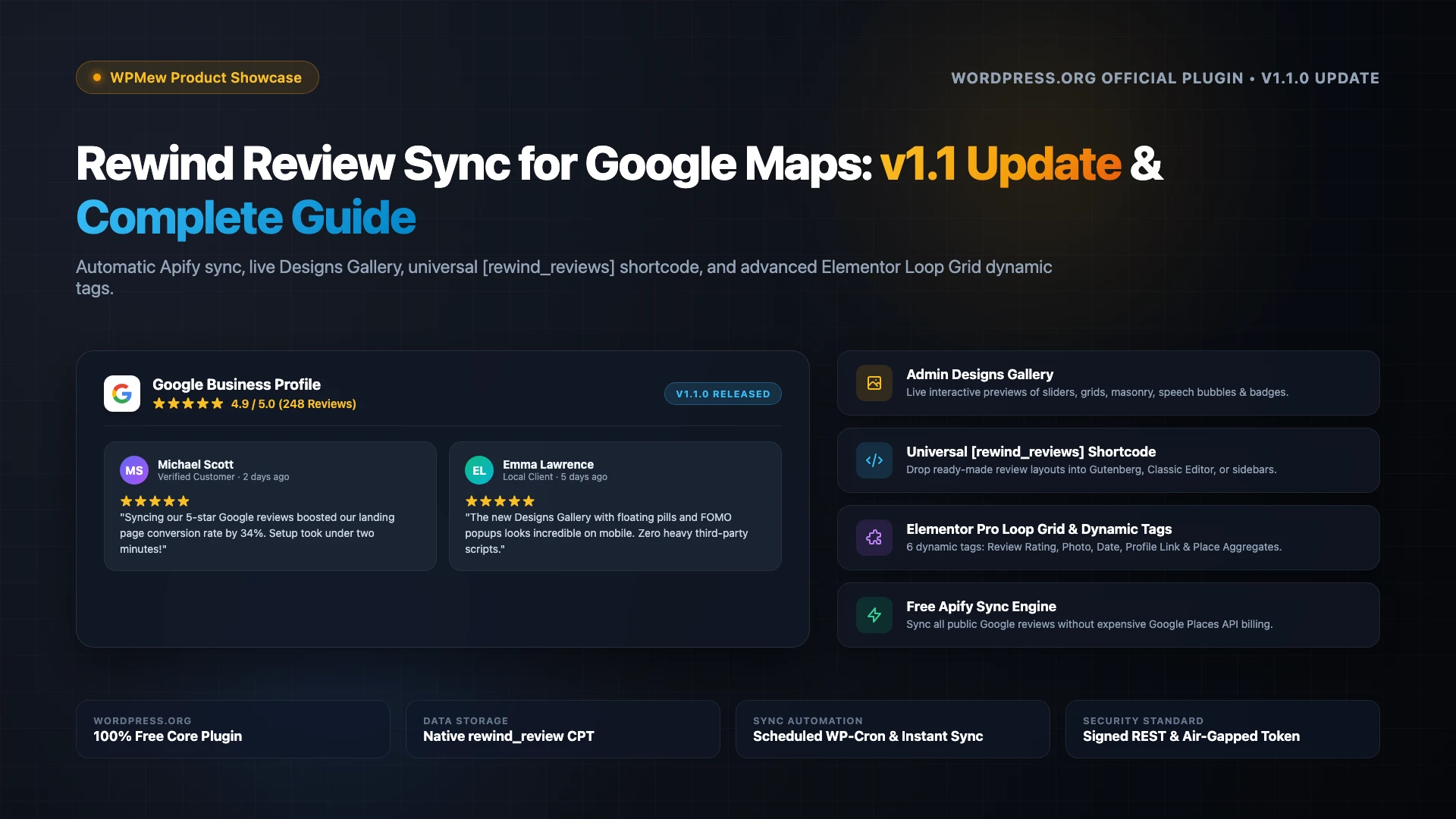
Using the rewind review sync for google maps plugin is the most efficient way to showcase verified Google business ratings on your website without paying for recurring subscription services or complex API billing. Displaying real customer testimonials directly on high-converting landing pages increases visitor trust and strengthens local organic search visibility. The new 1.1.0 release introduces major design additions, a universal shortcode, and background synchronization improvements.
Table of Contents
Table of Contents
What is Rewind Review Sync for Google Maps?
Rewind Review Sync for Google Maps and Elementor is an open-source WordPress plugin designed to fetch public customer reviews from your Google Business Profile and store them natively inside your WordPress database. Rather than relying on fragile iframe embeds or third-party badge scripts, the plugin transforms each customer feedback into a custom post type.
Because reviews live locally inside your WordPress instance, site owners gain total design freedom and zero frontend script overhead. Customer ratings render instantaneously without layout shifts or third-party tracking cookies. Site owners can display reviews through pre-built Elementor widgets, custom Elementor Pro Loop Grids, or the new universal shortcode.
What’s New in Version 1.1.0? (Major Update Breakdown)
The 1.1.0 update marks a massive leap forward for the plugin, shifting it from a dedicated Elementor companion into a flexible review marketing suite. Below are the key architectural additions and design improvements included in the latest release.
1. Interactive Admin Designs Gallery
The plugin now features an admin Designs Gallery with live, interactive card previews. Site owners can browse dozens of pre-configured layout presets categorized by Sliders, Grids, Masonry walls, Compact Lists, Badges, Floating pills, and FOMO notifications. Each card preview runs inside a secure, sandboxed frame directly within the WordPress dashboard.
2. Universal [rewind_reviews] Shortcode
Previous versions required Elementor to display reviews on the frontend. Version 1.1.0 introduces the [rewind_reviews] shortcode, enabling administrators to place review sliders, grids, or badges inside any Gutenberg block, Classic Editor page, sidebar text widget, or custom template file. For example, adding [rewind_reviews design="slider-header-shadow"] immediately renders an elevated rating header and responsive review slider.
3. Expanded Elementor Card Presets and Layouts
For design teams building bespoke customer testimonial sections, the bundled Elementor widget adds multiple modern card variations: Speech Bubble cards, Big Picture profile cards, Oversized Quote cards, Masonry layouts, and Floating corner pills. Every layout adheres to modern UI design standards and automatically inherits theme fonts.
4. Asynchronous Background Sync Engine
Fetching dozens of comprehensive customer reviews over network APIs can occasionally run against PHP execution timeouts on budget shared hosting. Version 1.1.0 refactors the manual “Sync Now” routine to run asynchronously in the background. The admin Overview dashboard displays a real-time progress monitor, preventing server timeouts and duplicate sync collisions.
5. Hardened Security and Token Protection
Security is significantly strengthened across the entire stack. Your API authorization credentials are never exposed to browser JavaScript and are excluded from autoloaded database options. In addition, review posts are kept private from public search archives to prevent search engine keyword cannibalization.
How the Free Apify Sync Engine Works
Connecting to Google reviews has historically been frustrating for small business owners. The official Google Places API requires setting up a Google Cloud billing account, entering credit card details, and enduring strict 5-review limitations unless paying steep per-call fees. Most review plugins charge expensive recurring subscriptions just to bridge this gap.
The rewind review sync for google maps plugin eliminates this hurdle by connecting through Apify. Apify is a cloud automation platform that executes the vetted compass~google-maps-reviews-scraper actor. The scraper collects public reviews directly from your Google Maps URL and returns clean JSON data containing reviewer names, profile photos, star counts, dates, and review text.
Apify provides a permanent free tier with $5 in recurring monthly credits without requiring a credit card. Because a standard daily review sync consumes only fractions of a cent, local businesses and small websites operate comfortably within the free tier indefinitely.
Elementor Widget & Loop Grid Dynamic Tags
Whether you use free Elementor or Elementor Pro, the plugin provides flexible display controls tailored to your design preferences.
For free Elementor users, the bundled Google Reviews widget provides an intuitive settings panel. You can toggle rating headers, select grid or slider formats, adjust columns across tablet and mobile breakpoints, and customize typography without touching CSS. Combining strong social proof with structured search data is proven to improve WordPress SEO rankings and click-through rates.
For Elementor Pro creators, the plugin registers six dedicated dynamic tags under the Google Reviews category in the Elementor tags picker:
- Review Rating (1–5): Emits the reviewer’s star rating as numeric values or text strings.
- Reviewer Photo: Fetches the public Google reviewer avatar image into Elementor Image widgets.
- Review Date: Outputs formatted dates or relative timestamps (e.g. “3 days ago”).
- Reviewer Profile URL: Links directly to the reviewer’s public Google Maps profile.
- Place Average Rating: Displays your business’s aggregate Google rating score (e.g. 4.9).
- Total Review Count: Injects the total number of Google reviews into headers or CTA buttons.
Architectural Workflow and Data Flow
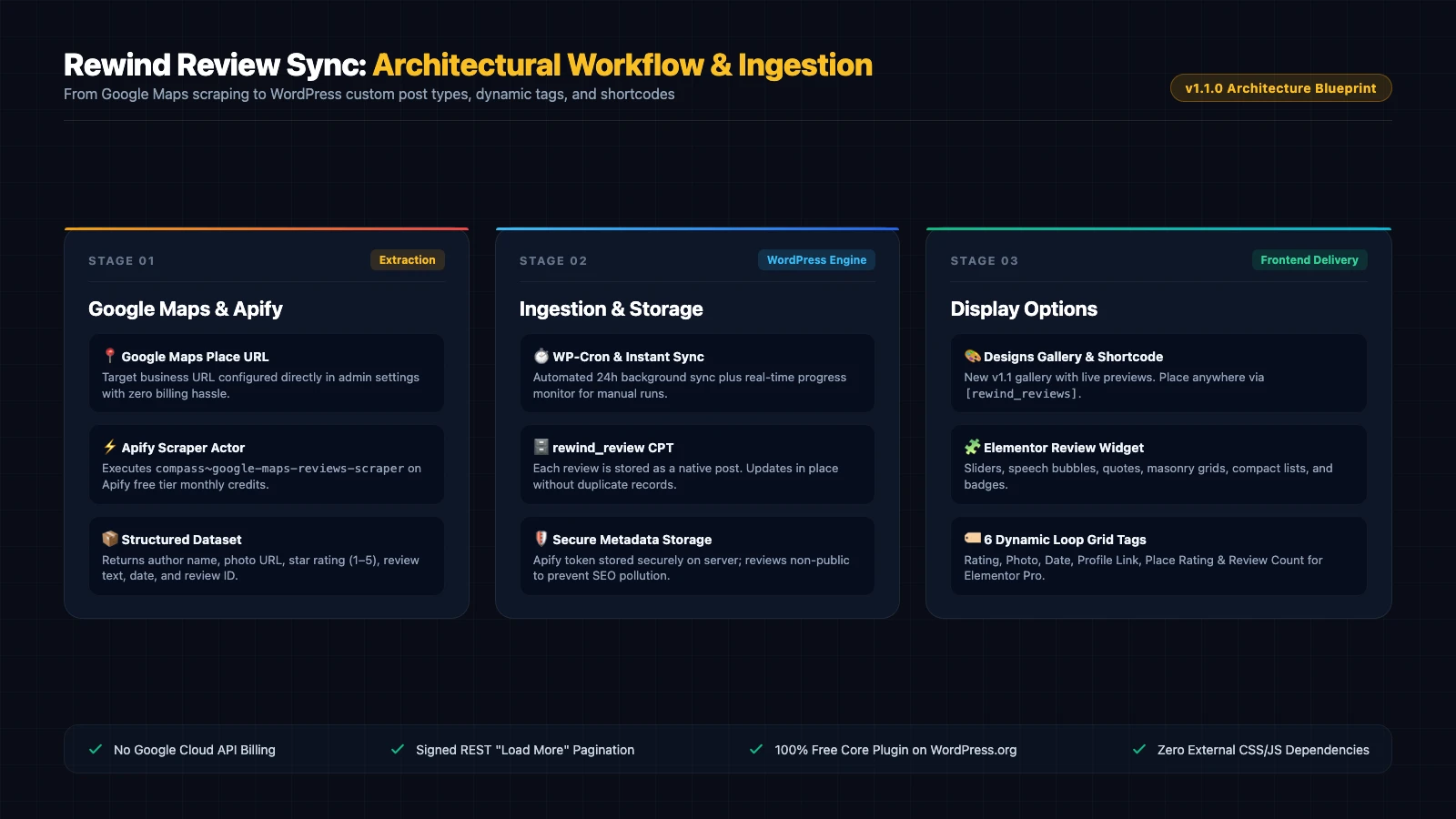
Understanding how data flows between Google Maps, Apify, and your WordPress database ensures complete confidence when deploying the plugin across high-traffic client websites. The diagram above illustrates the three-stage lifecycle:
First, the scheduled WP-Cron job triggers an API request to Apify using your stored API token and Google Maps business URL. Apify extracts the public review stream and compiles clean JSON metadata. Next, your WordPress server receives the payload, matching each review against Google’s unique review ID to update existing entries while appending new ratings without duplication.
Finally, WordPress registers the review posts and place-level statistics into memory. When visitors browse your product pages, the server renders the HTML markup using native WordPress query loops or shortcodes. For online retailers looking to optimize conversions, pairing customer reviews with the best SEO plugins for WooCommerce creates an unbeatable social proof funnel.
Step-by-Step Setup Guide: Connecting Google Maps in 3 Minutes
Configuring the plugin takes less than three minutes and requires zero code modifications. Follow these four simple steps to sync your reviews today.
Step 1: Install and Activate the Plugin
In your WordPress admin dashboard, navigate to Plugins > Add New. Search for Rewind Review Sync for Google Maps, click Install Now, and activate the plugin. Ensure Elementor is also active, as it is declared as a plugin requirement.
Step 2: Copy Your Google Maps Business URL
Open Google Maps in your desktop browser and search for your business name. Once your business profile card appears, copy the full URL from your browser address bar (it begins with https://www.google.com/maps/place/...).
Step 3: Retrieve Your Free Apify API Token
Head over to Apify Console and create a free account. Navigate to Settings > Integrations, copy your personal API Token, and paste it into Google Reviews > Settings inside your WordPress dashboard. Paste your Google Maps URL into the designated field and click Save Settings.
Step 4: Click Sync Now and Choose Your Layout
Click the Sync Now button on the Overview screen. In a few moments, your reviews will populate under the Google Reviews menu. You can now visit the Designs Gallery to pick a favorite layout, copy the shortcode, or drop the Google Reviews widget directly into your Elementor template.
Comparison: Rewind Review Sync vs Costly SaaS Alternatives
Most commercial review widgets operate on recurring subscription models that lock your customer testimonials behind expensive third-party platforms. Below is how Rewind Review Sync compares against typical SaaS review platforms.
| Feature / Capability | Rewind Review Sync (v1.1) | Commercial SaaS Widgets | Direct Google Places API |
|---|---|---|---|
| Monthly Cost | 100% Free (Apify Free Tier) | $10 – $49 / month recurring | Pay-per-request billing |
| Review Limits | Full public reviews stream | Limited on entry tiers (10–50) | Strict 5 reviews limit |
| Data Ownership | Native WordPress Database | Third-party proprietary cloud | Ephemeral API responses |
| Elementor Loop Grid | Full Dynamic Tags support | Restricted or unsupported | Custom code required |
| Gutenberg / Shortcode | Universal [rewind_reviews] | Embedded iframes / scripts | Custom blocks needed |
| Frontend Asset Weight | 0KB external scripts | Heavy third-party JS scripts | Developer-dependent |
Who Should Use Rewind Review Sync?
The rewind review sync for google maps plugin is an ideal fit for local businesses, medical clinics, legal practices, restaurants, and service contractors who rely heavily on Google Maps ratings to capture local leads. By eliminating monthly SaaS subscriptions, agencies and site builders can offer premium review showcases to clients while maintaining lean hosting budgets.
Furthermore, web developers building custom themes benefit from clean WordPress custom post types. Because review records follow modern WordPress coding standards, engineering teams can integrate them into bespoke query loops alongside WordPress 7.2 developer features without fighting vendor lock-in.