BACK TO DIRECTORY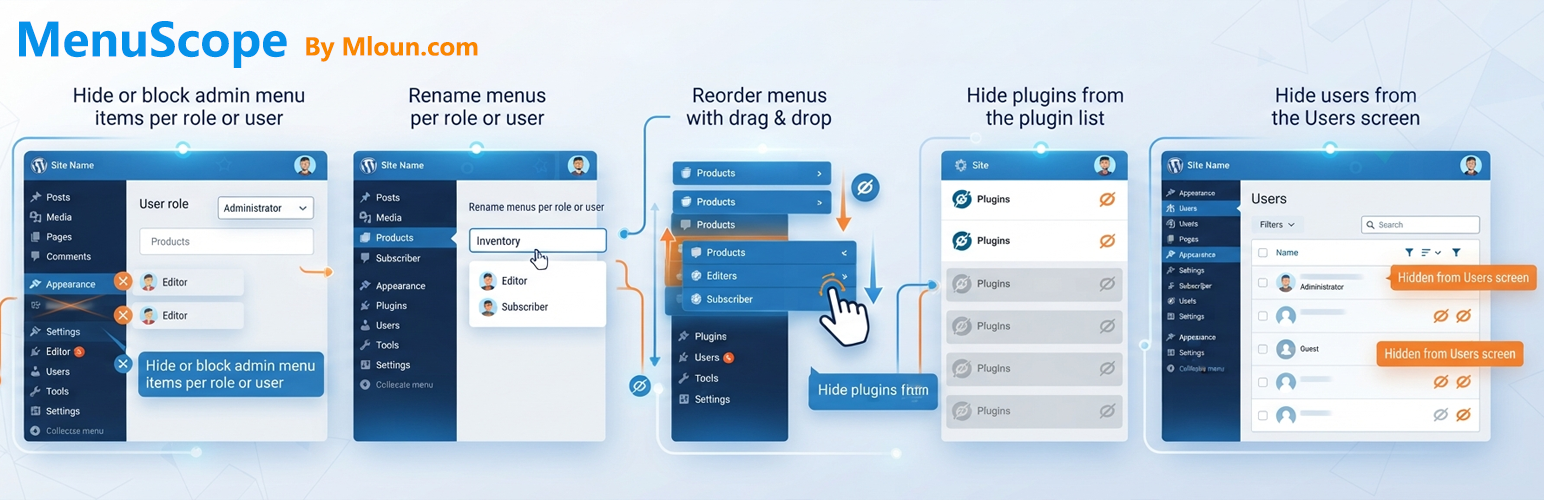
Mloun MenuScope lets you clean up the WordPress dashboard for clients and team members:
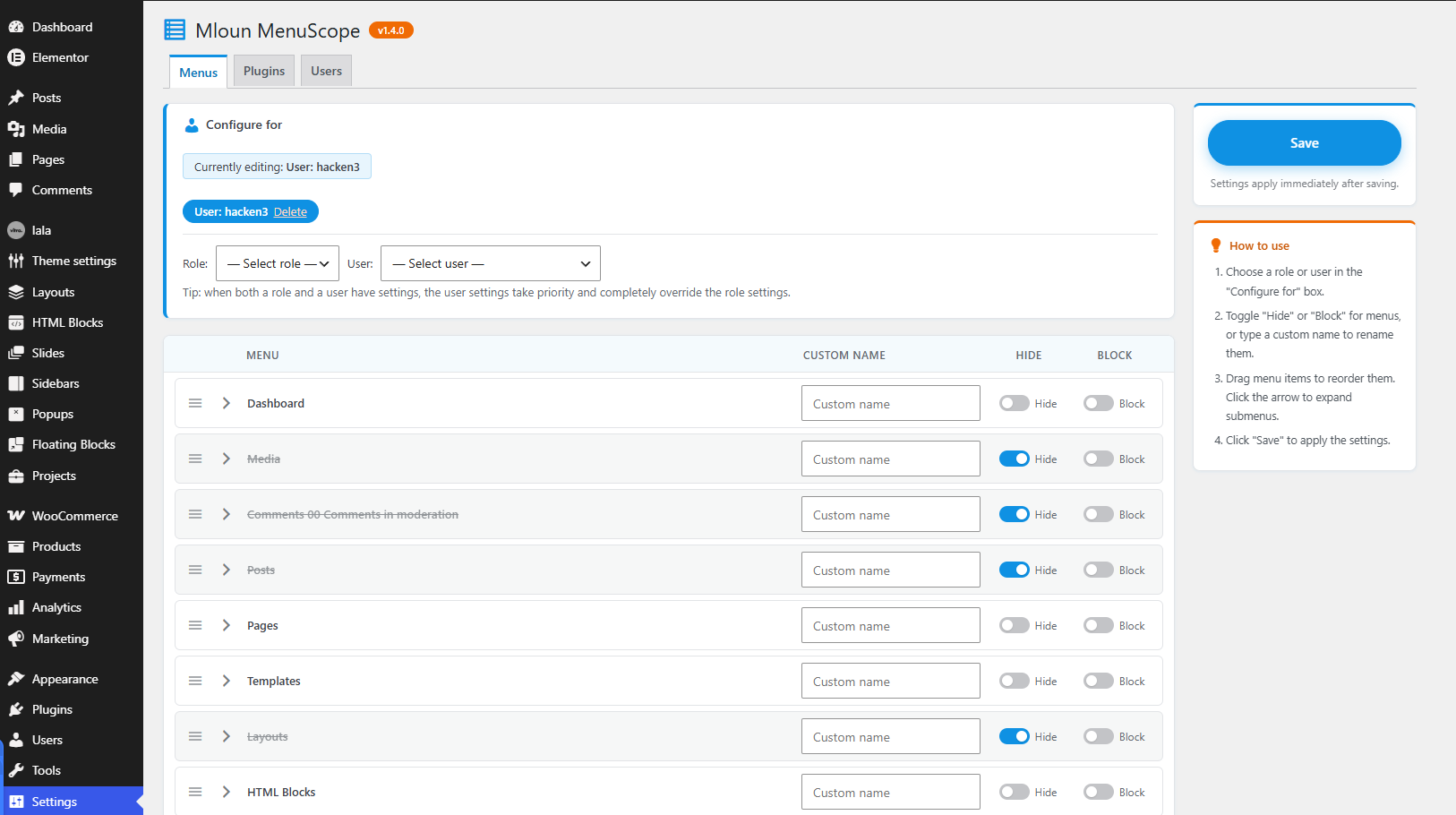
- Hide menus per role or user — the menu disappears but the URL stays reachable.
- Hide & block menus per role or user — direct URL access is denied with a 403 error.
- Drag & drop menu ordering — reorder top-level menus and submenus per role or user. Submenus are collapsible in the editor.
- Rename menus per role or user — give any admin menu or submenu a custom label for a specific role or user.
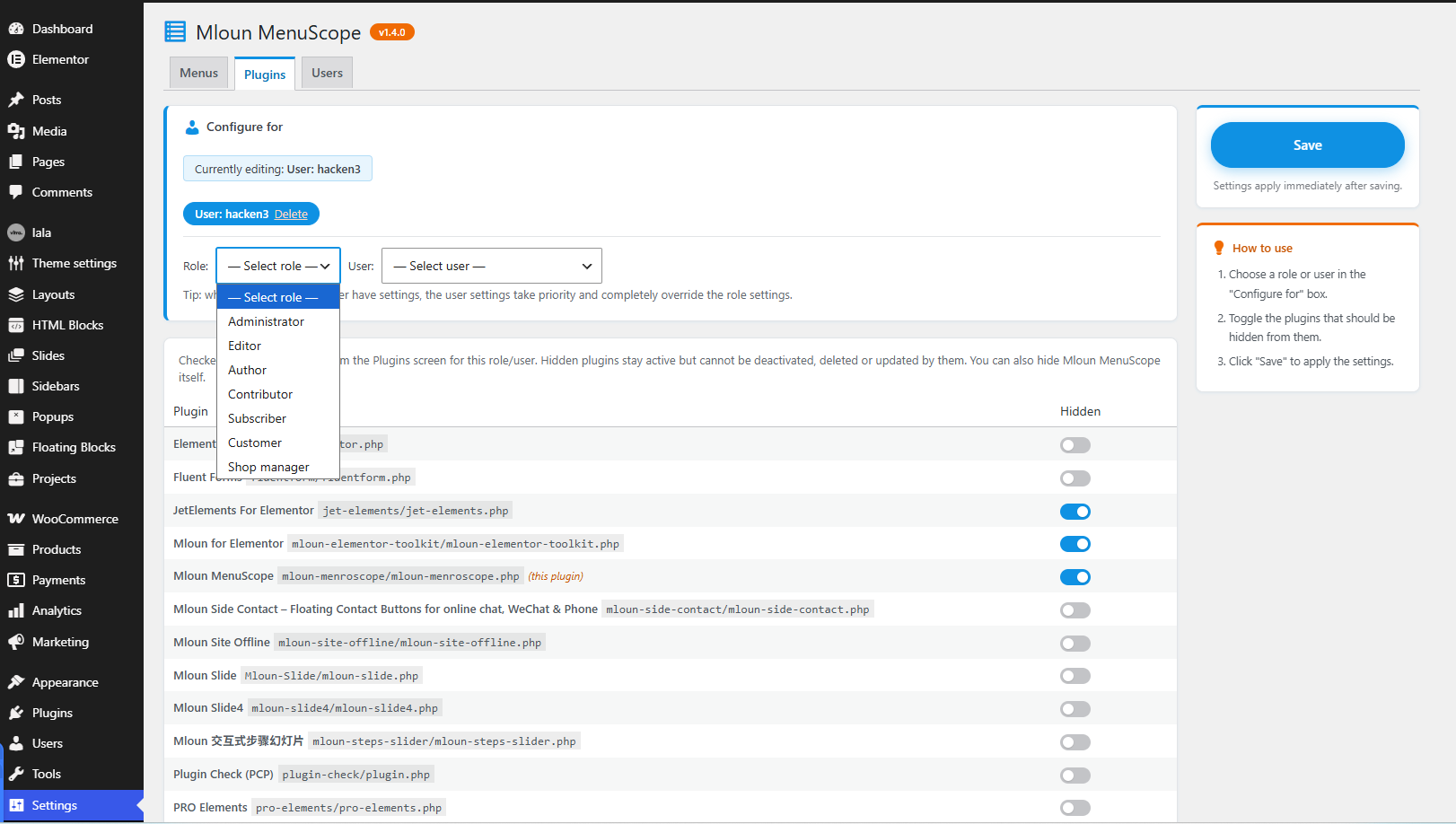
- Hide plugins per role or user — hidden plugins vanish from the Plugins screen and cannot be deactivated, deleted or updated by them. You can hide Mloun MenuScope itself.
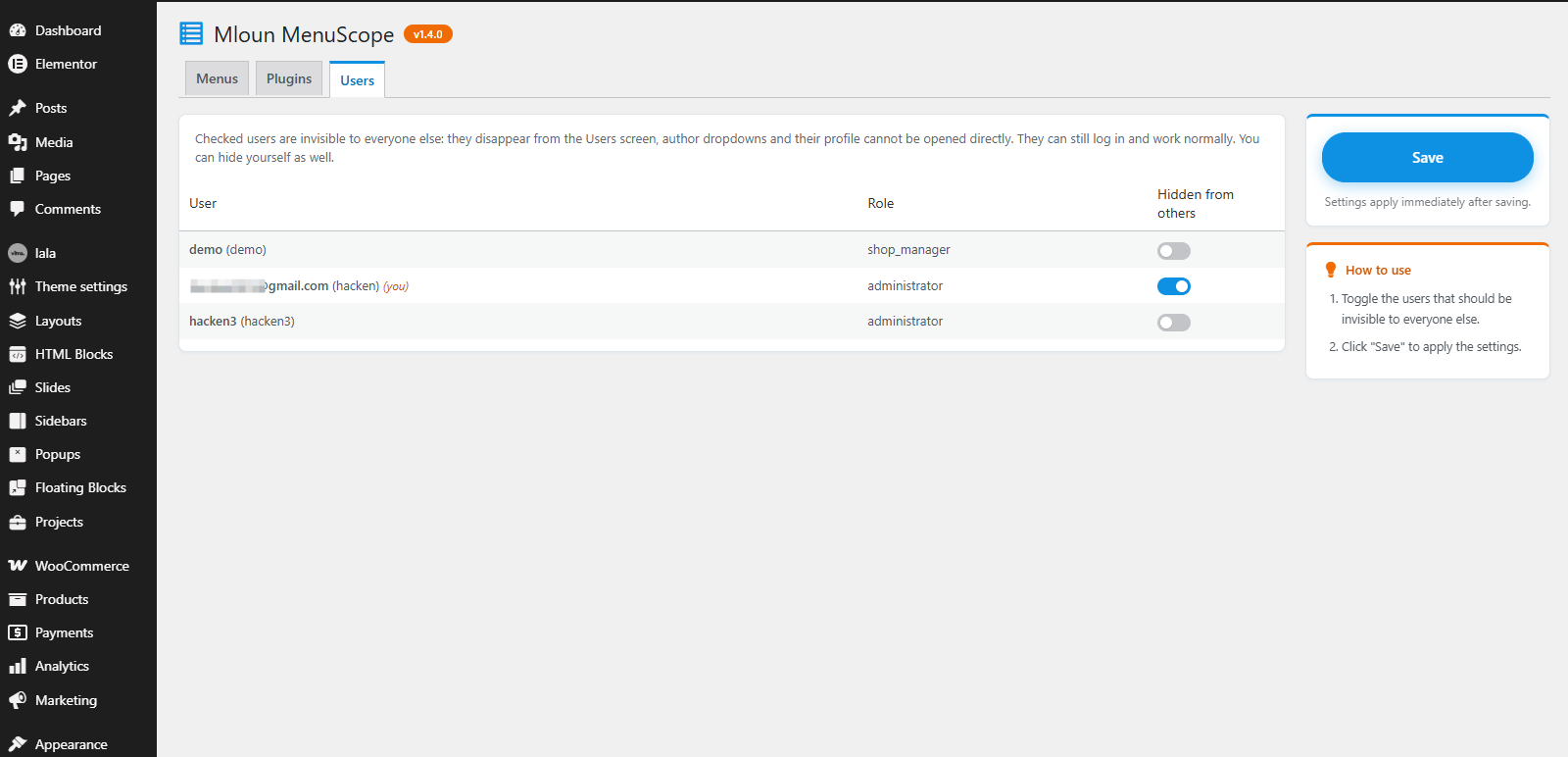
- Hide users — selected users become invisible to everyone else: they disappear from the Users screen, author dropdowns, and their profile page cannot be opened directly. They can still log in and work normally. You can hide yourself.
- User settings override role settings — when both a role and a user have settings for the same section, the user settings win completely.
Find it under Settings MenuScope.
All strings are translatable (text domain: mloun-menroscope). Community translations are managed at translate.wordpress.org.
Screenshots
Plugin Details
Active Installs
0Total Downloads
119Version
1.4.1Requires WP
5.8Requires PHP
7.4Tested Up To
7.1.4Added
2026-10-16Last Updated
2026-10-16 1:59pm GMTRatings
5
0
4
0
3
0
2
0
1
0