Search and filter through the entire WordPress plugin ecosystem.
15 RESULTS · PAGE 1 OF 1
10up
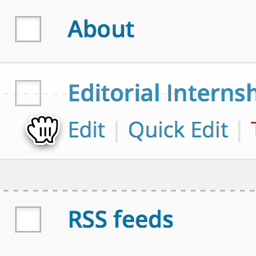
Order your pages and other custom post types that support "page-attributes" with drag and drop right from the standard page list.
Matt Cromwell
Quickly reorder posts, pages, and custom post types using an intuitive drag-and-drop interface. Reordering supports auto-sorting and nested pages.
Yoast
Creates a 'menu_order' column to specify term order, allowing theme and plugin developers to sort term by menu order.
chillcode
Expose menu order column on your dashboard listings.
Luminos Agency
Drag-and-drop product ordering for each WooCommerce category, applied on the category page when shoppers use "Default sorting".
Room 34 Creative Services, LLC
Add a Menu Order field to Media Library.
wpunicorn
Drag-and-drop ordering for any post type using WordPress's built-in menu_order field. Features modern admin UI and full theme compatibility.
Ronald Huereca
Clean up your WordPress admin menus instantly by sorting menu items alphabetically. Sort menus like Settings and Tools, leaving Core items untouched.
Bowo
Customize the order of the admin menu and optionally change menu item titles or hide some items.
Antonio Augusto
WordPress plugin to keep new plugin admin menu items at the bottom of the admin menu.
Pär Thernström
Add edit buttons to the front end of your website. The buttons makes it easy to changing the order of a pages, adding pages, and editing pages.
Luke Hertzler
Easily reorder your admin menu items with simple drag & drop operation
hellosabrinamok
Reorder multiple WordPress navigation menu items at once using a simple drag-and-drop interface built for large and nested menus.
Neutrope Inc.
Reorder the WordPress admin menu directly in the sidebar with drag and drop. No settings screen.
Mloun
Hide or block admin menus per role/user, reorder with drag & drop, rename menus, hide plugins and users.