Search and filter through the entire WordPress plugin ecosystem.
278 RESULTS · PAGE 2 OF 12
Sully
A lightweight plugin that allows you to view user metadata, export them CSV or JSON, or delete key/value pairs.
Toby Cryns (@themightymo)
This is a debugging plugin that displays the current php file that is loading on the front end of the website.
10up
Extends the Query Monitor and Debug Bar plugins for ElasticPress queries.
Oleg Butuzov
Debug Bar Rewrite Rules adds a new panel to Debug Bar that displays information about WordPress Rewrites Rules (if used).
Automattic
Provides a quick and easy method of adding all core widgets to a sidebar for testing purposes.
jarednova
Adds a Panel to the Debug Bar for Timber information
Fulvio Notarstefano
An implementation of PHP Console as a WordPress plugin. Use Chrome Dev Tools to debug your WordPress installation!
JEVNET
"Thank you page viewer for Woocommerce" shows a link to the thank you page from the order admin page.
M.Code
See clearly and understand how WordPress rewrite rules work within a simple and clean interface
freekmurze
Easily debug WordPress sites using Ray.
Grégory Viguier
Adds some small development tools to the admin bar.
Federico Andrioli
Log/Debug the PHP code in your Theme/Plugin with your Browser Console (no extension needed)
iTRON
Logging vars and events for fast debug WordPress site.
Blend Media
Displays server stats and WordPress system information for debugging purposes.
NateWr
A tool for experienced frontend performance engineers to take control over the scripts and styles enqueued on their site.
Bowo
Inspect PHP variables on a central dashboard in wp-admin for convenient debugging.
Konstantin Kovshenin
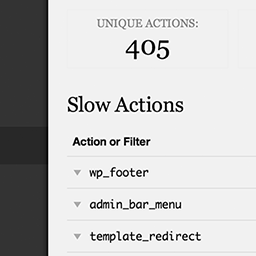
Easily find out which actions and filters are the slowest during a page load.
Andrew Klimek
View and Delete the debug log from the Tools menu. Extremely light and simple.
Josh Mckibbin
Displays the phpinfo() table in the WordPress dashboard and creates a shortcode for use in posts and pages.
PluginRx
Lots of debugging and testing tools for developers.
Leo Gopal
View Information about your WordPress Configuration (Defaults, Themes, Plugins) and Server Information that is useful for debugging and support.
Rami Yushuvaev
Control which status tests and what debug information appear in your Site Health screen.
Mirco Babini
Load the Last Version of style.css everytime, whenever and ever. No side effects on performance.
Sayan Datta
The Advanced Cron Scheduler for WordPress plugin helps to easily replace or migrate Native WordPress Cron to the Action Scheduler Library.